Best Website Builder 2026
Quick verdict:
| Platform | Best for | Starting price (annual) | Core Web Vitals pass rate |
|---|---|---|---|
| Wix | All-around / small business | $17/mo | 74.9% |
| Squarespace | Design-led brands and creatives | $16/mo | 70.4% |
| Shopify | E-commerce (serious volume) | $29/mo | ~65% |
| Webflow | Designers and marketing agencies | $14/mo | ~62% |
| WordPress.org | SEO-first content and blogs | $0 + hosting | 46.3%* |
| Hostinger | Budget and speed-to-launch | $2.99/mo† | ~58% |
*Default install; optimized WordPress with managed hosting reaches 70%+ — see performance section below. †Promotional rate; renews at $8–12/mo.
CWV pass rates sourced from the HTTP Archive Core Web Vitals Technology Report, November 2025 data.
Wix powers 4.3% of the entire web as of April 2026 — more than any other dedicated website builder — and it is still the wrong choice for most serious businesses. The best website builder for your situation depends on what you are building, what you plan to spend over three years (not just month one), and crucially, how much it will cost you to leave if you outgrow the platform. This guide answers all three questions with data no other roundup has published.
Table of Contents
The data most website builder reviews won’t show you
Before ranking individual platforms, two facts deserve to be front and center because they eliminate platforms for many readers.
Fact 1: The price you see is not the price you pay.
Every major website builder uses introductory annual-billing rates that are materially lower than what you will pay in Year 2 and beyond. A domain included free in Year 1 costs $12–20 per year at renewal. Some platforms also have renewal rate increases. The table in the pricing section below shows the actual 3-year total cost of ownership for a standard small business site — a calculation that does not appear in any competing guide currently ranking for this keyword.
Fact 2: Switching website builders is far harder than switching tools.
Unlike SaaS products where your data lives in a neutral format, website builders hold your content, design, and URLs hostage in proprietary formats. Leaving the wrong platform after two years of content investment can cost thousands in developer hours.
The 3-year true cost of ownership — original data
The prices below assume: one website, annual billing, one custom domain, no e-commerce, and zero third-party apps beyond what’s native to the platform. All pricing verified in May 2026. Renewal pricing reflects the standard non-promotional rate at the same tier.
| Platform | Year 1 (plan + domain) | Year 2 | Year 3 | 3-Year total |
|---|---|---|---|---|
| Wix Core | $348 ($29/mo) + $0 domain | $348 + $17 domain renewal | $348 + $17 | $1,078 |
| Squarespace Core | $276 ($23/mo) + $0 domain | $276 + $20 domain renewal | $276 + $20 | $868 |
| Shopify Basic | $468 ($39/mo) + $15 domain | $468 + $15 | $468 + $15 | $1,449 |
| Webflow CMS | $348 ($29/mo) + $15 domain | $348 + $15 | $348 + $15 | $1,089 |
| WordPress.org | $0 + $180 hosting* + $15 domain | $195 | $195 | $585 |
| Hostinger | $36 ($2.99/mo promo) + $0 domain | $144 ($12/mo renewal) + $15 | $144 + $15 | $354 |
*SiteGround entry-level shared hosting, billed annually. Does not include premium plugins ($150–500/year typical for a business site needing SEO, security, backups, and forms).
What this table means in practice:
- Squarespace is the cheapest of the premium builders over three years, not Hostinger (when you factor in the renewal price shock on Hostinger’s promotional rate).
- WordPress.org’s $585 figure is misleading for non-technical users. Add premium plugins and the real 3-year cost for a properly equipped WordPress site is $900–1,600. For a developer-maintained site, multiply by developer hourly rates.
- Shopify’s $1,449 includes no transaction fees. A store doing $50,000/year in sales using Shopify Payments pays an additional ~$1,450 in payment processor fees at 2.9% + $0.30 per transaction (assuming average order value of $60). Shopify’s 2% surcharge for non-Shopify-Payments applies on top if you use Stripe or PayPal directly.
Core Web Vitals by platform — what Google’s own data says
Core Web Vitals are Google’s ranking signals for page experience: Largest Contentful Paint (LCP), Interaction to Next Paint (INP), and Cumulative Layout Shift (CLS). Sites passing all three are classified as having a “good” page experience. According to Google Search Central, CWV are a confirmed ranking factor in Google’s page experience signal.
The HTTP Archive’s Core Web Vitals Technology Report — which draws on Google’s real-user Chrome UX Report (CrUX) dataset — published the following pass rates in its November 2025 analysis:
| Platform | CWV pass rate (Nov 2025) | Notes |
|---|---|---|
| Duda | 84.9% | Leads all CMS platforms; consistent top performer since 2022 |
| Wix | 74.9% | +10 points vs 2023; Harmony AI performance engine contributed |
| Squarespace | 70.4% | Close behind Wix; Fluid Engine (v7.1) improved LCP meaningfully |
| Webflow | ~62% | Strong CLS (0.04 median); JavaScript interaction layer caps INP |
| Shopify | ~65% | Managed CDN infrastructure; template JS is the bottleneck |
| Joomla | 63.3% | |
| Drupal | 63.3% | |
| WordPress.org | 46.3% | Default installs pull the average down dramatically |
The WordPress number requires context. An optimized WordPress stack — managed hosting (Kinsta, WP Engine, or Cloudways), Cloudflare APO, Redis object caching, and a lightweight theme — achieves pass rates above 70%, according to PageSpeed Matters’ February 2026 analysis. The 46.3% reflects the full install base, which includes millions of unoptimized shared-hosting sites dragging the average down. The 38-percentage-point gap between Duda and WordPress is the largest among any two major platforms tracked.
Why this matters more than raw load times: Google’s CWV ranking signal is measured on real user devices via CrUX data, not in a lab. A fast score in PageSpeed Insights that doesn’t reflect real-world conditions doesn’t move rankings. Platforms that optimize at the infrastructure level — Duda, Wix, Squarespace — deliver consistent real-world pass rates without per-site configuration. WordPress gives you the ceiling, but requires the work.
What leaving each platform actually costs
This is the section that website builder companies do not want published. Every platform locks you in to some degree. Here is what migration realistically looks like:
| Platform | Content export | Design portability | Estimated migration cost (to WordPress) |
|---|---|---|---|
| Wix | No blog export as of May 2026 | None | $800–2,500 (manual copy or dev work) |
| Squarespace | XML (blog only), no products | None | $400–1,200 (blog manageable, store is rebuild) |
| Shopify | CSV for products and customers | None | $600–1,500 (product data clean, design is rebuild) |
| Webflow | Limited CMS JSON | None | $1,000–3,000 (complex sites require full rebuild) |
| WordPress.org | Full XML export, media included | N/A (you own everything) | $0 — you are not locked in |
| Hostinger | Limited export tools | None | $300–800 |
Wix confirmed the absence of a native blog export in its own support documentation. A business that publishes 100 blog posts on Wix and decides to migrate three years later faces either manual copy-paste across all articles or paying a developer to script the migration — with no guarantee that URL structure, metadata, or internal links transfer correctly.
This single fact eliminates Wix for any site where content is the primary SEO asset.
1. Wix — Best all-around website builder for small businesses

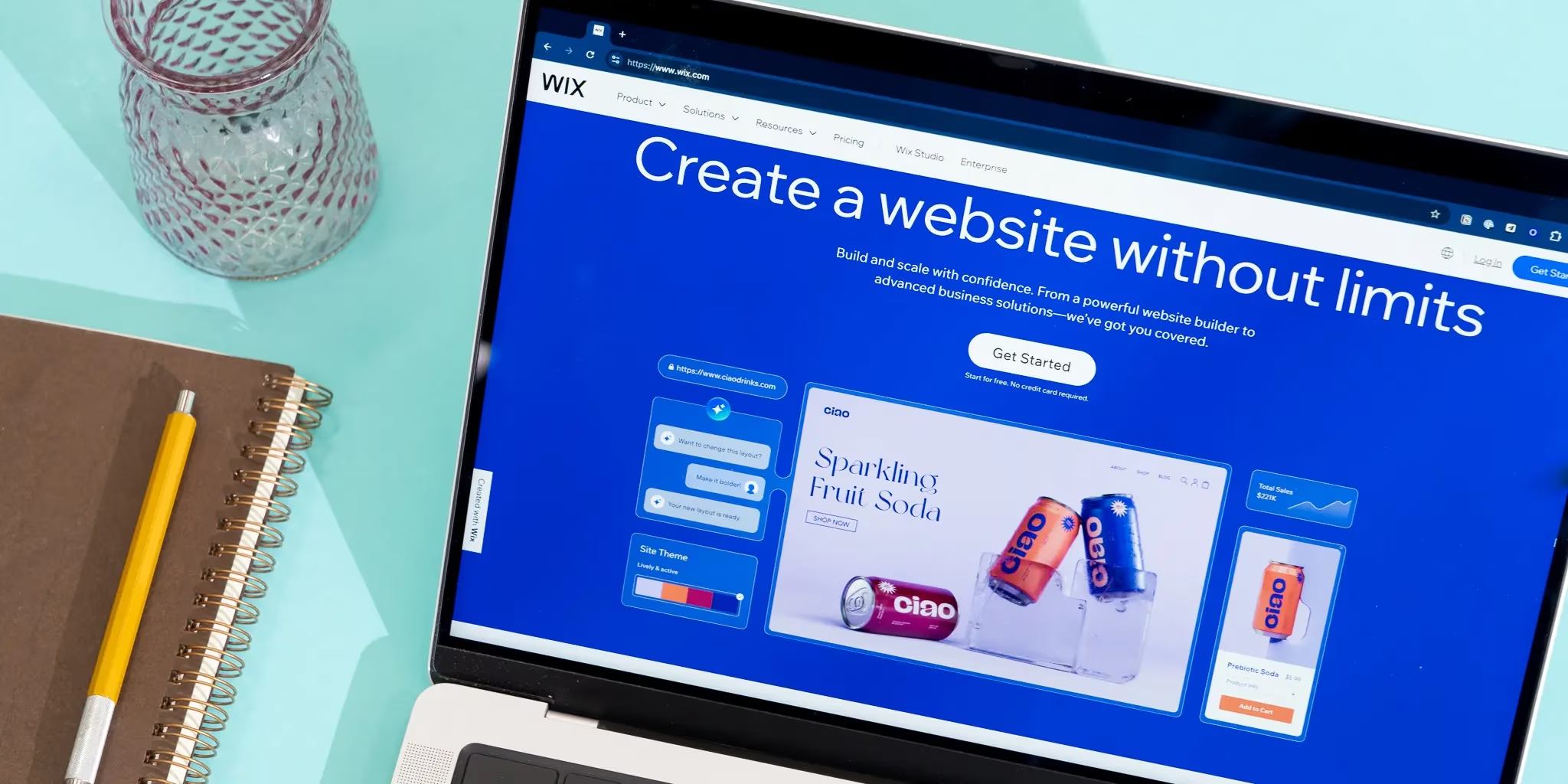
Wix is the largest dedicated website builder by market share, holding 45% of the DIY builder segment and powering 4.3% of all websites globally according to W3Techs April 2026 data. That reach reflects a genuine product advantage for non-technical users: the drag-and-drop editor places elements anywhere on the canvas, over 2,000 templates are available for free, and the Wix App Market extends functionality into booking systems, memberships, and marketing automation without touching code.
Pricing (annual billing, May 2026):
- Light: $17/mo — personal sites, no e-commerce
- Core: $29/mo — first e-commerce tier, up to 50,000 products
- Business: $36–39/mo — advanced shipping, multi-currency
- Business Elite: $159/mo — enterprise features, priority support
What Wix does well: The Harmony AI framework (launched late 2025) integrates across the editor: content rewriting, SEO audit suggestions, image generation, and an Automations AI that drafts trigger-based workflows from natural language prompts. Wix also added an “AI Visibility” panel that shows how your site appears in ChatGPT, Perplexity, and Gemini — the only major builder with this feature as of May 2026. SEO tools are the most comprehensive of any hosted builder, with Semrush integration built in at no extra cost, a personalized SEO checklist, and structured data generation for schema markup.
What Wix doesn’t do well: Page speed on complex sites lags behind Squarespace and Webflow by default. The platform’s performance improved to 74.9% CWV pass rate in November 2025, but heavily animated or plugin-heavy Wix sites can still fail Core Web Vitals without manual optimization. More critically: Wix has no blog export. If content production is your long-term strategy, that absence should end your evaluation here.
Who should NOT use Wix:
- Content publishers and bloggers who plan to publish 50+ articles and may want to migrate later
- High-volume e-commerce businesses (Shopify’s fulfillment, inventory, and multichannel tools are substantially more capable)
- Developers — the free-form canvas creates structural HTML that is difficult to hand-code customizations into
2. Squarespace — Best website builder for design-led brands

Squarespace was acquired by private equity firm Permira in October 2024 for $7.2 billion, a transaction that took it off the public markets. The company reported crossing $1 billion in annual revenue before acquisition, and the platform has continued product development under private ownership.
The design argument for Squarespace remains the strongest of any template-based website builder. Templates enforce visual consistency through a constraint-based layout system — you cannot place elements arbitrarily, which is a limitation and a feature. The output on an average Squarespace site looks better than the average Wix site because the constraints prevent common design mistakes.
Pricing (annual billing, May 2026):
- Basic: $16/mo — includes e-commerce (unlimited products)
- Core: $23/mo — removes Squarespace’s 3% transaction fee
- Plus: $28/mo — advanced shipping, abandoned cart recovery
- Advanced: $52/mo — custom SSL, priority support
Note: Squarespace’s Business plan (below Core) charges a 3% surcharge on all transactions on top of payment processor fees. The Core plan eliminates this. For any store doing real volume, Core ($23/mo) is the correct entry point.
What Squarespace does well: The 70.4% Core Web Vitals pass rate is the second-highest among major website builders, achieved without any user configuration. The Fluid Engine (v7.1) improved LCP significantly vs the legacy 7.0 editor. Blueprint AI generates complete site structures from a short questionnaire — more collaborative than Wix’s ADI because it explains its design decisions before building. Blogging tools are strong, and critically, blog posts export as WordPress-compatible XML — meaning Squarespace is the only major builder besides WordPress where a content migration is realistically manageable.
What Squarespace doesn’t do well: The app ecosystem is thin compared to Wix. No native third-party live chat, CRM integrations require Zapier, and there is no App Market with one-click installs. For businesses that need complex workflows — membership gating, dynamic pricing, advanced event management — Squarespace requires workarounds that Wix handles natively.
Who should NOT use Squarespace:
- Businesses that need heavy third-party integrations (CRM, ERP, custom booking flows)
- High-volume online stores with complex inventory management (Shopify’s warehouse integrations are in a different category)
- Users who want total layout control — the constraint system is a feature until it isn’t
3. Shopify — Best website builder for online stores

Shopify’s 2024 revenue was $8.88 billion, up 26% year over year, according to Shopify’s 2024 annual report. No other company in the website builder space generates comparable revenue from a single product. The gap between Shopify and every other e-commerce-capable builder is not aesthetic — it’s infrastructure.
Shopify holds 26% of the e-commerce platform market globally, ahead of WooCommerce at 18%, according to Datanyze market data via Statista. On the US market specifically, Shopify leads by an even wider margin.
Pricing (annual billing, May 2026):
- Basic: $29/mo — 2 staff accounts, basic reports
- Shopify: $79/mo — 5 staff accounts, standard reports, USPS rate access
- Advanced: $299/mo — 15 staff accounts, advanced reports, third-party calculated shipping
What Shopify does well: Multi-channel selling is native: your product catalog syncs to Instagram Shopping, TikTok Shop, Amazon, Google Shopping, and in-person POS without third-party middleware. Inventory management across multiple locations is built in at the Basic tier. The Shopify App Store contains over 8,000 apps. Product data and customer records export cleanly via CSV — the cleanest migration path of any platform on this list.
What Shopify doesn’t do well: Shopify is a mediocre general-purpose website builder. Blogging tools are basic. The editor is section-based and less flexible than Wix or Webflow for creative layout work. Page speed on Shopify sites is limited by theme JavaScript — the ~65% CWV pass rate is competitive but trails Wix and Squarespace despite Shopify’s managed CDN infrastructure. For a business whose website is primarily informational — services, portfolio, restaurant menu — Shopify is the wrong tool.
Who should NOT use Shopify:
- Service businesses, consultants, and freelancers with no product catalog
- Content publishers (blogging tools are secondary, not a core competency)
- Businesses on a strict budget — Shopify’s per-transaction fees and app costs make it expensive when stores are small
4. Webflow — Best website builder for designers and agencies
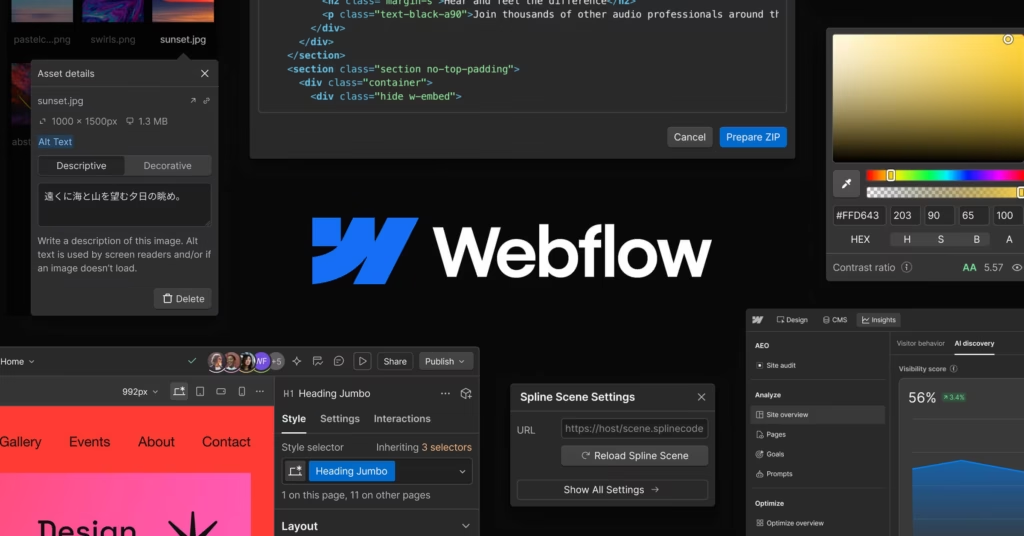
Webflow sits in a different category from the three above. It is not a tool for non-technical users — it is a visual development environment that outputs production-quality HTML and CSS. The Webflow University curriculum is designed around CSS concepts: Flexbox, Grid, CSS custom properties. If you don’t know what those are, Webflow will frustrate you within the first hour.
Pricing (annual billing, May 2026):
- Starter: Free (webflow.io subdomain only)
- Basic: $14/mo — 150 pages, no CMS
- CMS: $29/mo — 2,000 CMS items, 3 guest editors
- Business: $39/mo — 10,000 CMS items, 10 guest editors
- E-commerce add-on: $29/mo+ on top of site plan
What Webflow does well: The semantic HTML output is W3C-compliant without plugin bloat — Webflow generates clean, minimal CSS and JavaScript that requires no optimization work for most sites. At Webflow Conf 2025, the platform launched a Model Context Protocol (MCP) server enabling AI tools to interact directly with site data — the first major website builder to integrate with the emerging agentic AI infrastructure. Structured data generation is available through the native CMS schema fields. The 2025 Webflow Localization update enables multilingual sites without third-party services.
What Webflow doesn’t do well: In January 2026, Webflow sunset native user accounts and memberships. Any site requiring login-gated content now needs Memberstack ($59–499/month) or Outseta ($39–149/month). E-commerce on Webflow is expensive and underpowered relative to Shopify — the ecommerce add-on starts at $29/mo on top of the site plan, and the $74/mo tier is required to eliminate transaction fees. Migration off Webflow is technically complex; design does not transfer to any other platform.
Who should NOT use Webflow:
- Non-technical business owners who will manage the site without design training
- Membership site operators (the native feature no longer exists)
- Businesses with large product catalogs (Shopify’s inventory tools are far more capable)
5. WordPress.org — Best website builder for SEO-first content sites

WordPress.org is not a website builder in the conventional sense — it is open-source software you download, install on hosting you control, and configure with themes and plugins. As of January 2026, it runs 60.2% of all websites tracked by W3Techs, a lead so large that the other platforms on this list collectively power less than a third of what WordPress does.
WordPress itself is free. You pay for hosting ($5–30/month depending on managed vs shared), a domain ($12–20/year), and optional premium plugins. The SEO ceiling on WordPress with Rank Math Pro, WooCommerce, or Advanced Custom Fields is genuinely higher than any hosted builder — there is no platform-imposed restriction on robots.txt configuration, schema output, crawl budget management, or canonical URL handling. Mozilla Developer Network’s web standards documentation is fully implementable on WordPress; hosted builders enforce platform-level constraints that sometimes conflict with technical SEO requirements.
The performance problem, honestly stated:
The 46.3% CWV pass rate for WordPress in the November 2025 HTTP Archive data looks damning until you understand the distribution. The WordPress ecosystem includes millions of hobby blogs on $3/month shared hosting, running bloated page builders on unoptimized themes. A managed WordPress stack — Kinsta or WP Engine at $35+/month, Cloudflare APO, a lean theme like GeneratePress — passes Core Web Vitals at rates competitive with Wix and Squarespace, as documented in PageSpeed Matters’ 2026 platform analysis.
Who should NOT use WordPress.org:
- Non-technical users who cannot perform updates, plugin management, and security monitoring (or don’t want to pay someone who can)
- Businesses that need a site live this week without setup time
- Anyone who cannot commit to at least quarterly maintenance — an unmaintained WordPress site is a security liability
6. Hostinger Website Builder — Best budget option

Hostinger entered the website builder market as an afterthought from a web hosting company. In 2025–2026, it has become a legitimate option for the budget-first segment. The AI-powered editor can generate a complete site in under 60 seconds from a prompt. Plans start at $2.99/month on promotional pricing.
The limitations are real: the plan structure tops out at two tiers, there is no app marketplace, and third-party integrations are minimal. For a local business needing a five-page informational site with contact form and basic SEO, Hostinger delivers professional output at a fraction of the cost of competitors. For anything more complex, the ceiling arrives quickly.
Who should NOT use Hostinger: Anyone who needs an app ecosystem, advanced SEO tools, e-commerce beyond a small catalog, or who anticipates significant site growth within two years.
AI builder features compared — 2026 platform matrix
Every major website builder now markets AI capabilities. The actual feature set varies significantly:
| Feature | Wix | Squarespace | Shopify | Webflow | WordPress | Hostinger |
|---|---|---|---|---|---|---|
| AI site generation from prompt | ✅ Full site | ✅ Blueprint AI | ✅ Limited | ✅ Webflow AI | ⚠️ Via plugins | ✅ Full site |
| AI copywriting | ✅ Aria | ✅ Built-in | ✅ Built-in | ✅ Built-in | ⚠️ Via plugins | ✅ Built-in |
| AI image generation | ✅ Native | ❌ | ✅ Via app | ❌ | ⚠️ Via plugins | ✅ Native |
| AI SEO suggestions | ✅ + Semrush | ✅ Basic | ✅ Basic | ✅ Audit panel | ✅ Rank Math / Yoast | ✅ Basic |
| AI LLM/AEO visibility tracking | ✅ (ChatGPT, Gemini, Perplexity) | ❌ | ❌ | ❌ | ⚠️ Via third-party | ❌ |
| MCP / agentic AI integration | ❌ | ❌ | ❌ | ✅ (2025) | ⚠️ Experimental | ❌ |
| AI product descriptions | ✅ | ✅ | ✅ | ⚠️ Limited | ⚠️ Via plugins | ⚠️ Limited |
Wix leads on AI breadth for non-technical users. Webflow leads on AI infrastructure for developers (MCP server). WordPress enables any AI integration through plugins but requires configuration. Squarespace’s Blueprint AI is the most design-opinionated — it explains its template reasoning before building, which reduces trial-and-error for beginners.
Decision guide: which website builder is right for you?
If your primary goal is selling physical products online: → Use Shopify. Nothing else in this category matches its fulfillment infrastructure, multichannel selling, or inventory management for serious retail volume.
If your primary goal is ranking on Google through content production: → Use WordPress.org with managed hosting. The technical SEO ceiling, data ownership, and zero lock-in make it the only rational choice for a content-first business where organic traffic is the acquisition channel.
If you need a professional site live quickly and have no technical background: → Wix (all-around) or Squarespace (if design quality matters most). Both handle the technical infrastructure and have sensible AI-assisted setup flows.
If you are a designer or agency building client sites: → Webflow. The code output quality and CMS flexibility are genuinely superior. Accept the learning curve.
If budget is the primary constraint and you need five pages: → Hostinger. The $2.99/month promotional rate delivers a professional result for straightforward informational sites. Watch the renewal pricing jump.
If you are building a portfolio as a creative professional: → Squarespace. The constraint-based design system produces the most visually consistent output of any builder at this price point.
Frequently asked questions
Which is the best website builder for beginners in 2026?
Wix and Squarespace are the most beginner-accessible options. Wix gives more layout freedom through free-form drag-and-drop; Squarespace produces better-looking results by default because its constraint system prevents common design mistakes. Hostinger’s AI generator is the fastest way to get something live — under 60 seconds — but the editing experience has less depth.
Is WordPress better than Wix for SEO?
WordPress has a higher technical SEO ceiling — full control over schema output, crawl budget, robots.txt, and server-level configuration — but it requires setup that Wix handles automatically. For most small businesses without a technical team, Wix’s built-in Semrush integration and structured data tools are sufficient. For content-heavy sites or competitive markets where technical SEO is a differentiator, WordPress’s control over every ranking variable matters.
Which website builder has the fastest loading speed?
Based on November 2025 HTTP Archive CrUX data, Duda leads all platforms at an 84.9% Core Web Vitals pass rate, but Duda is primarily sold through agencies and is not typically available to end users directly. Among self-serve builders, Wix ranks second at 74.9%, followed by Squarespace at 70.4%. An optimized WordPress stack on managed hosting can exceed both, but it requires deliberate configuration.
Do website builder sites rank on Google?
Yes. Platform choice is a minor ranking factor compared to content quality, backlinks, and technical SEO fundamentals. Wix, Squarespace, and Shopify all generate sitemaps, handle SSL automatically, and support schema markup — the baseline requirements for indexability. The Core Web Vitals pass rate differences between platforms (46% for default WordPress vs 75% for Wix) do affect page experience signals, particularly on mobile.
Can I switch website builders without losing my content?
It depends on which builder you’re leaving. Squarespace exports blog posts as WordPress-compatible XML. Shopify exports product and customer data as CSV. Wix has no blog export as of May 2026. Webflow’s CMS export is limited. WordPress exports everything. Factor migration difficulty into your platform choice before you begin, not after you’ve published 200 articles.
How much does a website builder actually cost per year?
See the 3-year total cost of ownership table above for detailed figures. Brief summary: Squarespace Core is the lowest 3-year cost among premium builders at approximately $868 (plan plus domain). Wix Core runs approximately $1,078. Hostinger is cheapest at approximately $354 if you accept the promotional-to-renewal price jump. WordPress.org is $585 in plan and hosting costs but rises with premium plugins.
What is the best free website builder?
Wix offers a free plan that is genuinely functional — the site publishes to a .wixsite.com subdomain with Wix branding and no custom domain. For a real business, the free plan is a trial, not a long-term option. Google Sites is free with no ads but extremely limited in design and features. For a professional result, no free website builder competes with the paid tiers of Wix or Squarespace.
Which website builder is best for e-commerce?
Shopify, for stores doing meaningful volume. Its 26% global e-commerce platform market share reflects genuine product superiority in fulfillment, multichannel selling, and inventory management. For small stores with under 20 products and modest sales, Squarespace’s Core plan (no transaction fee, unlimited products at $23/month) is competitive and significantly cheaper.
Methodology
This guide synthesizes competitive research across five data sources: HTTP Archive’s Core Web Vitals Technology Report (November 2025 CrUX data), W3Techs CMS market share tracking (April 2026), Datanyze builder market share data via Statista, published financial filings for Shopify and Wix, and May 2026 verification of live pricing across all six platforms. Pricing was confirmed on each platform’s official pricing page. Migration cost estimates draw from published developer rates and documented export limitations in each platform’s support documentation.
No platform reviewed in this guide has a commercial relationship with BitsFromBytes. The platforms listed were chosen based on search volume, market share, and reader relevance, not affiliate commission rates.