Best Router for Verizon Fios 2026
Quick verdict
| Pick | Best for | Wi-Fi | Price |
|---|---|---|---|
| TP-Link Archer BE550 | Most Fios subscribers — 300 Mbps to Gigabit plans | Wi-Fi 7 | ~$150 |
| ASUS RT-BE96U | Fios Gigabit power users, large homes, advanced controls | Wi-Fi 7 | ~$450 |
| eero Pro 7 | Families, non-technical users, seamless app management | Wi-Fi 7 | ~$230 |
| TP-Link Deco BE65 (2-pack) | Fios Gigabit, homes over 2,500 sq ft needing mesh | Wi-Fi 7 mesh | ~$300 |
| TP-Link Archer BE800 | Fios 2 Gbps plan subscribers (10 GbE WAN) | Wi-Fi 7 | ~$300 |
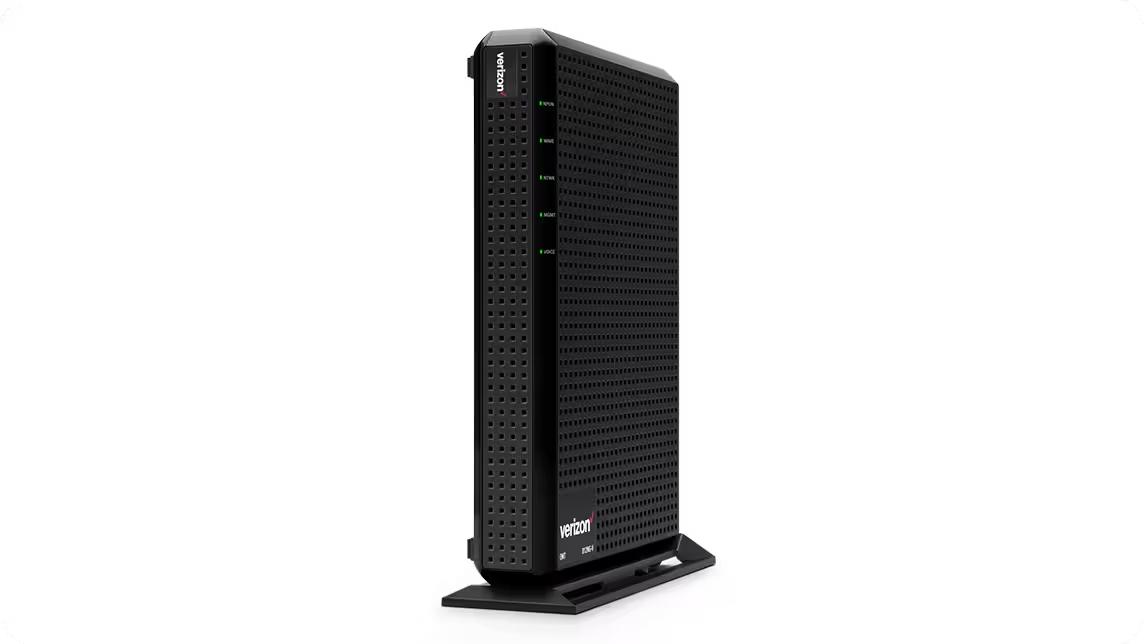
| Verizon G3100 (buy used, don’t rent) | Fios TV subscribers who want zero setup complexity | Wi-Fi 6 | ~$60–$100 used |
Prices from Amazon.com as of April 2026. Verizon’s ONT is installed and maintained by Verizon at no charge — the hardware above replaces only the router/gateway you currently rent.
Table of Contents
The old version of this article said only Verizon-provided routers are compatible with Fios. That was wrong in 2020 and it’s wrong now. Any router with an Ethernet WAN port works with Verizon Fios internet service — no special firmware, no certification, no Verizon approval required. The TP-Link Archer A7, the ASUS RT-AC68U, and every other Wi-Fi 5 router listed in the 2020 version of this page would have worked fine — they just aren’t worth buying in 2026 because Wi-Fi 6 and Wi-Fi 7 have replaced them entirely.
What you’re actually choosing when you buy a Fios-compatible router is: which Wi-Fi standard fits your plan tier, how many simultaneous devices you’re running, and whether you have Fios TV (which adds one setup step). The decision has nothing to do with Verizon compatibility.
The router rental fee is $15/month — $180/year, $540 over three years. A capable Wi-Fi 7 router like the TP-Link Archer BE550 costs $150 and breaks even in 10 months.
The only Fios compatibility requirement: an Ethernet WAN port
The Verizon Fios network delivers internet via an Optical Network Terminal (ONT) — a Verizon-owned box, typically mounted on a wall inside or outside the home, that converts the incoming fiber signal into an Ethernet output. Your router plugs into that Ethernet port. That’s the entire compatibility chain.
As Verizon’s own community support forum states directly: “FiOS does not use modems. You are essentially handed an ethernet connection/cable which connects directly to the Internet. You need a router.”
Every mainstream router sold in 2026 has an Ethernet WAN port. There is no Verizon-specific certification. There is no approved router list (unlike cable ISPs like Xfinity, which require DOCSIS certification). Fios doesn’t use DOCSIS at all — it’s fiber, not cable.
The one practical exception: if Verizon initially set up your ONT to output over coaxial cable instead of Ethernet, you’ll need to call Verizon and ask them to switch the output to Ethernet. This is a free, routine configuration change that takes a few minutes on the phone. Most installations made in the past several years use Ethernet by default.
The one complication: Fios TV subscribers
For Fios internet-only subscribers: plug your new router’s WAN port into the ONT’s Ethernet port and you’re done. Setup through the router’s app takes under 10 minutes.
For Fios TV subscribers: read this section before buying anything.
Fios TV set-top boxes receive their signal over the home’s existing coaxial cable wiring — the same coax used for legacy TV connections. Verizon’s own gateway (the G3100) contains a built-in MoCA adapter that bridges your IP network to the coax wiring, keeping the set-top boxes connected. Replace the Verizon gateway with a third-party router and that MoCA bridge disappears. The TV boxes stop working.
Three ways to solve this:
Option A — Add a standalone MoCA adapter (~$80). The Motorola MM1000 Bonded MoCA 2.0 adapter plugs into any coaxial jack and outputs Ethernet to a LAN port on your new router. The set-top boxes communicate back through the coax network, through the adapter, and out through your router. This works cleanly and is the standard community recommendation.
Option B — Buy a used Verizon G3100 ($60–$100 on eBay). The G3100 has MoCA built in, handles Fios Gigabit plans, and eliminates the adapter step. At $60–$100 used versus $15/month rented, it breaks even in 4–7 months and saves $180/year after that.
Option C — Run Ethernet directly to the set-top boxes. If your ONT outputs Ethernet, connect the new router to the ONT, then run Ethernet cable from the router’s LAN ports to the TV equipment. The set-top boxes use Ethernet instead of coax. Requires running cable to where the TVs are, but eliminates MoCA entirely.
Call Verizon before switching routers if you have TV service — confirm which connection method (Ethernet or coax) your ONT currently uses and whether your set-top box model supports Ethernet. Most current Fios STBs do.
Wi-Fi 7 vs Wi-Fi 6 for Fios — what actually matters in 2026
The 2020 picks on this page were all Wi-Fi 5 (802.11ac). The ASUS RT-AC68U, the Linksys EA7300, the NETGEAR Nighthawk R7000 — all replaced by two full Wi-Fi generations in five years. The current landscape:
Wi-Fi 6 (802.11ax): Available since 2019. Supports up to 9.6 Gbps aggregate, introduces OFDMA for better multi-device handling, and WPA3 security. Still perfectly adequate for Fios Gigabit plans on a typical home network with under 20 simultaneous devices. The used Verizon G3100 is Wi-Fi 6.
Wi-Fi 6E: Wi-Fi 6 extended to the 6 GHz band. The 6 GHz band has less congestion (fewer neighboring networks using it) and delivers higher throughput at close range. Worth considering in dense apartment buildings.
Wi-Fi 7 (802.11be): The current standard as of 2024–2026. Introduces Multi-Link Operation (MLO), which allows a device to send and receive data across multiple bands simultaneously — reducing latency and increasing reliability. Also supports 320 MHz channels (double Wi-Fi 6E’s maximum). New laptops, phones, and smart devices are shipping with Wi-Fi 7 adapters built in.
The practical Fios question: Does Wi-Fi 7 matter if you have a Fios Gigabit plan?
Yes — but not because of raw speed. Fios Gigabit delivers approximately 940 Mbps to your ONT. A Wi-Fi 6 router can already saturate that on a single close-range 5 GHz connection. What Wi-Fi 7’s MLO and improved scheduling actually improve is simultaneous multi-device performance — a household where 30 devices are active at once, mix of phones, tablets, smart TVs, thermostats, and gaming consoles, all competing for bandwidth. Wi-Fi 7 manages that contention more efficiently than Wi-Fi 6.
For Fios 2 Gbps plan subscribers, Wi-Fi 7 plus a 10 GbE WAN port becomes genuinely necessary to avoid bottlenecking the plan.
For anyone still on a Fios 300 Mbps plan, a used G3100’s Wi-Fi 6 is overkill already.
The six best routers for Verizon Fios in 2026
1. TP-Link Archer BE550 — Best for most Fios subscribers
The Archer BE550 is the answer for the majority of Fios households — those on 300 Mbps, 500 Mbps, or Gigabit plans who want to stop renting without overspending. Wi-Fi 7 tri-band (2.4 GHz + 5 GHz + 6 GHz), a 2.5 GbE WAN port, four Gigabit LAN ports, and a straightforward setup through the TP-Link Tether app.
The Wi-Fi 7 hardware is the forward-looking reason to choose this over a Wi-Fi 6 alternative. Your current devices connect at their maximum supported speed; your next phone, laptop, or smart device almost certainly ships with Wi-Fi 6 or Wi-Fi 7 capability. The Archer BE550 handles both.
Setup with Fios internet-only: connect the BE550’s WAN port to the ONT’s Ethernet port, open the Tether app, and follow the guided setup. No Verizon configuration changes needed. No callbacks to Verizon tech support.
At approximately $150, it pays back the $15/month Verizon rental fee in exactly 10 months. Every month after that is $15 saved.
What the marketing doesn’t mention: The 2.5 GbE WAN port handles Fios Gigabit comfortably, but Fios 2 Gbps subscribers hit a ceiling here. If you’re on or planning to move to Fios 2 Gbps, the Archer BE800 with its 10 GbE WAN port is the correct choice.
Who should skip it: Fios TV subscribers who need MoCA — add the Motorola MM1000 adapter (~$80) or go with the used G3100. Fios 2 Gbps subscribers. Users who want AiMesh or enterprise-grade controls — ASUS delivers both.
2. ASUS RT-BE96U — Best for power users
Tom’s Guide named the ASUS RT-BE96U its Wi-Fi 7 best overall pick for 2026. The reason is the hardware combination: tri-band Wi-Fi 7 with a dedicated 6 GHz band, a 10 GbE WAN port, multiple 2.5 GbE LAN ports, and ASUS’s AiProtection Pro security suite (Trend Micro-powered, free, no subscription). AiMesh compatibility means you can add ASUS nodes throughout a large home without replacing the primary router.
For Fios, the 10 GbE WAN port future-proofs the hardware for Verizon’s 2 Gbps plan tier. The current Fios Gigabit plan uses a fraction of that capacity, but the port ensures the router remains relevant for a decade.
The ASUS Router app exposes QoS, VPN server, custom DNS, per-device traffic monitoring, and parental filtering at a level of detail that Verizon’s app and eero’s app don’t come close to. For users who want that control, the RT-BE96U is the correct premium choice.
What the marketing doesn’t mention: At $450, the break-even versus Verizon’s $15/month rental is 2.5 years — still financially correct over the router’s lifetime, but a slower payback than the Archer BE550. The ASUS app is more capable than eero’s, but also more complex. Households where one person manages the network for everyone else may prefer eero’s simpler interface.
Who should skip it: Anyone on Fios 300 Mbps (the hardware exceeds the plan by a wide margin — the Archer BE550 at a third of the price delivers the same real-world performance). Non-technical households who prioritize simplicity over control.
3. eero Pro 7 — Best for families and non-technical users
eero’s value for Fios users is a specific kind of simplicity: setup takes under 10 minutes through the eero app, firmware updates happen automatically, the interface shows connected devices clearly, and parental controls work from a phone with no admin panel to navigate.
The eero Pro 7 is Wi-Fi 7 tri-band with a 2.5 GbE WAN port and multiple 2.5 GbE LAN ports. One unit covers approximately 2,000 sq ft. A two-pack extends to approximately 4,000 sq ft with seamless mesh roaming — devices switch between nodes without dropping connections. Amazon’s eero documentation confirms Fios compatibility: connect the eero’s WAN port to the ONT’s Ethernet port and complete setup through the app.
The eero Pro 7 was reported by CNN Underscored as “only 1 Mbps off” the top-performing mesh router in their 2026 testing in terms of download speed — a difference that doesn’t register in any real-world task.
What the marketing doesn’t mention: eero’s simplicity has a trade-off: limited advanced configuration. VPN server, deep QoS, custom DNS, and detailed port forwarding are restricted compared to ASUS or TP-Link. If the goal is reliable Wi-Fi that requires zero maintenance, eero is exactly right. If the goal is maximum network control, it isn’t.
eero Plus (the subscription security add-on) is entirely optional. The base router earns its price without it.
Who should skip it: Network administrators. Fios 2 Gbps subscribers (the 2.5 GbE WAN port becomes a bottleneck). Fios TV subscribers without a MoCA solution in place.
4. TP-Link Deco BE65 (2-pack) — Best mesh for Fios Gigabit in larger homes
For a Fios Gigabit household in a home over 2,500 square feet — multiple floors, thick walls, or a layout that creates dead zones — a single router doesn’t reliably cover the whole space. The TP-Link Deco BE65 2-pack addresses this with Wi-Fi 7 mesh that covers approximately 5,800 sq ft across two nodes at a price point that makes it the strongest value in the mesh category.
Each Deco BE65 node has a 2.5 GbE port. The primary node connects to the ONT’s Ethernet port as the WAN connection; the second node connects wirelessly or via Ethernet backhaul depending on your home’s wiring. With Ethernet backhaul between nodes, throughput loss between floors is minimal.
The internetproviders.ai 2026 Wi-Fi 7 roundup positioned the Deco BE65 2-pack as the value mesh choice — “the budget mesh, the Deco BE65 2-pack ($300) covers up to 5,800 sq ft with Wi-Fi 7 performance at one-fifth the price” of premium mesh systems.
What the marketing doesn’t mention: Tri-band mesh with wireless backhaul loses a meaningful portion of bandwidth between nodes when the backhaul band is shared with client devices. For large homes, running an Ethernet cable as a wired backhaul between nodes dramatically improves performance. This is possible in most homes but requires cable routing work.
Who should skip it: Single-story apartments and homes under 2,000 sq ft — a single router handles the coverage without the added mesh complexity. Fios 2 Gbps subscribers (2.5 GbE WAN port is sufficient for Fios Gigabit but becomes a bottleneck on the 2 Gbps plan).
5. TP-Link Archer BE800 — Best for Fios 2 Gbps plan subscribers
Verizon’s multi-gigabit plans — 2 Gbps and above in select markets — require a router whose WAN port doesn’t cap the throughput before the Wi-Fi hardware is even engaged. Standard 1 GbE WAN ports limit the connection to 940 Mbps regardless of what Verizon is delivering to the ONT.
The Archer BE800’s 10 GbE WAN port removes that ceiling. Wi-Fi 7 tri-band (19 Gbps aggregate), coverage for approximately 2,000–3,000 sq ft, and the fastest wireless speeds of any single-router option at this price tier. At approximately $300, Fios 2 Gbps plan subscribers break even against Verizon’s $15/month rental in 20 months and save $180/year after that.
What the marketing doesn’t mention: If you’re on Fios Gigabit (1 Gbps), the 10 GbE WAN port provides no benefit — the Archer BE550 at half the price delivers identical real-world Fios Gigabit performance. The BE800 is specifically and only the correct choice if your plan tier exceeds 1 Gbps. Overspending on a 10 GbE WAN port for a Gigabit plan is as wasteful as renting from Verizon.
Who should skip it: Every Fios subscriber on a plan under 2 Gbps.
6. Verizon G3100 (buy used) — Best for Fios TV subscribers
The counterintuitive pick: the Verizon-branded gateway as a third-party recommendation — specifically as a used purchase rather than a rental. The G3100 is Verizon’s current Wi-Fi 6 gateway. Used units appear on eBay between $60 and $100. At $15/month rental, a $90 used G3100 breaks even in 6 months and saves $180/year indefinitely.
The G3100’s built-in MoCA adapter is the reason to choose it over a better third-party router when you have Fios TV. It handles the TV set-top box coax distribution natively, eliminating the adapter step and the potential for setup issues. Tri-band Wi-Fi 6 handles Fios Gigabit plans cleanly and supports up to 30 devices comfortably.
When buying used: verify the unit has Fios firmware (not retail firmware), confirm the previous owner’s rental account is not still attached to the device, and inspect the coaxial port, WAN port, and all four LAN ports for physical damage before purchasing.
What the marketing doesn’t mention: The G3100 is Wi-Fi 6, not Wi-Fi 7. For a household adding Wi-Fi 7 devices over the next several years, the G3100 won’t support the Wi-Fi 7 protocol — those devices fall back to Wi-Fi 6. That’s acceptable performance but not the forward-looking choice. If you have Fios TV and want Wi-Fi 7, pair a third-party Wi-Fi 7 router with the Motorola MM1000 MoCA adapter (Option A above) instead.
Who should skip it: Fios internet-only subscribers (no MoCA advantage — buy the Archer BE550 and save $80). Fios 2 Gbps subscribers (the G3100’s 1 GbE WAN bottlenecks the plan). Anyone who wants Wi-Fi 7 or advanced router controls.
The rental savings calculation, done honestly per plan tier
| Verizon plan | Own router cost | Monthly rental | Break-even | 5-year savings |
|---|---|---|---|---|
| Fios 300 Mbps | $150 (Archer BE550) | $15/mo | 10 months | ~$750 |
| Fios Gigabit | $150 (Archer BE550) | $15/mo | 10 months | ~$750 |
| Fios Gigabit (large home) | $300 (Deco BE65 2pk) | $15/mo | 20 months | ~$600 |
| Fios 2 Gbps | $300 (Archer BE800) | $15/mo | 20 months | ~$600 |
| Fios TV + any plan | $90 used G3100 | $15/mo | 6 months | ~$810 |
All figures assume the $15/month router rental fee remains flat — Verizon community reports show this fee embedded in plan pricing and subject to annual increases.
How to set up your own router with Verizon Fios
Fios internet-only (most common setup):
- Call Verizon and request your ONT output switched from coaxial to Ethernet, if it isn’t already set to Ethernet. Free, takes a few minutes on the phone.
- Connect an Ethernet cable from the ONT’s LAN/Ethernet port to the WAN port on your new router.
- Power on the router, complete setup through the app or admin interface.
- If the new router isn’t receiving a DHCP lease from the ONT, call Verizon and ask them to release the DHCP lock on your ONT — this occasionally holds a lease for the old gateway’s MAC address for up to 24 hours.
Fios TV setup with MoCA adapter (Option A):
- Remove the Verizon gateway.
- Plug the Motorola MM1000 MoCA adapter into the coaxial jack where the gateway’s coax cable was connected.
- Run Ethernet from the MoCA adapter’s Ethernet port to a LAN port on your new router.
- Connect the new router’s WAN port to the ONT’s Ethernet port.
- Power up everything; complete router setup.
- Confirm the set-top boxes see the network — they should connect automatically via the coax-to-MoCA path.
Frequently asked questions
Does Verizon Fios work with any router?
Yes, for internet-only service. Verizon Fios delivers internet via an Optical Network Terminal (ONT) that outputs a standard Ethernet connection. Any router with an Ethernet WAN port will work — no Verizon certification, approval, or special firmware required. Fios TV service adds complexity because set-top boxes use coaxial cable, requiring either a MoCA adapter or direct Ethernet connections to each TV.
What is the best router for Verizon Fios Gigabit?
The TP-Link Archer BE550 (~$150) is the correct pick for most Fios Gigabit subscribers. It’s Wi-Fi 7 tri-band with a 2.5 GbE WAN port that handles the full Gigabit plan without bottleneck. For large homes over 2,500 sq ft, the TP-Link Deco BE65 2-pack provides Wi-Fi 7 mesh coverage. For users who want advanced controls, the ASUS RT-BE96U is the premium option.
Why does Verizon charge a router rental fee if any router works?
Verizon bundles their G3100 gateway rental into plan pricing — approximately $15/month. There’s no technical reason to pay it. Any router with an Ethernet WAN port connects to the ONT and delivers the full plan speed. Verizon provides support only for their own equipment, so if something breaks, they’ll diagnose issues up to the ONT — beyond that, you’re handling it yourself. For technically capable users, this trade-off is straightforward.
Is Wi-Fi 7 worth it for Verizon Fios in 2026?
Wi-Fi 7 is worth it at current prices because the price premium over Wi-Fi 6 has narrowed significantly — the Archer BE550 costs $150. The practical benefit for Fios users isn’t raw throughput (Wi-Fi 6 already saturates a Gigabit plan) but Multi-Link Operation (MLO), which reduces per-device latency and improves simultaneous multi-device performance. Every new consumer device ships with Wi-Fi 7 capability in 2026. Buying Wi-Fi 7 now avoids another router purchase in two years.
Do I need a special router for Fios TV?
Not a special router, but a MoCA-capable solution. Fios TV set-top boxes communicate over your home’s coaxial wiring. Verizon’s G3100 has a built-in MoCA adapter that handles this. A third-party router paired with a Motorola MM1000 MoCA adapter (~$80) achieves the same result. Alternatively, Ethernet cables can replace coax for the set-top boxes if the boxes support Ethernet — most current Fios STBs do.
Can I use a mesh Wi-Fi system with Verizon Fios?
Yes. Connect the primary mesh node’s WAN port to the ONT’s Ethernet port, and the mesh system distributes connectivity throughout the home. The eero Pro 7 and TP-Link Deco BE65 both work this way. For Fios TV setups, the MoCA adapter connects to one of the primary mesh node’s LAN ports. For very large homes on Fios Gigabit, mesh with Ethernet backhaul between nodes delivers the best combination of speed and coverage.



![GTA VI Trailer 3 Release Window, Pre-Order & Price [April 2026 Tracker]](https://bitsfrombytes.com/wp-content/uploads/2026/04/gta-vi-trailer-3-release-window-pre-order-price.webp)