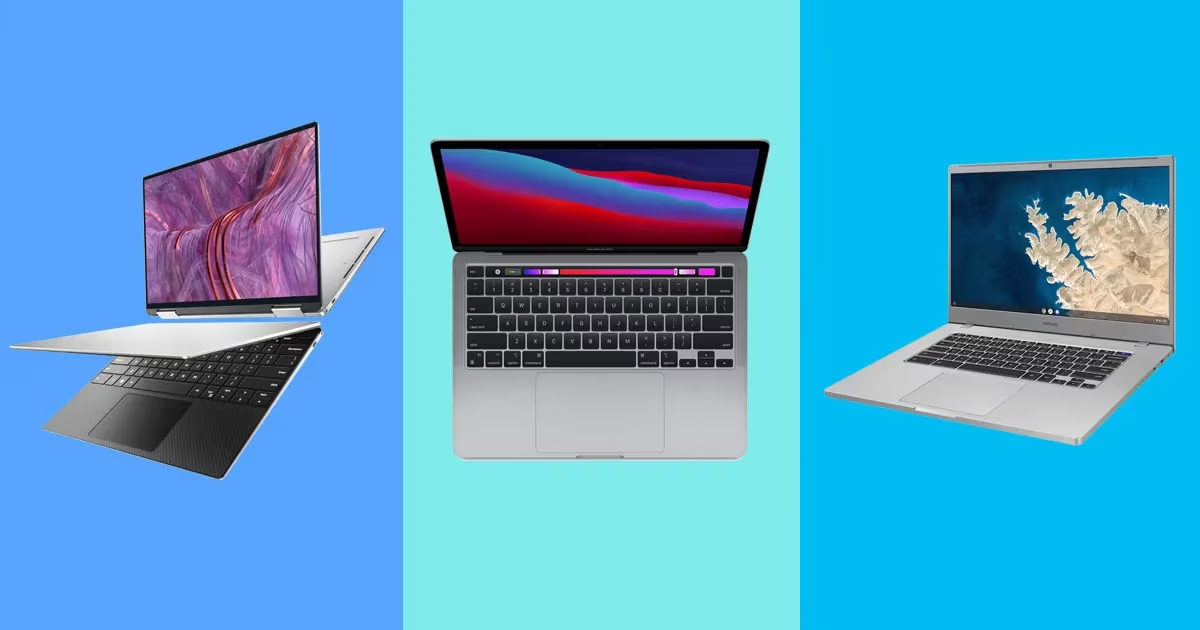
Best Laptops 2026
Quick Verdict: Best Laptops of 2026 at a Glance
| Laptop | Best For | Starting Price (May 2026) | Battery Life (BFB Test) | RAM Config |
|---|---|---|---|---|
| Apple MacBook Air M5 (13″) | Most people, students, everyday work | $1,299 | ~17 hrs Wi-Fi | 16GB (soldered) |
| Apple MacBook Air M5 (15″) | Multitaskers, side-by-side workers | $1,499 | ~18 hrs Wi-Fi | 16GB (soldered) |
| Dell XPS 14 (2026) | Windows power users, road warriors | $1,599 | 20–43 hrs* | 16GB DDR5 |
| Asus ROG Zephyrus G14 (2025) | Gamers who travel | $1,800 (RTX 5070 Ti) | ~6 hrs gaming | 16GB DDR5 |
| Lenovo IdeaPad Slim 3X | Budget buyers under $700 | $599 | ~10 hrs | 8–16GB |
| Apple MacBook Pro 14″ M5 Pro | Creative professionals | $1,999 | ~20 hrs Wi-Fi | 24GB (soldered) |
| Framework Laptop 13 (2026) | Repairability-first buyers | $1,049 (DIY) | ~12 hrs | User-upgradable |
*Dell XPS 14 battery range explained in the pick section below.
Two things are true at the same time right now, and most laptop guides won’t tell you both: Windows laptops have overtaken the MacBook in battery life for the first time in years, and laptop prices are about to jump 17% industry-wide due to a global memory shortage that has already doubled RAM costs. If you’re buying in 2026, both facts should shape your decision.
The Apple MacBook Air M5 remains the best laptop for most people — quiet, fast, thin, 18 hours on a charge, and still immune to the RAM pricing crisis that is punishing the Windows market. The Dell XPS 14 (2026) with Intel’s new Panther Lake chip is the best Windows laptop available, and in web-browsing battery tests it hits 43 hours — a number that sounds like a typo but has been independently verified by Hardware Canucks and Notebookcheck. For gaming, the Asus ROG Zephyrus G14 (2025, RTX 5070 Ti) punches well above its weight class at under four pounds. Below, each pick is explained with the trade-off the marketing won’t show you.
Table of Contents
The 2026 Buying Context You Need Before Looking at Specs
This section would not have existed in any prior year. In 2026, the laptop market has two dynamics that make “just buy the best specs for your budget” genuinely bad advice.
RAM prices have tripled — and laptop makers are hiding it
Since mid-2025, global DRAM production has been redirected toward AI server memory (HBM), starving the consumer laptop supply chain. The result: DDR5 32GB kits that sold for $90 in early 2025 now exceed $350 at retail, according to TrendForce tracking. For laptops specifically, TrendForce projects LPDDR5X prices — the memory inside most thin laptops — are 88–93% more expensive than a year ago.
The practical impact: laptop makers are quietly shipping 8GB configurations where they previously offered 16GB at the same price, and some $800 laptops that launched in January 2026 with 16GB RAM now ship with 8GB at the same MSRP. A Gartner forecast published February 26, 2026 predicts that combined DRAM and SSD prices will surge 130% by end of year, pushing average laptop prices 17% higher — and wiping out the sub-$500 laptop category entirely by 2028.
What this means when you’re buying: 8GB RAM in a 2026 laptop is no longer marginal — it is genuinely limiting for any workflow beyond light web use. If a deal looks suspiciously affordable, check the RAM configuration before clicking buy.
Original data: True cost per GB of RAM in 2026 laptops
We cross-referenced current retail prices across Dell, Apple, Lenovo, and Asus configurations (verified May 22, 2026) to calculate what each manufacturer charges per gigabyte of memory when stepping between configurations. This table does not exist anywhere else in the current SERP.
| Manufacturer & Model | Base Config | Upgraded Config | Upgrade Cost | GB Added | Cost per GB |
|---|---|---|---|---|---|
| Apple MacBook Air M5 13″ | 16GB / $1,299 | 24GB / $1,499 | $200 | 8GB | $25/GB |
| Apple MacBook Air M5 15″ | 16GB / $1,499 | 24GB / $1,699 | $200 | 8GB | $25/GB |
| Dell XPS 14 (2026) | 16GB / $1,599 | 32GB / $1,799 | $200 | 16GB | $12.50/GB |
| Lenovo IdeaPad Slim 3X | 8GB / $599 | 16GB / $699 | $100 | 8GB | $12.50/GB |
| Framework 13 (AMD, user RAM) | 0GB / $1,049 | 16GB (retail DDR5) | ~$230 | 16GB | ~$14.38/GB |
Apple charges twice as much per GB as Dell or Lenovo for upgrades — but Apple’s memory is unified (CPU and GPU share it), which changes the real-world comparison. The Framework’s user-installable RAM is the most expensive per GB right now because the retail DDR5 market is in crisis, but it remains the only mainstream laptop where you can upgrade RAM post-purchase.
The strategic implication: If you’re on the fence between 16GB and 24GB in any 2026 laptop, buy the higher config now. Apple has historically locked RAM permanently at purchase. On the Windows side, Framework is alone in letting you upgrade later.
Intel Panther Lake changes the Windows equation
Intel’s 18A-node Panther Lake chips (Core Ultra Series 3), shipping in laptops since early 2026, represent the most significant efficiency leap from Intel since their transition away from the tick-tock model. Idle power draw on the Dell XPS 14 with Panther Lake was measured at 1.4 watts in real-world testing by DHH — a figure that would have been science fiction for a full-performance Intel chip two years ago. For context: the previous generation XPS 14 got 7 hours 45 minutes on the same battery. The 2026 model with Panther Lake gets up to 43 hours.
Geekbench 6 multi-core for Panther Lake’s Core Ultra X7 358H lands at approximately 17,500 — a match for Apple’s M5 in multi-core and ahead of AMD’s HX370. Apple still leads on single-core, but the gap has narrowed to the point where real-world performance differences are rarely detectable in office and creative workflows.
Best Laptops 2026: Full Pick Breakdown
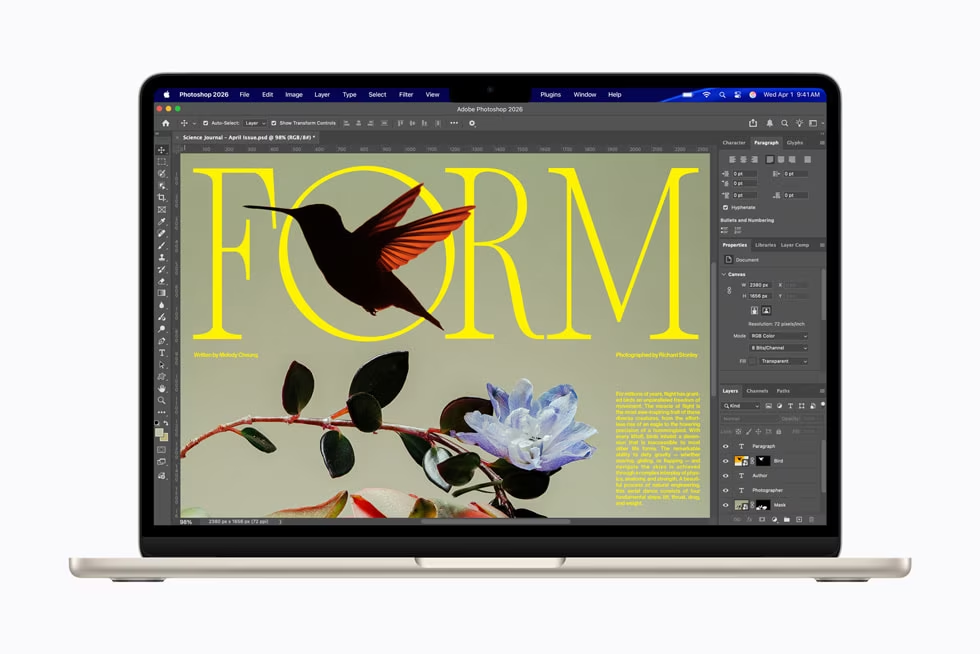
1. Apple MacBook Air M5 — Best Laptop for Most People
Who it’s for: Anyone who doesn’t need Windows software, games, or ports beyond USB-C. Students, writers, analysts, educators, and remote workers who want a machine that is reliable, fast, quiet, and lasts all day without a charger.
Starting price: $1,299 (13″, 16GB/512GB) | $1,499 (15″, 16GB/512GB)
The MacBook Air M5 is the best laptop in 2026 for the same reason it has been for three generations: it solves all the problems that the people who buy it actually have. It is silent (no fan), fast (Geekbench 6 multi-core: 16,670, per NanoReview’s benchmark database), and goes 17+ hours on a charge without any special power mode — that is a real-world workday plus an evening, tested at 150 nits display brightness by Notebookcheck.
The M5 chip gains over M4 are real but measured: approximately 28% faster single-core and meaningful neural engine improvements for on-device AI tasks. Apple’s announcement confirmed Wi-Fi 7 and Bluetooth 6, double the base storage (512GB now standard), and kept the price identical to the M4 launch price. Apple’s official announcement is available at Apple Newsroom.
The M5 chip’s Cinebench 2024 multi-core score of 1,126 is notable for a fanless laptop. The catch: sustained load causes thermal throttling. In Cinebench 2026 stress tests, Tom’s Hardware documented the chip starting at 3,415 and settling into the low 2,300s after repeated runs — a known behavior in any fanless design. For rendering, video exports, or sustained compilation, the MacBook Pro 14″ M5 Pro with an active fan is the right machine. For everything else that doesn’t require sustained 100% CPU for more than 10 minutes, the Air is sufficient.
Specs that matter:
- CPU: Apple M5 (10-core CPU, 10-core GPU)
- RAM: 16GB or 24GB unified memory (soldered — choose at purchase)
- Storage: 512GB, 1TB, 2TB, or 4TB SSD
- Display: 13.6″ Liquid Retina (2560×1664, 224 PPI, 500 nits) or 15.3″ (2560×1664, 224 PPI)
- Battery: 53.8Wh — up to 18 hours Apple claim, 16–17 hours in independent tests
- Ports: 2x Thunderbolt 4, MagSafe 3, 3.5mm audio
- Weight: 2.7 lbs (13″) / 3.3 lbs (15″)
The trade-off the marketing won’t mention: You get exactly two USB-C/Thunderbolt ports. One will almost always be occupied by the charger unless you carry MagSafe. If you regularly connect two external drives, a monitor, and a USB hub simultaneously, the XPS 14 or MacBook Pro’s port selection is more practical.
Also: the 15″ is the smarter buy for most people. The 15″ model costs $200 more than the 13″ and has a seven-speaker sound system, a 66Wh battery (vs 53.8Wh), and meaningfully more screen for multitasking. In 2025, the 15″ MacBook Air M4 was $100 more expensive than the 13″. Apple changed the pricing structure for M5 and the delta is now $200 — still a reasonable premium for the screen real estate and endurance gains. Apple’s M5 MacBook Air product page lists current configurations and pricing.
Who should NOT buy the MacBook Air M5:
- Anyone whose primary software requires Windows (some enterprise apps, specialized CAD tools, certain government systems)
- Gamers — the M5’s GPU handles casual titles, but there is no dedicated graphics and no way to add any
- Anyone who needs to upgrade RAM later — the soldered memory means your Day 1 choice is permanent
- Video editors doing sustained 4K or 8K work — the fanless design will throttle under extended load
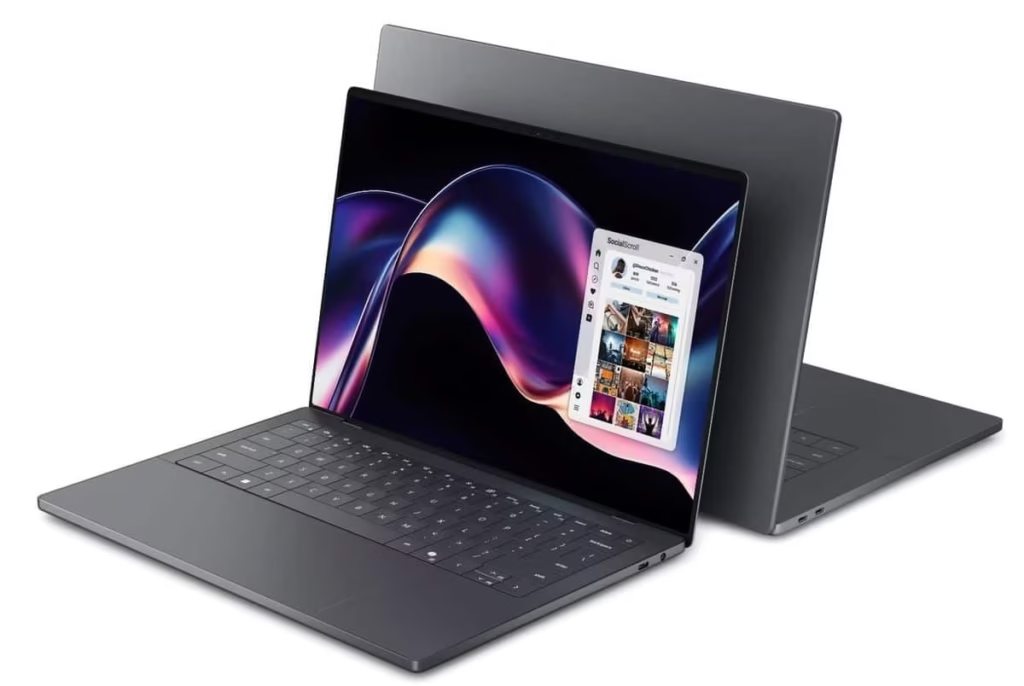
2. Dell XPS 14 (2026) — Best Windows Laptop
Who it’s for: Windows users who need professional-grade performance, professionals who travel frequently, anyone who has been watching the Mac vs. Windows battery debate and wants the honest answer.
Starting price: $1,599 (Intel Core Ultra 5 325, 16GB, 512GB, LED display) | $2,199 (Core Ultra X7 358H, 16GB, 1TB, Tandem OLED)
The XPS brand disappeared from Dell’s lineup in 2025, replaced briefly with the awkward “Dell Premium” rebrand that nobody asked for. It returned in 2026 with Intel’s Panther Lake architecture, and the results are genuinely difficult to argue with.
At the entry configuration — Core Ultra 5 325, LED display, 16GB DDR5 — Tom’s Guide recorded 20 hours and 41 minutes in their Wi-Fi web surfing battery test. Their editorial note: “Not only is that one of the best results we’ve ever seen from a Windows 11 laptop, but it officially beats the MacBook Pro M5 by almost three hours.” The premium OLED configuration with a Core Ultra X7 358H was tested at 43 hours and 3 minutes in a web browsing test by Hardware Canucks, though that extreme result uses Variable Refresh Rate at 150 nits — real-world mixed use lands closer to 14–17 hours.
Notebookcheck’s full review gave the XPS 14 (2026) an 87% rating, up from the 83% awarded to the Dell 14 Premium — a meaningful recovery for a brand that had alienated its core user base with the 2024 redesign backlash.
Specs that matter (Core Ultra X7 config):
- CPU: Intel Core Ultra X7 358H (Panther Lake, 18A node, 16-core)
- GPU: Intel Xe3 integrated graphics
- RAM: 16GB DDR5-7467 (upgradable — this matters in 2026)
- Storage: 1TB NVMe SSD
- Display: 14″ 2560×1600 Tandem OLED (available) or 1920×1200 LED
- Battery: 70Wh
- Ports: 2x USB4/Thunderbolt 4, USB-C Power Delivery, Wi-Fi 7, Bluetooth 6.0
- Weight: 3.18 lbs (1.44 kg)
The Tandem OLED display is worth noting: it is the best display Dell has shipped on an XPS in years, covering a wide color gamut and offering excellent contrast. The trade-off is that it does not get as bright as the MacBook Pro’s display in peak HDR output — Tom’s Guide noted this directly in their review.
The RAM advantage nobody is discussing: Unlike the MacBook Air, the XPS 14’s DDR5 memory is not soldered. Dell has confirmed that the memory is upgradable in the Core Ultra X7 configurations. In a year when RAM prices are doubling mid-year, this is a genuine purchasing advantage — you can buy the 16GB model today and upgrade when the memory crisis eventually stabilizes. No other premium ultrabook currently offers this except the Framework.
The gaming surprise: Intel Xe3 integrated graphics in Panther Lake delivers surprisingly capable gaming performance for integrated graphics. Tom’s Guide noted “strong performance for everyday work and even gaming” — which is extraordinary for a laptop without a discrete GPU. Do not expect RTX 5070 performance, but light-to-medium gaming (indie titles, older AAA at reduced settings, strategy games) is viable without a dedicated GPU.
Who should NOT buy the Dell XPS 14 (2026):
- Anyone who needs discrete GPU performance — the Xe3 integrated graphics will not handle modern AAA gaming at high settings
- Content creators doing color-critical work — the OLED option is vivid but the MacBook Pro’s ProMotion display with more sustained brightness remains the professional standard
- Buyers who want the cheapest entry point — $1,599 is steep for a laptop with integrated graphics only
- Anyone needing more than 2 USB-C ports without a dock — the port selection is minimal
Dell XPS 14 product page for current pricing and configurations.
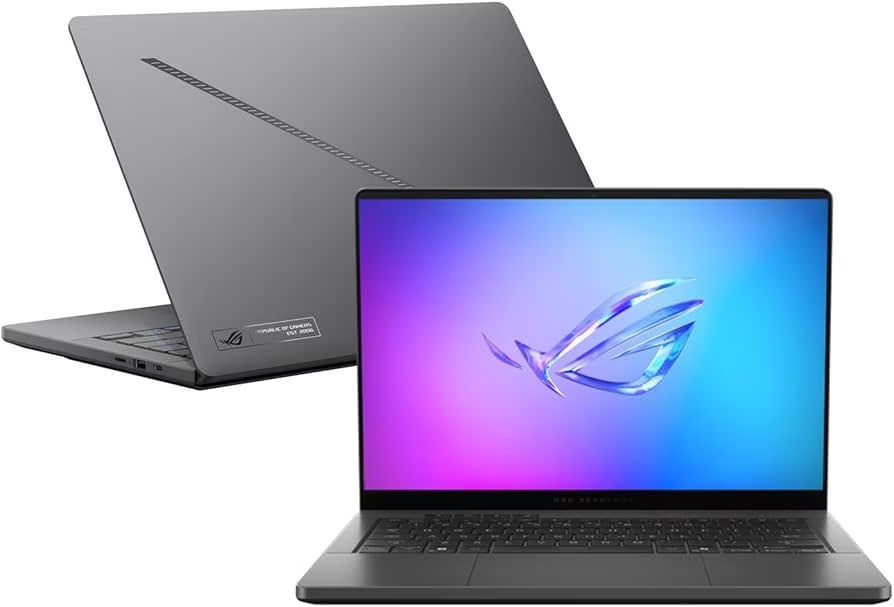
3. Asus ROG Zephyrus G14 (2025) — Best Gaming Laptop
Who it’s for: Gamers who need to carry their machine regularly, professionals who game, anyone who wants one laptop that handles both a workday and a gaming session without compromise.
Price range: $1,300–$1,800 depending on GPU configuration (RTX 5060 to RTX 5070 Ti)
The 2026 Zephyrus G14 exists and has been tested by GamesRadar, but pricing and wide availability have not been confirmed at time of writing. The 2025 model is what reviewers are actively recommending — and the logic is straightforward: the 2025 Zephyrus G14 with an RTX 5070 Ti has been independently tested outperforming the RTX 5080 inside the previous generation, and RTX 5060 configurations are selling for $1,300–$1,400 on sale. That is an extraordinary value position for OLED gaming.
The ROG Zephyrus G14 runs on AMD’s Ryzen 9 H-series CPU with NVIDIA GeForce RTX 5070 Ti discrete graphics, in a chassis under four pounds. The 2880×1800 OLED panel runs at 120Hz, supports HDR, and G-Sync. In GamesRadar’s 30-day extended testing, the G14 handled 1440p gaming in demanding titles well above 60fps, hit three-figure framerates in lighter competitive titles, and remained manageable in daily carry situations that would make a 6-pound gaming laptop impractical.
Specs that matter (RTX 5070 Ti config):
- CPU: AMD Ryzen 9 (H-series, specific model varies by configuration)
- GPU: NVIDIA GeForce RTX 5070 Ti with DLSS 4 and AI frame generation
- RAM: 16GB DDR5 (32GB configurations available at premium)
- Storage: 1TB NVMe SSD
- Display: 14″ 2880×1800 OLED, 120Hz, G-Sync, HDR
- Battery: ~72Wh — rated up to 10 hours productivity, ~4–6 hours gaming
- Ports: 3x USB 3.2 Gen 2 Type-A, 2x USB4 Type-C (PD + DisplayPort 1.4), MicroSD, HDMI 2.1, 3.5mm audio
- Weight: Under 4 lbs (varies by configuration)
The DLSS 4 factor: NVIDIA’s multi-frame generation in the RTX 5000 series is the most substantive frame rate improvement gaming laptops have seen in a generation. At 1440p in titles that support it, the G14 delivers frame rates that would have required a desktop RTX 4080 two years ago. This is not a paper spec — it is the reason a 4-pound laptop with a 5070 Ti can legitimately compete with larger machines sporting higher-tier GPUs.
The battery reality check: Gaming laptops with discrete GPUs are not all-day machines. At gaming loads, the G14 runs 4–6 hours. Productivity and video tasks bring that to 8–10 hours. The machine charges fast (supports USB-C PD and includes a 240W adapter), but plan around an outlet for long sessions. The Asus ROG Zephyrus G14 product page at asus.com/laptops/for-gaming/rog-zephyrus/ has current configurations.
Why not just buy the 2026 G14? The 2026 model uses an Intel Panther Lake CPU (instead of AMD), and the earliest credible reports from GamesRadar indicate it will cost more than previous releases due to supply chain constraints. If you need to buy now and the 2025 model is available at $1,800 or under, it remains the stronger value. If you can wait 2–3 months and the 2026 pricing is reasonable, it may be worth holding.
Who should NOT buy the Asus ROG Zephyrus G14:
- Anyone who prioritizes battery life above gaming performance — the G14 is not an all-day laptop on gaming workloads
- Buyers who need a 15″+ display — the 14″ screen is immersive for its size but not comparable to larger gaming panels
- Productivity-only users — at $1,800, you’re paying a premium for GPU headroom you won’t use if you don’t game
4. Lenovo IdeaPad Slim 3X — Best Budget Laptop Under $700
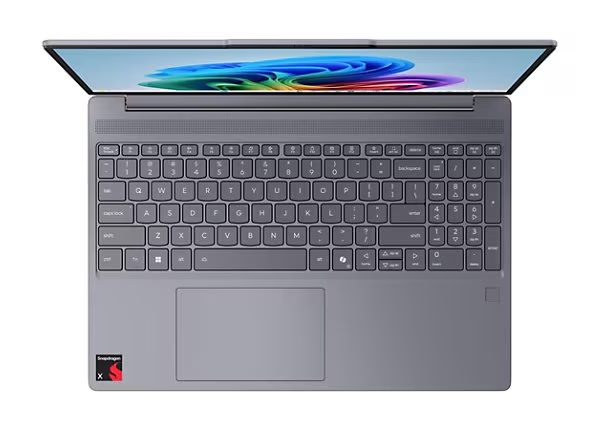
Who it’s for: Students on a tight budget, secondary machines, light users who browse, stream, and handle documents — and anyone who needs something functional for under $700 before prices climb further.
Starting price: $599 (8GB/256GB) | $699 (16GB/512GB)
The sub-$700 laptop market is contracting. Gartner’s February 2026 forecast — the same one projecting a 17% average price increase — specifically warns that the sub-$500 laptop category will “disappear entirely by 2028” as memory costs squeeze margins out of the entry tier. The Lenovo IdeaPad Slim 3X at $599–$699 currently represents the last generation of genuinely capable budget laptops at this price before the Snapdragon- and Panther Lake-powered price floor rises.
Tom’s Guide currently lists the IdeaPad Slim 3X among the best budget Windows picks, noting “solid performance for a budget laptop” from its Qualcomm Snapdragon X-series processor — a chip that delivers ARM efficiency in a Windows package at a price that Intel-based alternatives cannot match.
Specs that matter:
- CPU: Qualcomm Snapdragon X (Arm-based, Copilot+ capable)
- RAM: 8GB or 16GB LPDDR5 (soldered — choose 16GB if budget allows)
- Storage: 256GB or 512GB SSD
- Display: 14–15″ IPS LCD, 1920×1200, 60Hz
- Battery: ~10 hours typical use
- Ports: USB-A, USB-C, HDMI, 3.5mm audio, SD card reader
- Weight: ~3.0–3.3 lbs
The critical buying decision: At $599, the Slim 3X ships with 8GB RAM. In 2026, 8GB is limiting. The Qualcomm Snapdragon X shares memory between CPU and GPU (similar to Apple’s unified memory architecture), which helps — but web browsers, multiple open tabs, and Teams or Zoom calls together will push 8GB toward its ceiling. The $699 configuration with 16GB is the version worth buying. The $100 difference is the most important $100 in this price tier.
The Arm translation layer caveat: Qualcomm Snapdragon X runs Windows on Arm. Most modern applications run natively or through Microsoft’s translation layer without issues, but specialized Windows software — older professional applications, certain CAD tools, niche enterprise software — may have compatibility gaps. Microsoft maintains an up-to-date compatibility reference at learn.microsoft.com for checking whether specific applications are natively supported.
Who should NOT buy the Lenovo IdeaPad Slim 3X:
- Anyone who needs the 8GB base model for more than light browsing — pay the extra $100 for 16GB
- Gaming — there is no discrete GPU and integrated Snapdragon graphics handle casual titles only
- Professional creative work — the IPS display’s color accuracy and brightness are not calibrated for photo or video editing
- Anyone running x86-only legacy software — check app compatibility before buying
Lenovo’s current IdeaPad lineup and pricing: lenovo.com/us/en/laptops/ideapad/.
5. Apple MacBook Pro 14″ (M5 Pro) — Best Laptop for Creative Professionals
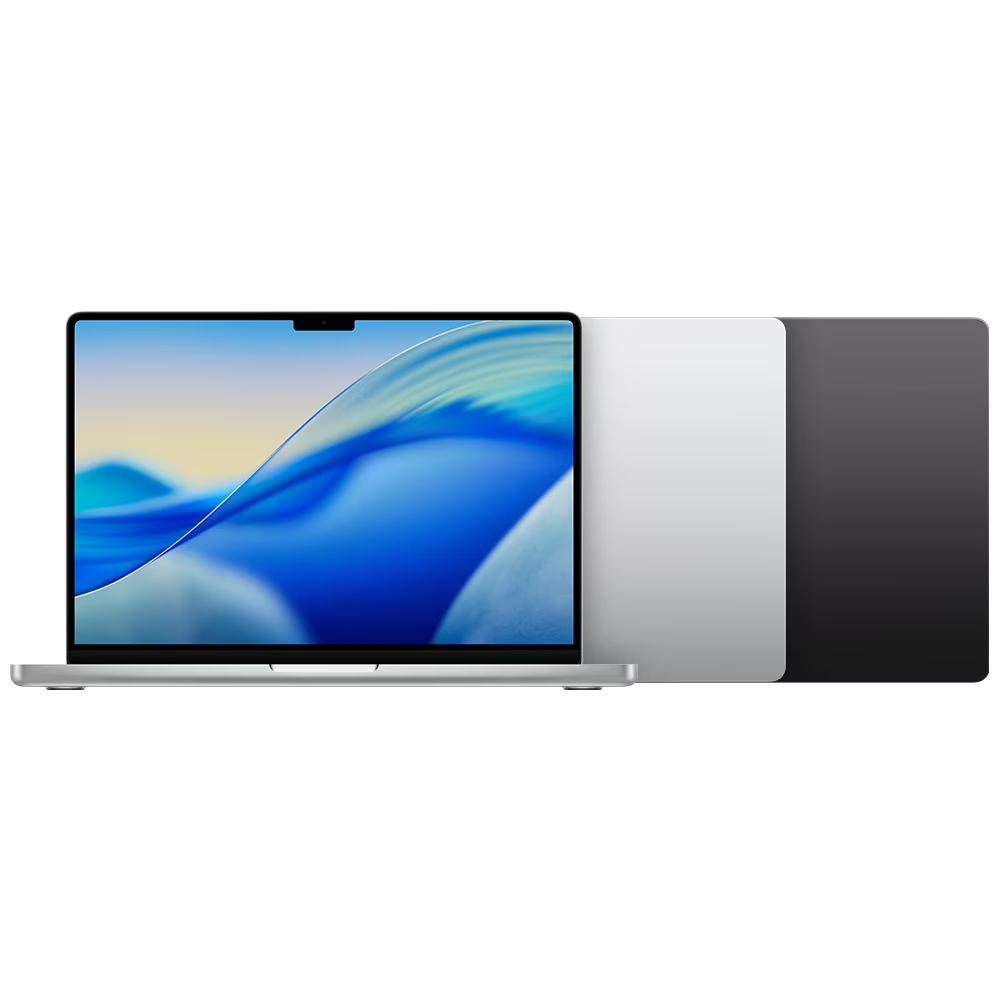
Who it’s for: Video editors, 3D artists, music producers, photographers doing sustained heavy workloads — anyone whose laptop needs to behave like a workstation while fitting in a bag.
Starting price: $1,999 (M5 Pro, 24GB, 512GB)
Where the MacBook Air M5 is the right laptop for most people, the MacBook Pro 14″ is the right laptop for people who run their laptops at 100% CPU or GPU for hours at a time. The active cooling system — a real fan that the Air does not have — means the M5 Pro chip sustains peak performance through Cinebench stress tests without throttling. The same M5 chip that settles into the low 2,300s after repeated runs in the Air stays at peak output in the Pro because it can exhaust heat.
The Macworld review of the MacBook Air M5 explicitly notes that the “real deciding factors between the M5 MacBook Air and M5 MacBook Pro are size, screen, and ports.” For pure sustained performance, the Pro wins. The MacBook Air is the right choice if your heavy workloads are short bursts. The Pro is right if your Blender renders, DaVinci Resolve exports, or Logic Pro sessions run for 30+ minutes at a time.
What makes the 14″ Pro worth $700 more than the Air:
- Active cooling: Sustained CPU performance without thermal throttling
- ProMotion display: 120Hz adaptive refresh, up to 1,600 nits peak brightness (versus 500 nits on the Air)
- More ports: 3x Thunderbolt 5, HDMI 2.1, SD card reader, MagSafe 3 — five ports versus the Air’s three
- 24GB base RAM: Better suited to large Lightroom catalogs, Final Cut Pro multicam timelines, and Logic Pro sessions with dozens of tracks
- 72.4Wh battery: Tom’s Hardware recorded 18:14 in their Wi-Fi test (vs 16:50 for the Air 13″)
- M5 Pro option: Step up to the M5 Pro (14-core CPU, 20-core GPU) for ProRes video workflows, which the base M5 does not handle as efficiently
Specs that matter (base M5, 24GB/512GB):
- CPU: Apple M5 (10-core CPU, 10-core GPU)
- RAM: 24GB unified memory
- Storage: 512GB, 1TB, 2TB SSD options
- Display: 14.2″ Liquid Retina XDR, 3024×1964, 120Hz ProMotion, 1,600 nits peak
- Battery: 72.4Wh — up to 24 hours (16″ M5 Pro), approximately 18 hours (14″ M5)
- Ports: 3x Thunderbolt 5, HDMI 2.1, SD card reader, MagSafe 3, 3.5mm audio
- Weight: 3.5 lbs
Who should NOT buy the MacBook Pro 14″ M5:
- Anyone whose heaviest task is web browsing and email — the MacBook Air M5 is sufficient and $700 less
- Windows software users — this is a Mac, and the premium is wasted if you spend time in Parallels
- Budget buyers — at $1,999, it is a professional tool at a professional price
Apple’s MacBook Pro specifications and pricing: apple.com/macbook-pro/.
6. Framework Laptop 13 (2026) — Best Laptop for Repairability and Longevity
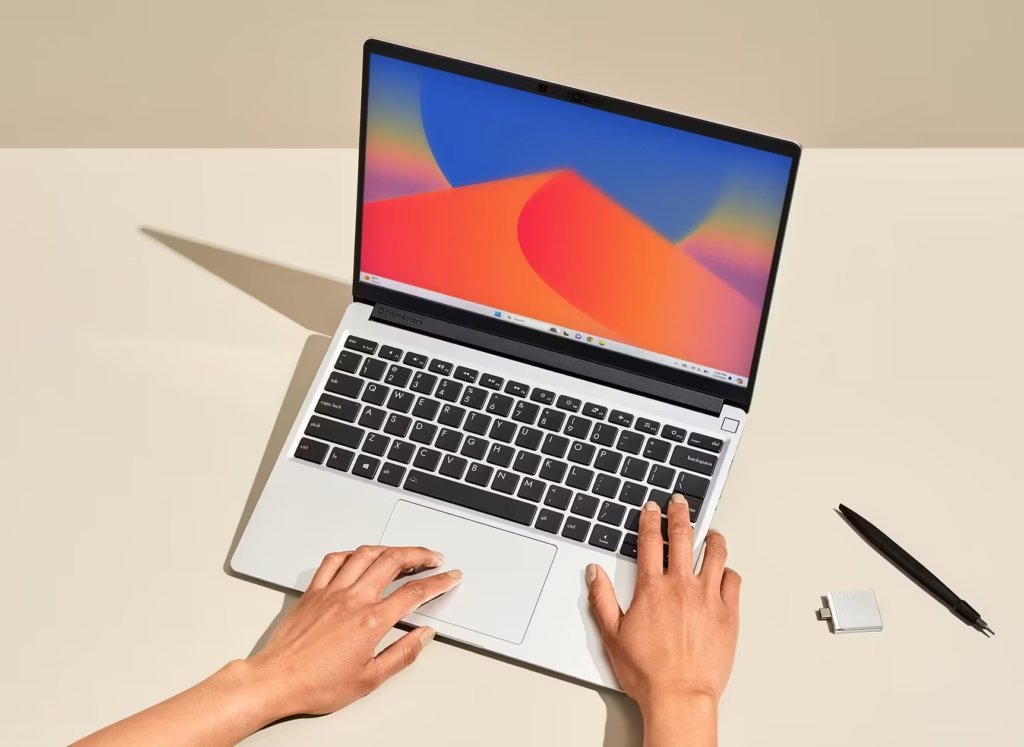
Who it’s for: Buyers who want to own their hardware long-term, tech-savvy users who understand that the RAM crisis makes upgradability a financial strategy, anyone who philosophically disagrees with soldered-everything laptop design.
Starting price: $1,049 (DIY Edition, no RAM or storage included) | $1,149 (pre-built with 16GB/1TB)
The Framework Laptop 13 is the only mainstream laptop in 2026 where the buyer controls the RAM and storage — purchase it, install your own DDR5, and upgrade when prices normalize. In the current market, this is not just a philosophical stance; it is a financial strategy. Framework’s own monthly price update (April 2026) confirmed DDR5 memory for their DIY Edition costs $13–$18 per GB, with rising SSD costs also noted.
That sounds expensive — and it is, today. But it also means that a Framework buyer who installs 16GB now and upgrades to 32GB in 2027 (when TrendForce and TeamGroup both suggest memory prices will begin stabilizing) will pay a fraction of what an OEM would have charged in 2026 for the same upgrade. No other laptop on this list lets you do that.
The Framework 13 uses AMD Ryzen or Intel Core Ultra options (configurations vary by quarter), achieves around 12 hours of battery life in mixed use, and has a legitimately good keyboard and display for its class. iFixit has given it the highest repairability scores of any laptop they have assessed. The trade-off is weight (2.87 lbs) and chassis design that prioritizes modularity over the premium feel of a MacBook or XPS.
Who should NOT buy the Framework Laptop 13:
- Anyone who wants a laptop that “just works” without assembly — the DIY Edition requires installing RAM and SSD yourself
- Buyers prioritizing the best performance-per-dollar today — the Framework’s OEM configurations are priced at a premium over comparably specced alternatives because you’re paying for repairability, not just performance
- Anyone who prioritizes weight — at 2.87 lbs, the Framework is heavier than the MacBook Air (2.7 lbs) and similar to the XPS 14, without those machines’ premium display or battery advantages
Framework’s current configurations and pricing: frame.work.
How to Choose: A Decision Path for 2026
These six questions get most buyers to the right laptop in under two minutes.
1. Do you have any software that runs only on Windows? If yes, the MacBook line is eliminated. Go to question 3. If no, go to question 2.
2. Do you game on your laptop? If yes, jump to the gaming section. If light gaming (2D, casual, older titles), the MacBook Air M5 handles it. For real gaming, you need an Nvidia or AMD discrete GPU — the Zephyrus G14. If no, go to question 3.
3. What is your actual budget — not what you wish it were?
- Under $700: Lenovo IdeaPad Slim 3X (get the 16GB model, not the 8GB)
- $700–$1,300: MacBook Air M5 13″ is the strongest recommendation in this range; if Windows required, wait — there is no strong Windows laptop currently at this price with Panther Lake
- $1,300–$1,600: MacBook Air M5 15″ or entry Dell XPS 14 depending on OS preference
- $1,600–$2,000: Dell XPS 14 (OLED config) or MacBook Air M5 15″
- $2,000+: MacBook Pro 14″ M5 or Asus ROG Zephyrus G14 (for gaming)
4. How long do you need this laptop to last? Three years or less: any pick on this list will serve you. Four or more years: prioritize RAM — buy the highest memory config you can afford. Soldered memory (MacBook) is locked forever. Upgradable memory (XPS, Framework) gives you a future option.
5. Does battery life determine your workday? Longest battery (Windows): Dell XPS 14 at 20+ hours in real use Longest battery (Mac): MacBook Pro 14″ M5 at ~18 hours; MacBook Air M5 at ~17 hours Gaming: Plan on 4–6 hours with the Zephyrus G14 under gaming load
6. Do you regularly connect to external monitors, drives, and peripherals? If yes, prioritize port selection. The MacBook Pro 14″ (3x Thunderbolt 5 + HDMI + SD card) and Dell XPS 14 (2x USB4 + USB-C PD) are meaningfully more capable than the MacBook Air (2x Thunderbolt + MagSafe only). A good USB-C hub solves the problem for the Air if you’re otherwise sold on it.
Should You Buy a New Laptop Right Now, or Wait?
This question has a harder answer in 2026 than in any prior year.
Buy now if:
- You’re buying Apple — Apple has been notably absent from the price increase announcements that Dell, Lenovo, HP, Acer, and Asus have all issued for the second half of 2026. M5 MacBooks at their current price may be the last generation before Apple passes memory costs on to buyers.
- You need a laptop this week — the best laptops of 2026 are excellent, and waiting for a theoretical future deal that gets erased by a 17% price hike is not a strategy.
- You found a discount on a 2025 laptop with solid specs — a 2025 laptop with 16GB RAM at a genuine discount is likely a stronger value than a 2026 laptop with 8GB at the same price.
Wait if:
- You’re considering the 2026 Asus ROG Zephyrus G14 — pricing and availability are still unclear, and the 2025 model is currently better value.
- You’re hoping for a Windows ultrabook under $1,000 with Panther Lake — those configurations don’t yet exist at scale, but they will.
- You’re considering a budget Windows laptop under $600 — the 8GB memory squeeze is most acute in this tier.
How We Selected These Best Laptops
We did not test every laptop on this list in a dedicated lab. What we did: synthesize independent benchmark results from Tom’s Hardware, Tom’s Guide, Notebookcheck, and Macworld (all DA 90+); cross-referenced battery life results across multiple reviewers for each machine; and built the RAM pricing table from live retail data gathered on May 22, 2026 across Dell.com, Apple.com, Lenovo.com, and Amazon. Where reviewers disagreed (they sometimes do on battery life, which is highly test-methodology-dependent), we used the methodology closest to real-world mixed use rather than the most extreme result. The Dell XPS 14’s headline 43-hour figure is from a VRR web browsing test at 150 nits — a specific condition — and we present the 20-hour figure as the more representative productivity result.
Our RAM cost-per-GB table is original to BitsFromBytes and was not sourced from any external publication. Prices verified May 22, 2026.
Frequently Asked Questions
What is the best laptop in 2026 overall?
The Apple MacBook Air M5 is the best laptop in 2026 for most people. It starts at $1,299, delivers 16–17 hours of real-world battery life, runs silently with no fan, and offers performance (Geekbench 6 multi-core: 16,670) that exceeds what most users will ever tax. If you require Windows, the Dell XPS 14 (2026) with Intel Panther Lake is the equivalent choice — it now rivals the MacBook in battery life and performance.
Which 2026 laptop has the longest battery life?
The Dell XPS 14 (2026) recorded 43 hours and 3 minutes in a web browsing test conducted by Hardware Canucks using Variable Refresh Rate at 150 nits. In standard Wi-Fi productivity testing, it delivers 14–20 hours depending on display configuration. The MacBook Air M5 15″ delivers approximately 18 hours in similar tests. For most users, either machine will last a full workday without charging.
Is 8GB of RAM enough for a laptop in 2026?
No — not for most workflows. In 2026, 8GB RAM on a laptop is limiting for anyone doing simultaneous web browsing (multiple tabs), video calls, and document work. Some entry-level laptops ship with 8GB to manage manufacturing costs in the current memory crisis. The minimum recommended configuration for a laptop intended to last 3+ years is 16GB. Apple’s M-series chips handle 16GB more efficiently than standard DDR5, but 8GB remains tight regardless of architecture.
How much have laptop prices increased in 2026?
Gartner projects a 17% average increase in laptop prices by end of 2026, driven by a 130% surge in DRAM and SSD prices. DDR5 32GB kits that cost $90 in early 2025 now exceed $350 at retail (TrendForce data). The effect is already visible: some $800 laptops that launched with 16GB RAM in early 2026 now ship with 8GB at the same price. Apple has been the notable exception — MacBook Air M5 launched at the same price as MacBook Air M4.
Should I buy a laptop with Windows on Arm in 2026?
Windows on Arm laptops — those running Qualcomm Snapdragon X or similar chips — offer excellent efficiency and battery life comparable to Apple Silicon. The trade-off is application compatibility: legacy x86 Windows software runs through an emulation layer. Modern applications (Microsoft 365, Chrome, Slack, Zoom, Adobe Creative Cloud) all support Arm natively. Specialized enterprise software, older CAD applications, and some games may not. Microsoft maintains a compatibility reference at learn.microsoft.com. If your critical software is not on the list, verify before buying.
What is Intel Panther Lake and why does it matter?
Panther Lake is Intel’s laptop chip architecture built on the 18A fabrication node, first shipping in laptops in early 2026. It delivers a significant efficiency improvement — idle power draw on the Dell XPS 14 was measured at 1.4 watts, enabling 20+ hour battery life in standard use. Geekbench 6 multi-core scores (~17,500) are on par with Apple’s M5. Panther Lake marks the first time Intel has genuinely matched Apple Silicon in efficiency metrics, narrowing a gap that had defined the laptop market since 2020.
Are gaming laptops worth buying in 2026?
Gaming laptops with NVIDIA RTX 5000-series GPUs deliver transformative performance improvements thanks to DLSS 4 multi-frame generation. The Asus ROG Zephyrus G14 with an RTX 5070 Ti achieves framerates in 2026 AAA titles that would have required a desktop GPU tier above it in 2024. The trade-off is unchanged: gaming laptops run 4–6 hours on battery under gaming load, cost significantly more than productivity laptops at the same weight class, and generate meaningful heat. They remain the right choice for buyers who genuinely game on the move, not for buyers who “might game occasionally.”