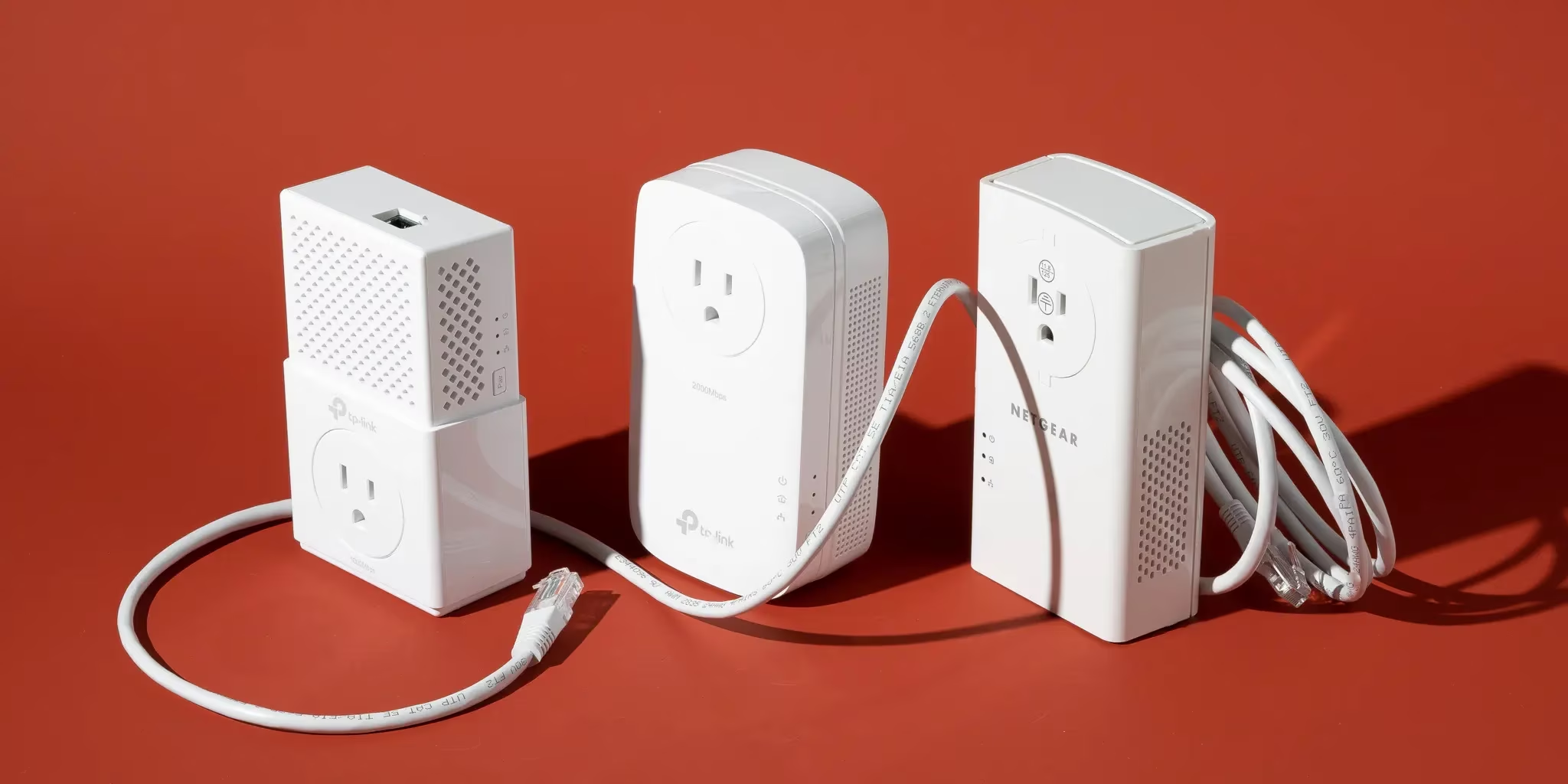
Best Powerline Adapters 2026
Quick verdict
| Pick | Best for | Standard | Real-world speed | Price |
|---|---|---|---|---|
| TP-Link TL-PA7010P Kit | Budget, basic use, streaming | HomePlug AV2 (AV1000) | ~100–200 Mbps | ~$30–$40 |
| TP-Link TL-PA9020P Kit | Most households, multi-device | HomePlug AV2 (AV2000) | ~150–300 Mbps | ~$55–$75 |
| Devolo Magic 2 LAN | Gaming, low latency, noisy wiring | G.hn | ~300–600 Mbps | ~$90–$120 |
| Devolo Magic 2 WiFi 6 | Large homes, Wi-Fi + Ethernet in remote rooms | G.hn + Wi-Fi 6 | ~300–600 Mbps wired | ~$150–$200 |
Prices from Amazon.com as of April 2026. Real-world speeds vary significantly based on your home’s electrical wiring age, circuit layout, and interference sources.
Before looking at any product: if your powerline adapter is plugged into a power strip or surge protector, it won’t work properly regardless of which one you bought. Surge protectors contain filters that block the high-frequency signal powerline adapters use to transmit data. Always plug directly into a wall outlet. This is the single most common reason powerline adapters fail, and it’s never the headline on any buying guide.
The second thing to check: both adapters must be on the same electrical circuit in your home. Adapters on different circuits — one feeding the main house, one feeding a garage or extension wired separately — drop to 5–10 Mbps in practice. That’s not a product defect. It’s physics.
If both adapters are wall-mounted on the same circuit and you’re still getting poor speeds, then the product choice matters. Here’s what’s changed since 2020: the standard that delivers the best real-world performance is no longer HomePlug AV2.
Table of Contents
HomePlug AV2 vs G.hn — the standard that determines your experience
The five products recommended in the 2020 version of this page were all HomePlug AV2. That standard was introduced in 2012 and remains widely used. The problem: the HomePlug Alliance — the industry body that maintained the standard — wound down its activities in October 2016. HomePlug AV2 receives no updates, no improvements, and has not improved at handling the electrical noise modern homes generate from smart devices, EV chargers, solar inverters, and LED lighting arrays.
G.hn (ITU-T G.9960) is the replacement. Approved by the International Telecommunication Union, it’s an active standard under ongoing development. The key difference in practical terms: G.hn uses Low-Density Parity-Check (LDPC) forward error correction to filter electrical interference significantly better than HomePlug AV2 can.
The practical result was documented in head-to-head testing: Devolo Magic 2 (G.hn) maintained a stable 22ms ping, while TP-Link HomePlug AV2 spiked to 60ms jitter. Devolo uses newer G.hn technology to filter electrical noise far better than the older HomePlug AV2 standard. For streaming and gaming, where jitter causes buffering and lag spikes, this difference is noticeable in daily use.
One critical compatibility note: G.hn adapters are not compatible with HomePlug AV2 adapters. G.hn adapters like the ZyXEL PLA6456 are not compatible with HomePlug, AV, or AV2 powerline devices due to different G.hn technology. If you already have HomePlug AV2 adapters in your home and want to add G.hn units, you’ll need to replace the entire set.
The speed reality — what those “2000 Mbps” claims actually mean
Every powerline adapter box shows a large theoretical speed rating. None of them deliver it in real-world conditions. If a powerline adapter has a theoretical transfer rate of 2,000 Mbps, you may see a quarter of that speed at most between two units. Your real-world speed depends on your electrical wiring, the power outlets, the devices you have plugged in, and the circuit breakers.
The honest real-world ranges, based on tested performance data:
| Standard | Theoretical speed | Typical real-world average |
|---|---|---|
| HomePlug AV2 (AV1000) | 1,000 Mbps | 80–200 Mbps |
| HomePlug AV2 (AV2000) | 2,000 Mbps | 150–350 Mbps |
| G.hn | 2,400 Mbps | 300–600 Mbps |
Real-world speeds typically land at 30–50% of theoretical ratings, depending on numerous factors.
For context: 4K streaming from Netflix requires 25 Mbps. A HomePlug AV2 adapter averaging 150 Mbps handles four simultaneous 4K streams. The difference between HomePlug AV2 and G.hn matters most for gaming latency and for households on multi-gig internet plans where the powerline link itself becomes the bottleneck.
The four best powerline adapters in 2026
1. TP-Link TL-PA7010P Kit — Best budget pick
At approximately $30–$40, the TP-Link TL-PA7010P is the correct entry point for households that need basic coverage extension on a budget. HomePlug AV2 with AV1000 theoretical speeds, one Gigabit Ethernet port per adapter, and a pass-through power outlet so you don’t lose the wall socket.
Real-world performance sits at 80–200 Mbps depending on wiring conditions — more than sufficient for streaming, general browsing, and connecting a smart TV or gaming console that’s otherwise in a Wi-Fi dead zone. The pass-through outlet is filtered, meaning connected devices don’t add electrical noise that degrades the powerline signal.
The TP-Link AV1000 kit strikes a clean balance between price and performance. With HomePlug AV2 technology and a full Gigabit Ethernet port, it achieves up to 1000 Mbps link speeds across distances up to 750 feet — more than enough for multi-story homes or outbuildings.
What the marketing doesn’t mention: One Ethernet port per adapter is the limitation here. If you need to connect a TV and a gaming console in the same room, you’ll need a small switch downstream or you’ll need to step up to the TL-PA9020P. This adapter also supports networks of up to 8 units on the same powerline network, versus 16 on higher TP-Link models.
Who should skip it: Anyone whose primary use case is gaming (HomePlug AV2 jitter is the problem — step up to G.hn). Anyone on a Gigabit internet plan expecting to get full speed over powerline (not possible with any current standard, but G.hn gets closer). Anyone needing more than one Ethernet port at the remote location.
2. TP-Link TL-PA9020P Kit — Best HomePlug AV2 for most households
The TP-Link TL-PA9020P is the updated version of the AV2000 kit recommended in the 2020 version of this guide. The core advantage over the budget TL-PA7010P: two Gigabit Ethernet ports per adapter rather than one. This lets you connect both a smart TV and a streaming box, or a gaming console and a laptop, at the remote end without a switch.
The TP-Link AV2000 combines exceptional performance, reliability, and value. The inclusion of pass-through sockets on the TL-PA9020P KIT version and two Gigabit Ethernet ports per adapter are welcomed additions. If you want a fast Powerline starter kit with more than one Ethernet port plus pass-through, this is highly recommended.
The 2×2 MIMO technology uses multiple conductor paths in your electrical wiring (live, neutral, and ground) simultaneously, which improves both speed and stability compared to single-path HomePlug adapters. Real-world averages sit at 150–300 Mbps on typical residential wiring.
What the marketing doesn’t mention: HomePlug AV2 still suffers from jitter under electrical load — when a fridge compressor kicks in, a washing machine runs, or a microwave operates on the same circuit, throughput drops and latency spikes. For video streaming this is tolerable; for competitive online gaming it’s noticeable. If gaming is the priority, G.hn (Devolo Magic 2) is the correct choice.
Who should skip it: Dedicated gamers who need stable low-latency connections (jitter problem — go G.hn). Anyone with particularly noisy electrical wiring — older homes with unshielded wiring, homes with solar inverters, homes with EV chargers sharing circuits. For those environments, G.hn’s superior interference rejection is the better investment.
3. Devolo Magic 2 LAN — Best for gaming, streaming, and electrically noisy homes
The Devolo Magic 2 LAN is the G.hn alternative that changes the calculation for any household where jitter and latency matter. Using G.hn standard with theoretical speeds up to 2,400 Mbps, it delivers substantially better real-world performance stability than HomePlug AV2 — specifically in the latency and jitter metrics that determine whether gaming connections feel smooth.
The measured difference is significant: Devolo Magic 2 showed jitter stability peaking at only 22ms. TP-Link HomePlug AV2 showed jitter peaking at 60ms. This instability in HomePlug AV2 is severe enough to cause noticeable pauses, lag spikes, and dropped frames in any online game. Devolo uses the advanced G.hn wave standard, which actively filters out the electrical noise that kills gaming sessions.
The Magic 2 LAN also achieves higher average throughput: Zyxel’s G.hn powerline kit saw speeds up to 600 Mbps real-world, the best you’ll get from networking across noisy power lines with current technology. Devolo’s G.hn implementation achieves similar results.
The trade-off: the Devolo Magic 2 LAN costs approximately $90–$120 — roughly double the TL-PA9020P. For households where the primary use is streaming video to a TV in a dead zone, the TP-Link delivers adequate performance at lower cost. For households running PS5, Xbox Series X, or PC gaming over powerline, the jitter reduction is worth the premium.
What the marketing doesn’t mention: Devolo’s Magic 2 range requires buying Devolo adapters throughout if you want to expand — G.hn is not compatible with HomePlug AV2 adapters. If you have existing TP-Link HomePlug adapters elsewhere in the house and try to add a Devolo G.hn unit, they won’t communicate with each other.
Who should skip it: Households already running HomePlug AV2 who want to add one more adapter (compatibility issue). Anyone whose use case is purely basic streaming on a tight budget — the TP-Link TL-PA7010P does the job at a third of the cost.
4. Devolo Magic 2 WiFi 6 — Best for large homes that need Wi-Fi extension too
The Devolo Magic 2 WiFi 6 combines G.hn powerline performance with a built-in Wi-Fi 6 access point at the remote adapter. One unit plugs in near the router and connects via Ethernet; the second unit in the far room provides both a Gigabit Ethernet port and a Wi-Fi 6 hotspot covering approximately the surrounding area.
This is the correct pick for households where the dead zone is a room where running an Ethernet cable to every device isn’t practical — a bedroom or living room where phones, tablets, laptops, and a smart TV all need connectivity. The Devolo Magic WiFi range marries Powerline and Mesh technologies and has been updated to include super-speedy Wi-Fi 6. WiFi 6 boosts potential wireless speeds by 50% to 1,800 Mbps, compared to 1,200 Mbps for WiFi 5, and adds MU-MIMO and OFDMA that enable simultaneous bidirectional communication.
The Devolo Magic 2 WiFi 6 creates what is effectively a wired backhaul for a wireless access point — the powerline carries the signal at G.hn speeds to the remote adapter, which then distributes it via Wi-Fi 6 to devices in the room. This avoids the double wireless hop that degrades signal in traditional Wi-Fi extenders and range repeaters.
What the marketing doesn’t mention: The Wi-Fi 6 access point is the remote adapter’s job — but it operates as an access point, not a mesh node in the same sense as an eero or Deco system. Roaming between your main router and the Devolo Magic 2 WiFi 6 requires your main router to support 802.11r or BSS Transition Management for seamless handoff. Without it, devices may hesitate when moving between coverage zones.
Who should skip it: Anyone who only needs to add a wired Ethernet connection in the remote room — the Devolo Magic 2 LAN saves $30–$80 and performs identically on the wired side. Anyone in a home already covered by a proper Wi-Fi 7 mesh system where the powerline-Wi-Fi combo is redundant.
Powerline adapters vs. mesh Wi-Fi — which solves your problem
The 2020 article said Wi-Fi extenders are “less effective” than powerline adapters and are “more expensive.” In 2026, this comparison needs an update.
Wi-Fi 7 mesh systems (eero Pro 7, TP-Link Deco BE65, ASUS ZenWiFi BQ16 Pro) deliver coverage that powerline adapters cannot match in terms of wireless performance, number of devices supported, and seamless roaming. A two-pack mesh system covering 5,000+ sq ft with Wi-Fi 7 costs $230–$300 and eliminates dead zones throughout the home.
Powerline adapters are the right choice when:
- You need a wired Ethernet connection in a specific room and Wi-Fi signal is irrelevant (a gaming console, a desktop PC, a NAS device)
- Your home’s layout or construction makes wireless coverage inherently poor regardless of mesh node placement
- You need a reliable low-latency connection and your home’s electrical wiring is on a single clean circuit
Mesh Wi-Fi is the right choice when:
- Your problem is Wi-Fi dead zones affecting wireless devices (phones, laptops, tablets)
- You want whole-home coverage without thinking about circuits and surge protectors
- You need 20+ simultaneous devices connected across multiple rooms
The two aren’t mutually exclusive. A powerline adapter extending Ethernet to a gaming console in a far bedroom — combined with a mesh system handling wireless coverage — is a legitimate and effective dual solution.
Frequently asked questions
Why is my powerline adapter so slow?
Three most common causes, in order of likelihood: (1) One or both adapters are plugged into a power strip or surge protector — surge protectors filter out the signal, use wall outlets only. (2) The adapters are on different electrical circuits — a powerline connection that crosses circuit breakers typically drops to 5–10 Mbps. (3) Electrical interference from nearby devices — refrigerators, washing machines, and EV chargers on the same circuit generate noise that degrades HomePlug AV2 performance significantly. G.hn adapters (Devolo Magic 2) handle this interference better.
What is the difference between HomePlug AV2 and G.hn?
HomePlug AV2 is the older standard (2012), now maintained by no active industry body. G.hn (ITU-T G.9960) is the current active standard, delivering higher real-world speeds and significantly better electrical interference rejection. G.hn adapters typically achieve 300–600 Mbps real-world versus 150–300 Mbps for HomePlug AV2, and produce stable jitter around 22ms versus 60ms spikes for HomePlug AV2 under electrical load. The two standards are not compatible with each other — you must use the same standard throughout your powerline network.
Can I mix different brands of powerline adapters?
HomePlug AV2 adapters from different brands generally work together because the standard is interoperable. Most TP-Link, Netgear, and TRENDnet HomePlug AV2 adapters can pair with each other, though using the same brand typically yields better stability. G.hn adapters from different manufacturers may or may not interoperate depending on their chipset — verify compatibility before mixing brands.
Do powerline adapters work in apartments?
Sometimes, but with lower reliability than in detached houses. In apartment buildings, electrical wiring may be shared across units, which means your powerline signal could theoretically reach neighboring apartments’ outlets. Most modern adapters use AES-128 encryption, which prevents unauthorized access, but the performance impact of shared wiring is real — more devices on the shared electrical infrastructure means more noise and lower speeds. G.hn’s superior noise rejection makes it the better choice for apartment use. Test with a budget HomePlug kit before investing in G.hn hardware.
Are powerline adapters safe and secure?
Yes. All current powerline adapters use AES-128 encryption for data transmission. The signal doesn’t leave your home’s electrical wiring, and the pairing process ensures only your registered adapters communicate with each other. Using the physical pair/sync button creates an encrypted network that other powerline adapters cannot access without the same pairing process.
Will a powerline adapter work between floors?
Yes, as long as both floors are on the same main electrical circuit panel. Most homes have a single main breaker box feeding all circuits throughout the house — in that case, powerline adapters work across floors normally. Homes with a separate sub-panel (a garage, an extension, an outbuilding on a separate breaker) will see severely degraded performance across that boundary.