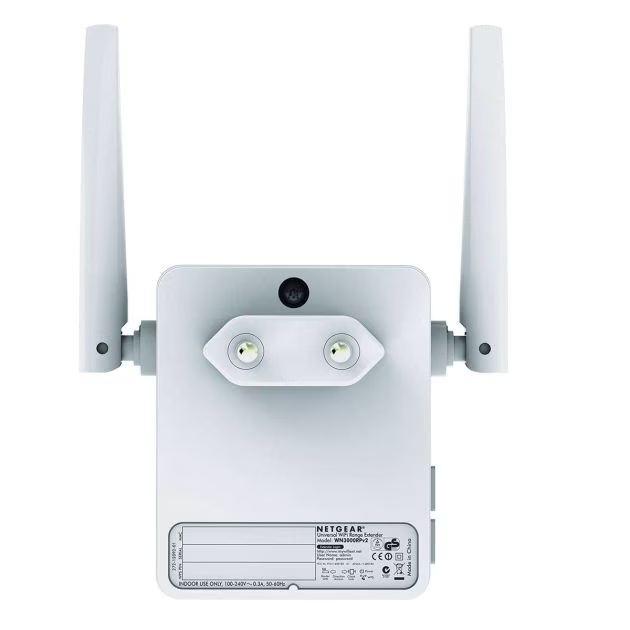
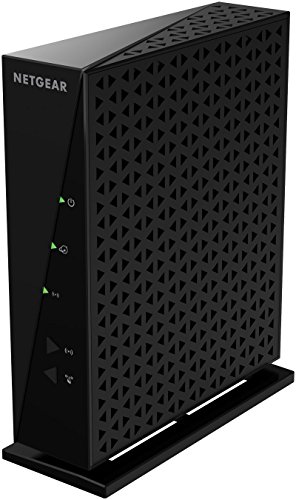
NETGEAR N300 Review 2026
What the N300 is — and when it was designed for
The NETGEAR N300 (WNR2000 series) is an 802.11n (Wi-Fi 4) router operating exclusively on the 2.4 GHz frequency band. It was designed for an era when the average household had 5–8 connected devices and 4K streaming didn’t exist as a consumer product.
The N300 in numbers:
| Spec | N300 (2019) | Entry-level Wi-Fi 6 (2026) |
|---|---|---|
| Wi-Fi standard | Wi-Fi 4 (802.11n) | Wi-Fi 6 (802.11ax) |
| Maximum theoretical speed | 300 Mbps | 1,800 Mbps+ |
| Real-world single-device speed | 50–100 Mbps | 300–600 Mbps |
| Frequency bands | 1 (2.4 GHz only) | 2 (2.4 GHz + 5 GHz) |
| Security standard | WPA2 | WPA3 |
| Multi-device handling | Sequential (one at a time) | OFDMA (simultaneous) |
| USB port | None | Typically 1 |
| Recommended device count | 5–10 | 30+ |
The 2.4 GHz band limitation is the most significant constraint in 2026. The 5 GHz band — present in every dual-band router since 2012 — has roughly twice the bandwidth and far less interference from neighboring networks. Every Wi-Fi 5 (802.11ac), Wi-Fi 6, and Wi-Fi 7 router uses dual-band at minimum. The N300 doesn’t have a 5 GHz radio at all.
The NETGEAR N300 was a solid budget router in 2019. In 2026, it’s a single-band Wi-Fi 4 device on a network where the current standard is Wi-Fi 7. If you’re reading this because you have one sitting in a closet or still running your home network, the honest answer is: it depends entirely on what you’re asking it to do.
For one or two devices doing basic web browsing and email in a small apartment: it still works. For a household trying to stream 4K, run 20+ connected devices, or anyone who cares about current security standards: it needs to be replaced now, and a $50–$80 Wi-Fi 6 router will make an immediate and obvious difference.
Here’s the full breakdown.
Table of Contents
What the N300 still does adequately in 2026
Basic web browsing and email on 1–3 devices. Web pages, email, social media, standard YouTube at 1080p — these tasks require 5–25 Mbps. The N300’s real-world 50–100 Mbps ceiling handles them without issue if the devices are within reasonable range and the 2.4 GHz band isn’t congested by neighboring networks.
Wired connections at Gigabit speed — up to a point. The N300 has four Gigabit LAN ports. If you’re connecting a desktop PC by Ethernet and don’t rely on Wi-Fi at all, the N300 routes wired traffic to its WAN connection at whatever speed your ISP provides, up to 300 Mbps. For plans under 200 Mbps on a wired-only basis, it remains functional.
Backup router or travel use. The N300 is small enough (9.1 × 10.8 × 3.1 inches) to serve as a backup device or an emergency network for a hotel room or Airbnb where you’re connecting one laptop. For this limited use case, the low cost on the secondhand market (typically under $15 on eBay) makes it a reasonable acquisition.
What the N300 cannot do in 2026
4K streaming to multiple devices. A single 4K stream from Netflix or Disney+ requires 25 Mbps — the N300 technically delivers this. But the moment a second device connects and also requests bandwidth, the single-band 2.4 GHz radio begins serving devices sequentially rather than simultaneously. Two 4K streams competing on the 2.4 GHz band produce jitter and buffering that no amount of QoS adjustment will fully eliminate. The N300 was not built for this.
Households with 15+ connected devices. In 2026, the average UK and US household has over 20 internet-connected devices — phones, tablets, laptops, smart TVs, gaming consoles, voice assistants, thermostats, cameras, and IoT sensors. The N300’s 2.4 GHz single-band radio cannot efficiently schedule concurrent transmissions to this many clients. Devices wait. Connections drop. Performance degrades under load in a way that’s invisible on paper but obvious in daily use.
Modern Wi-Fi security (WPA3). The NIST Cybersecurity Framework and Wi-Fi Alliance recommend WPA3 as the current wireless security standard. WPA3 introduces Simultaneous Authentication of Equals (SAE), which protects against offline dictionary attacks on your Wi-Fi password — a weakness in WPA2 that remains unpatched since 2017. The N300 supports WPA2 only. For a home network handling banking, healthcare apps, or smart home devices, WPA2-only is an outdated security posture.
Interference rejection in dense environments. The 2.4 GHz band is used by Wi-Fi, Bluetooth, microwave ovens, cordless phones, and baby monitors. In a dense apartment building, dozens of neighboring networks compete on the same three non-overlapping 2.4 GHz channels. The N300 has no mechanism to mitigate this interference — no beamforming, no MU-MIMO, no 5 GHz fallback. In a busy urban environment, a neighbor-heavy 2.4 GHz band is often the real explanation for poor N300 performance that users attribute to their ISP.
The WPA2 security reality
This is the detail the 2019 review underemphasized and that matters more in 2026 than any speed limitation.
WPA2, the N300’s wireless security protocol, has a known vulnerability: the KRACK (Key Reinstallation Attack) exploit, disclosed in 2017, allows attackers on the same network to decrypt traffic under certain conditions. While patches exist for most devices, they require device-level software updates — and the N300’s firmware has not received updates from NETGEAR in years. The device is end-of-life from a security support standpoint.
Additionally, WPA2’s password security relies on the strength of your Pre-Shared Key. Offline dictionary attacks against WPA2 handshakes are computationally feasible with modern hardware. WPA3’s SAE protocol eliminates this attack vector by design, without requiring a stronger password.
For a router handling traffic from devices that access banking apps, work email, or smart home controls: the N300’s WPA2-only status is a meaningful security limitation in 2026, not a theoretical one.
Who should keep the N300 — and who should replace it
Keep it if:
- Your household has 3 or fewer devices connecting wirelessly
- Your internet plan is under 100 Mbps and you’re not streaming 4K
- It’s serving as a backup device or occasional travel router
- Budget doesn’t allow for a replacement right now
Replace it immediately if:
- You’re regularly streaming 4K or HDR content (buffering will continue until you do)
- You have 10+ connected devices including smart home hardware
- You care about WPA3 security on devices handling financial or health data
- You’re troubleshooting persistent Wi-Fi drops, slow speeds, or dead zones — the N300 is very likely the cause
What to buy instead
The N300 sells secondhand for under $15. For $50–$80 more, the improvement is not incremental — it’s a completely different class of device.
TP-Link Archer AX21 (~$50–$60, Wi-Fi 6 dual-band): The entry point for Wi-Fi 6 in 2026. Dual-band (2.4 GHz + 5 GHz), OFDMA for simultaneous multi-device handling, WPA3, real-world speeds of 300–500 Mbps on 5 GHz. For a household making the jump from the N300, this is the most cost-effective upgrade path. Widely available new or refurbished.
TP-Link Archer BE230 (~$80, Wi-Fi 7 dual-band): The budget Wi-Fi 7 entry. Same dual-band configuration, adds 802.11be with Multi-Link Operation for reduced jitter, WPA3, and two 2.5 GbE ports. For anyone who wants to skip Wi-Fi 6 and be set for 5+ years, the $30 premium over the AX21 is well spent.
eero 6+ (~$60, Wi-Fi 6 dual-band): The simplest setup path — guided entirely through the eero app, no admin panel to navigate, automatic firmware updates. For non-technical users replacing an N300 who want the least friction, this is the recommendation.
For full coverage of current router options across all price tiers, see the best Wi-Fi 7 routers 2026 guide and the best router for streaming online video 2026 guide.
NETGEAR N300 specs — what’s in the box
For anyone troubleshooting or configuring an N300 they already own:
Wireless:
- Standard: 802.11n (Wi-Fi 4)
- Frequency: 2.4 GHz only (single-band)
- Maximum theoretical speed: 300 Mbps
- Security: WPA/WPA2-PSK, WEP
Hardware:
- Ports: 1 WAN (Gigabit), 4 LAN (Gigabit), 0 USB
- Antennas: 2 internal
- Dimensions: 9.1 × 10.8 × 3.1 inches
- Weight: 1.2 pounds
Software:
- NETGEAR Genie app (iOS and Android)
- QoS for bandwidth prioritization per device or MAC address
- Parental controls and guest network
- Double firewall (SPI + NAT), DoS protection
What’s in the box: Router, power adapter, power cable, Ethernet cable, quick start guide, warranty card.
Firmware status: End-of-life. NETGEAR has not released firmware updates for the WNR2000 series for several years. The device does not receive security patches.
Frequently asked questions
Is the NETGEAR N300 still good in 2026?
For a household with 1–3 devices doing basic browsing and email on a plan under 100 Mbps: it still functions. For any household with 4K streaming, 10+ connected devices, or security concerns: no. The N300’s single-band 2.4 GHz radio, WPA2-only security, and end-of-life firmware status make it a poor choice for modern home network requirements. A Wi-Fi 6 replacement starts at $50.
Why is my NETGEAR N300 so slow?
Three likely causes: (1) 2.4 GHz band congestion from neighboring networks — the N300 has no 5 GHz band to escape this interference; (2) device overload — the N300 serves devices sequentially, so more than 5–6 simultaneous connections degrades performance noticeably; (3) firmware age — the N300’s software hasn’t been updated in years, and accumulated connection tables can degrade performance on older units. A factory reset sometimes helps temporarily. Replacing the router solves it permanently.
Is the NETGEAR N300 compatible with gigabit internet?
Partially. The N300’s WAN and LAN ports are Gigabit Ethernet, meaning it can pass a Gigabit wired connection through to a directly-connected device. However, its wireless radio is limited to 300 Mbps theoretical and 50–100 Mbps real-world — so any device connecting via Wi-Fi is capped well below your Gigabit plan regardless of your ISP’s delivery. You’re paying for Gigabit internet and receiving at most 100 Mbps on Wi-Fi.
Does the NETGEAR N300 support WPA3?
No. The N300 supports WPA and WPA2 only. WPA3, introduced in 2018 and now recommended by the NIST Cybersecurity Framework and Wi-Fi Alliance as the current standard, requires hardware support that the N300 lacks. It cannot be added via firmware update. For households whose devices handle sensitive data, this is a meaningful reason to upgrade beyond performance concerns.
How do I set up the NETGEAR N300?
Connect the N300’s WAN port (labelled “Internet”) to your modem or ISP gateway using the included Ethernet cable. Power on the N300. Connect a device to the N300’s default Wi-Fi network (printed on the router label) or directly via Ethernet. Open a browser and navigate to routerlogin.net to run the setup wizard, or use the NETGEAR Genie app on iOS or Android. The process takes approximately 5 minutes.
Should I buy a NETGEAR N300 used in 2026?
No. The N300 typically sells on eBay for $10–$20. For $50–$60 — a difference of $30–$50 — you can buy a new Wi-Fi 6 router like the TP-Link Archer AX21 with dual-band, WPA3, OFDMA, and active firmware support. The N300’s limitations are architectural, not fixable by configuration, and the price gap to a genuinely capable modern router is too small to justify the secondhand purchase.