Best Router for Streaming Online Video 2026
Quick verdict
| Pick | Best for | Wi-Fi | Coverage | Price |
|---|---|---|---|---|
| TP-Link Archer BE550 | Most households — Gigabit plans, 10–30 devices | Wi-Fi 7 tri-band | ~2,500 sq ft | ~$150 |
| TP-Link Archer BE230 | Apartments, budget buyers, single-room streaming | Wi-Fi 7 dual-band | ~1,500 sq ft | ~$80 |
| eero Pro 7 | Non-technical users, families, large homes | Wi-Fi 7 tri-band mesh | ~2,000 sq ft/unit | ~$230 |
| TP-Link Deco BE65 (2-pack) | Homes over 2,500 sq ft with dead zones | Wi-Fi 7 mesh | ~5,800 sq ft | ~$300 |
| ASUS RT-BE96U | Power users, dense device households, AV racks | Wi-Fi 7 tri-band | ~2,500 sq ft | ~$450 |
| NETGEAR Orbi 970 (2-pack) | Large homes, premium multi-gig, maximum coverage | Wi-Fi 7 quad-band mesh | ~6,000 sq ft | ~$900 |
Prices from Amazon.com as of April 2026.
Netflix 4K requires 25 Mbps. Disney+ 4K requires 25 Mbps. YouTube 4K requires 20 Mbps. The router recommended as the editors pick in the 2020 version of this article — the NETGEAR Nighthawk X4S AC2600 — could deliver 2,530 Mbps. Every router on that list was delivering 50 to 100 times the bandwidth 4K streaming actually needs.
Your buffering problem, in the vast majority of cases, is not your router’s raw speed. It’s one of three things: how many devices are competing for bandwidth at the same moment your stream starts, how far your streaming device sits from the router, or your ISP’s actual delivered speed compared to the plan you’re paying for.
That said, the right router matters — just for different reasons than most buying guides explain. Wi-Fi 7’s Multi-Link Operation (MLO) reduces jitter, not just speed, and jitter is what actually causes buffering on a fast connection. A household simultaneously running three 4K streams, two gaming sessions, and six video calls needs intelligent traffic management, not just raw megabits. And a house with dead zones in the back bedroom needs mesh, not a more powerful single router.
Here are six picks for six real scenarios, the decision tree that tells you which one in 90 seconds, and — upfront — the one scenario where upgrading your router won’t fix anything.
Table of Contents
When a new router won’t help
Before spending money: check your ISP’s actual delivered speed at fast.com or speedtest.net from the device that’s buffering. If delivered speed is below your plan tier — and particularly if it’s below 25 Mbps — call your ISP. A $450 Wi-Fi 7 router won’t fix an ISP bottleneck.
Also check: is the buffering device connected by Ethernet or Wi-Fi? A streaming device connected by Ethernet cable directly to your router will never buffer due to Wi-Fi interference, distance, or congestion. Running a Cat6 cable from your router to your TV eliminates an entire category of wireless problems more reliably than any router upgrade.
If those two checks pass — your ISP is delivering adequate speed and Ethernet isn’t practical for your setup — then your router is genuinely the constraint. That’s who this guide is for.
What actually causes streaming buffering in 2026 — and what fixes it
The gap between what a modern router delivers and what streaming requires is enormous. The confusion comes from ISP marketing using “streaming” as the benchmark for why you need a faster router or faster internet plan.
The actual bandwidth requirements for common streaming services (from each platform’s official support pages):
| Service | SD | HD (1080p) | 4K HDR |
|---|---|---|---|
| Netflix | 1 Mbps | 5 Mbps | 25 Mbps |
| Disney+ | 5 Mbps | 10 Mbps | 25 Mbps |
| YouTube | 0.5 Mbps | 5 Mbps | 20 Mbps |
| Apple TV+ | 8 Mbps | 8 Mbps | 25 Mbps |
| Amazon Prime | 1 Mbps | 5 Mbps | 25 Mbps |
A 200 Mbps internet plan can run eight simultaneous 4K streams without touching its ceiling. The bottleneck is almost never the available bandwidth — it’s how the router distributes that bandwidth under simultaneous load.
The three real causes of streaming buffering on a fast connection:
1. Band congestion from device proliferation. The average household in 2026 has 40+ connected devices — phones, tablets, laptops, smart TVs, gaming consoles, voice assistants, smart thermostats, security cameras, robot vacuums. Wi-Fi 5 (802.11ac) routers serve these devices sequentially, not simultaneously. When 30 devices compete for the same radio, each one gets a smaller, inconsistent slice of bandwidth. This produces jitter — the millisecond-level variation in packet arrival timing that causes streaming to buffer even when average bandwidth looks fine.
2. Physical interference and distance. The 5 GHz band that handles high-speed Wi-Fi has roughly half the range of the 2.4 GHz band and degrades faster through walls. A streaming device two rooms away from a router in a concrete or brick building may receive only 40% of the bandwidth the router can deliver at close range. This is a coverage problem, not a speed problem — and a mesh system solves it where a faster single router won’t.
3. Streaming service CDN issues. Sometimes the buffering isn’t in your house at all. Netflix, Disney+, and YouTube all use Content Delivery Networks to cache video near users — but CDN nodes occasionally saturate, particularly during peak evening hours. A quick test: if a video buffers on Netflix but plays fine on YouTube at the same moment, the problem is CDN, not your network. No router upgrade fixes this.
What Wi-Fi 7 actually fixes for streaming:
Wi-Fi 7’s key advancement isn’t raw speed — it’s Multi-Link Operation (MLO), which allows devices to send and receive data across multiple frequency bands simultaneously. For streaming, this means two things. First, if one band becomes congested (say, 5 GHz fills up with gaming traffic), MLO automatically shifts streaming packets to the less congested 6 GHz band without the connection dropping or rebuffering. Second, MLO reduces jitter at the router level — the variation in how long packets take to arrive is smaller because the router is smarter about scheduling transmissions across multiple channels.
Wi-Fi 6 (802.11ax) introduced OFDMA, which already handles multi-device scenarios better than Wi-Fi 5. Wi-Fi 6 handles 4K streaming on most home networks without issue. Wi-Fi 7 improves on this — but if you currently have a functioning Wi-Fi 6 router and are primarily bothered by single-stream 4K buffering, coverage is more likely the issue than the Wi-Fi generation.
The decision tree — 90 seconds to the right pick
Step 1: What’s your home size?
- Under 1,500 sq ft (studio, 1–2 bedroom apartment) → Step 2
- 1,500–2,500 sq ft (medium home) → Step 3
- Over 2,500 sq ft or multi-story with dead zones → TP-Link Deco BE65 2-pack or NETGEAR Orbi 970
Step 2 (small space): What’s your budget?
- Under $120 → TP-Link Archer BE230. Handles 4K streaming on up to 20 devices in a compact space without overbuying.
- Over $120 → TP-Link Archer BE550 gives you tri-band and the 6 GHz band for future Wi-Fi 7 devices.
Step 3 (medium home): Do you prioritize simplicity or control?
- Simplicity, managed from an app, minimal config → eero Pro 7
- Advanced controls, VPN, QoS per device, AiMesh expansion → ASUS RT-BE96U
- Strong performance at mid-price → TP-Link Archer BE550
The six best routers for streaming in 2026
1. TP-Link Archer BE550 — Best overall
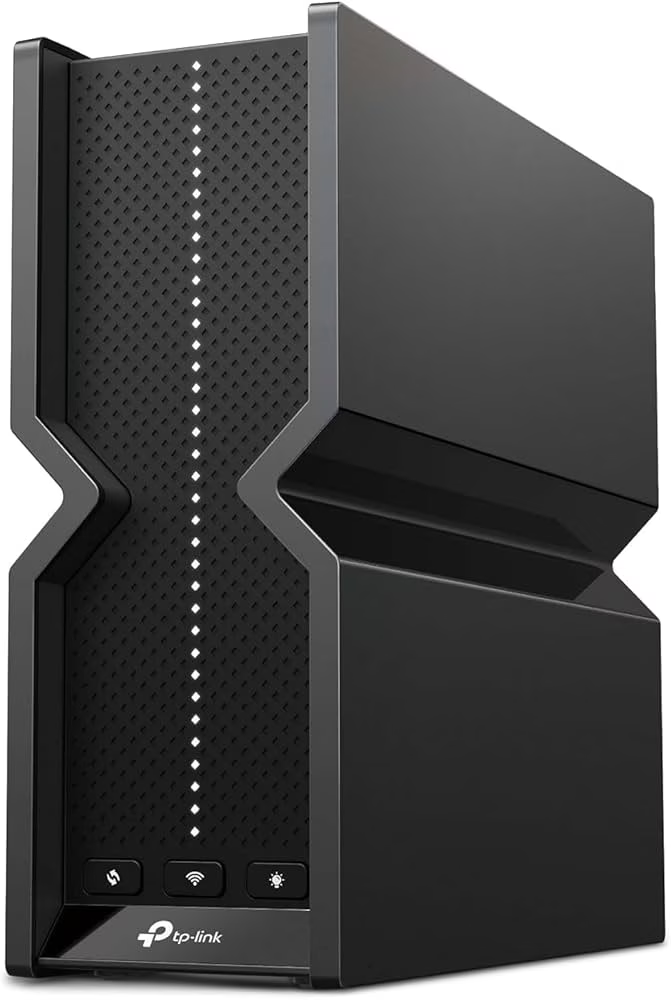
The Archer BE550 is the right answer for most households — those on Gigabit internet plans with 10–30 connected devices who want strong Wi-Fi 7 performance without premium pricing. Tri-band (2.4 GHz + 5 GHz + 6 GHz), a 2.5 GbE WAN port, four Gigabit LAN ports, and OneMesh support for expansion. In CNET’s tests, it hit 1.8 Gbps close-range and maintained 800 Mbps at 50 feet, outpacing competitors in multi-device scenarios.
For streaming specifically: the dedicated 6 GHz band is the key advantage. When 5 GHz becomes congested with laptop and gaming traffic during the evening peak, the 6 GHz band — with its lower interference — handles 4K streaming devices without competing for the same radio resources. This is MLO in practice: the router intelligently routes streaming traffic away from congestion before the user notices.
The TP-Link Tether app completes initial setup in under 10 minutes. QoS allows streaming devices to be prioritized manually if needed, though most households won’t need to touch it — the router handles traffic distribution automatically.
What the marketing doesn’t mention: The 6 GHz band has a shorter effective range than 5 GHz — roughly 30–40% less distance through the same materials. A streaming TV at the far end of a 2,500 sq ft home may not receive a strong 6 GHz signal and will fall back to 5 GHz. For those situations, the Deco BE65 mesh system distributes the 6 GHz coverage more evenly than a single router.
Who should skip it: Apartments under 800 sq ft (the BE230 saves $70 for the same real-world performance in tight spaces). Homes over 2,500 sq ft with dead zones (a mesh system solves coverage, a faster single router doesn’t).
2. TP-Link Archer BE230 — Best budget pick
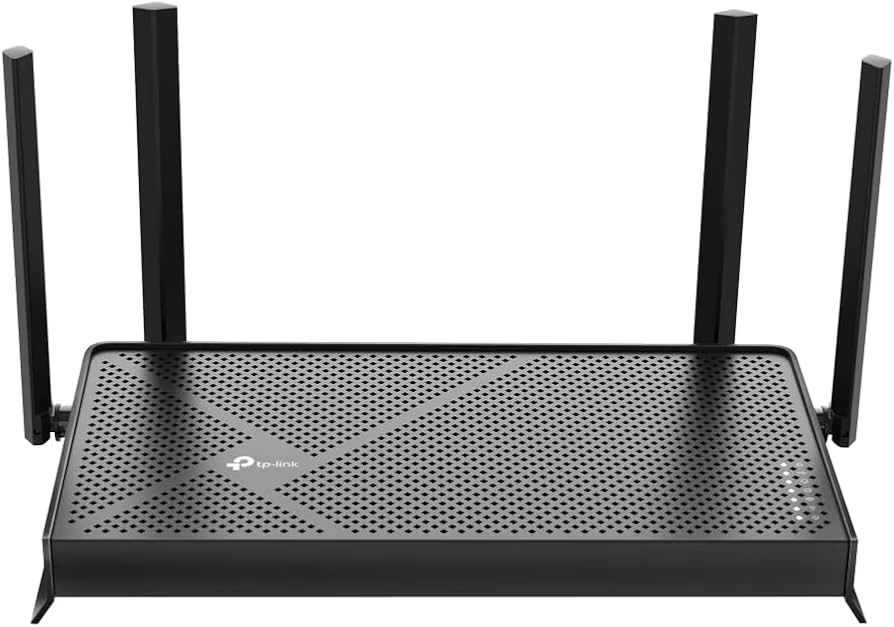
The Archer BE230 brings Wi-Fi 7 performance at a price point that makes next-gen technology accessible to most households. Dual-band Wi-Fi 7 (2.4 GHz + 5 GHz), no dedicated 6 GHz band, but with 802.11be’s MLO operating across the two available bands — which still outperforms Wi-Fi 6 for jitter reduction on congested networks.
In testing reported by multiple reviewers, the BE230 handled three simultaneous 4K streams without any buffering. For an apartment or small home where a single TV or two are the primary streaming devices and the household doesn’t exceed 20 simultaneous connected devices, this router handles the workload without over-engineering. Wirecutter reported a 900 Mbps far-field signal — more than sufficient for any current streaming service.
The absence of the 6 GHz band is the only meaningful limitation. In a dense apartment building where dozens of neighboring networks compete on the 2.4 GHz and 5 GHz channels, the 6 GHz band would reduce interference. For detached homes, this limitation rarely matters.
What the marketing doesn’t mention: The dual 2.5 Gbps ports are the sleeper feature. Streamers who directly connect an NVIDIA Shield, Apple TV 4K, or PS5 to the router via Ethernet get a 2.5 GbE wired connection — far faster than those devices need, but a sign of serious hardware for the price.
Who should skip it: Households with 25+ simultaneous devices or homes over 1,500 sq ft where coverage becomes a constraint. Anyone who knows their next phone or laptop will be a Wi-Fi 7 client that benefits from 6 GHz — step up to the BE550.
3. eero Pro 7 — Best for non-technical users and families
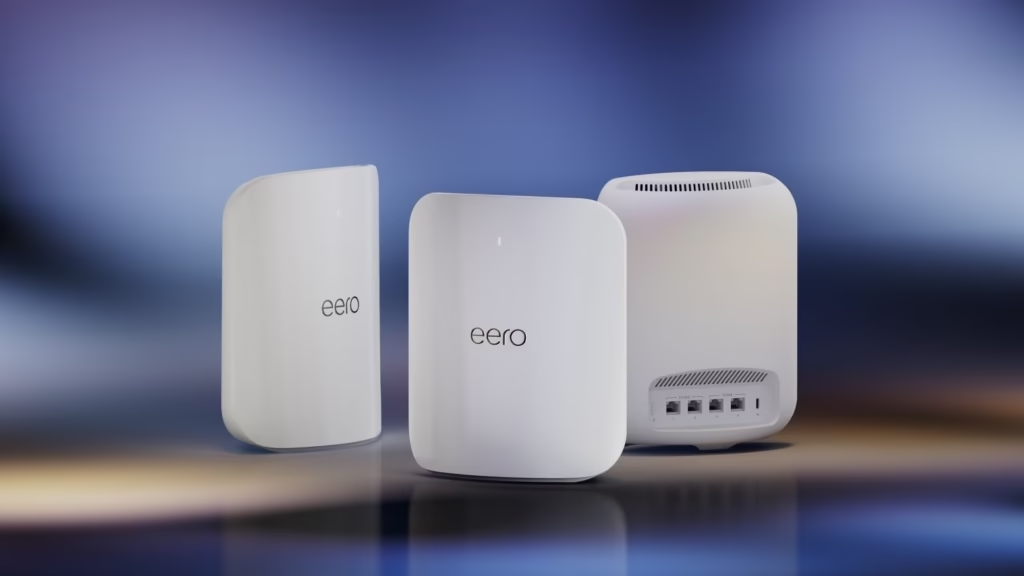
The eero Pro 7 positions itself on a specific kind of value: setup in under 10 minutes, firmware that updates itself, and a mobile app that makes network management accessible to anyone in the household. Wi-Fi 7 tri-band (2.4 GHz + 5 GHz + 6 GHz), a 2.5 GbE WAN port, and seamless mesh expansion with additional eero units when coverage needs to grow.
For streaming households specifically: eero’s automatic band steering routes each device to the optimal band without manual configuration. A 4K streaming TV gets pushed to the 6 GHz band when it’s in range; an IoT device far from the router stays on 2.4 GHz without intervention. The router does the optimization the user would otherwise have to configure manually on ASUS or TP-Link.
As one of the best tested mesh systems, the eero Pro 7’s 1,034 Mbps wireless satellite exceeds most home internet connections and handles 4K streaming easily in a mesh configuration.
What the marketing doesn’t mention: eero’s advanced configuration options are limited by design. Port forwarding, VPN server, custom DNS, and detailed QoS rules are either unavailable or restricted compared to ASUS or TP-Link. For the 80% of users who never open a router admin panel, this is invisible. For the 20% who want granular control, eero will frustrate them within a week.
eero Plus (the subscription security service at $9.99/month or $99.99/year) is entirely optional. The base router earns its price without it — don’t let the subscription prompt during setup feel mandatory.
Who should skip it: Network administrators and power users. Anyone on a Gigabit+ plan who wants granular QoS to fine-tune streaming priority.
4. TP-Link Deco BE65 (2-pack) — Best value mesh for larger homes
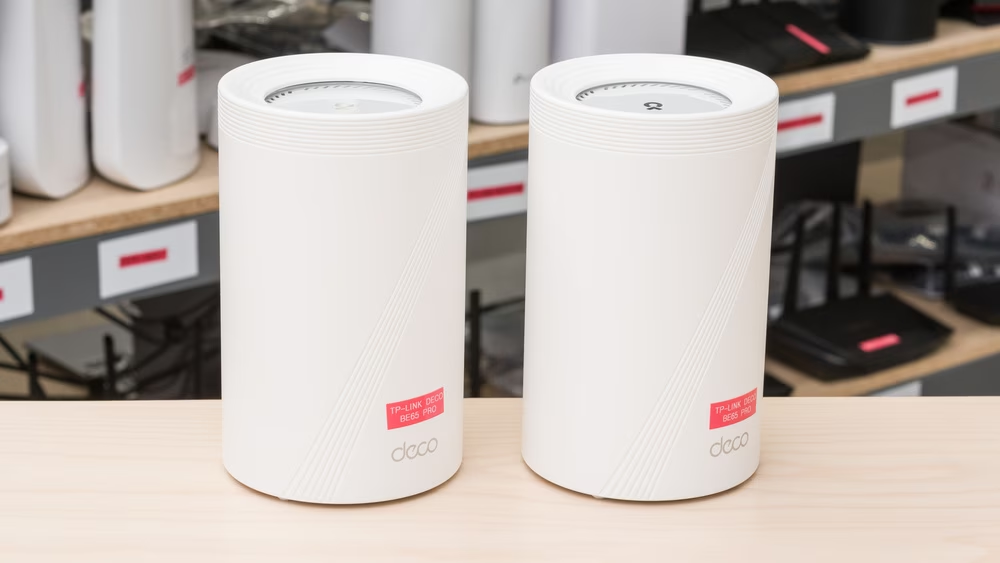
Dead zones are the most common streaming complaint in homes over 2,500 sq ft. A streaming TV in the back bedroom receives half the signal strength of one in the living room next to the router. The Deco BE65 2-pack solves this by distributing Wi-Fi 7 coverage across two nodes — primary node connects to your modem or ISP gateway, second node placed centrally covers the far half of the home.
At approximately $300, the Deco BE65 2-pack covers approximately 5,800 sq ft with Wi-Fi 7 performance — the strongest coverage-to-price ratio in the mesh category currently. Each node has a 2.5 GbE port. Ethernet backhaul between nodes (running a cable between them) roughly doubles the inter-node throughput vs wireless backhaul, which directly benefits streaming quality on secondary-node devices.
What the marketing doesn’t mention: Wireless backhaul in a tri-band mesh system shares radio resources between node-to-node communication and client devices. A streaming TV connected through the secondary node on wireless backhaul competes with the backhaul traffic itself. The solution is a wired Ethernet cable between nodes — this isn’t difficult, but it’s an installation step that advertising doesn’t mention.
Who should skip it: Single-story apartments and homes under 2,000 sq ft where a single router covers the space without dead zones. Fios 2 Gbps or multi-gig cable plan subscribers — the 2.5 GbE WAN port becomes a bottleneck; the ASUS ZenWiFi BQ16 Pro is better matched.
5. ASUS RT-BE96U — Best for power users and dense device households
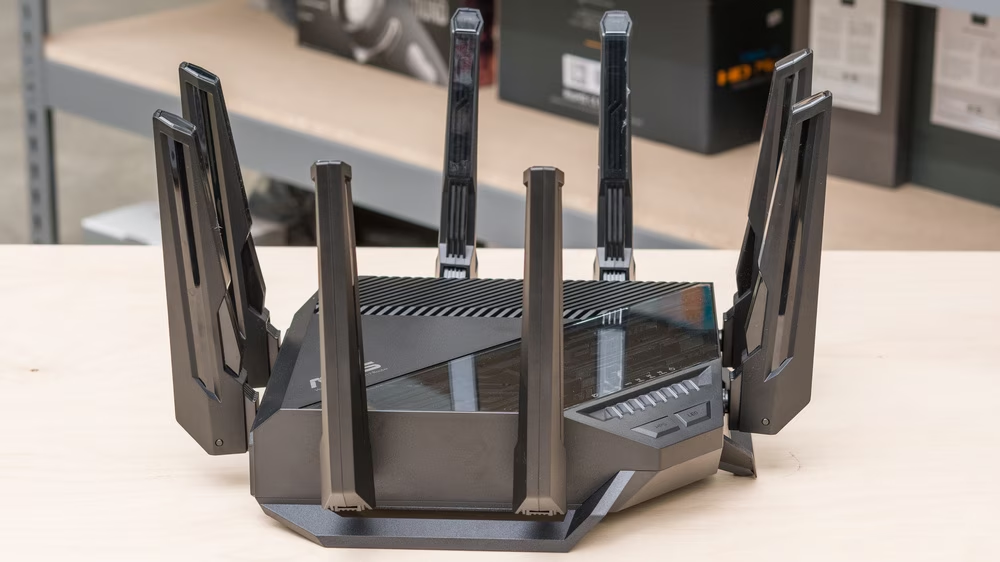
Tom’s Guide’s Wi-Fi 7 best overall pick for 2026. Tri-band Wi-Fi 7 with a dedicated 6 GHz radio, a 10 GbE WAN port, multiple 2.5 GbE LAN ports, and AiProtection Pro (Trend Micro security, no subscription). AiMesh expands to additional ASUS nodes without replacing the router.
For streaming-focused households: the RT-BE96U’s AiMesh QoS allows specific streaming devices to be assigned dedicated bandwidth floors — “this TV gets at minimum 100 Mbps regardless of what else is happening on the network.” Competing routers offer QoS; ASUS’s implementation is among the most granular available in a consumer device. For a household running a home theater with multiple simultaneous 4K streams while teenagers game online and remote workers video call, this matters.
The 10 GbE WAN port handles multi-gig internet plans (2 Gbps, 5 Gbps) that the BE550 and BE230 can’t fully use. It also allows a direct 10 GbE wired connection to a NAS or media server, which benefits households serving local video libraries to multiple rooms simultaneously.
What the marketing doesn’t mention: At $450, the RT-BE96U takes 2.5 years to break even against a $15/month router rental from an ISP. Still financially correct over a 5-year lifetime, but a slower payback than the BE550. The ASUS Router app is more capable than eero’s but also more complex — the admin interface has deep menus that take time to learn.
Who should skip it: Anyone on a plan under 300 Mbps or a household where the real problem is coverage (not speed) — a mesh system solves coverage; a single powerful router doesn’t.
6. NETGEAR Orbi 970 (2-pack) — Best for large homes with premium multi-gig plans
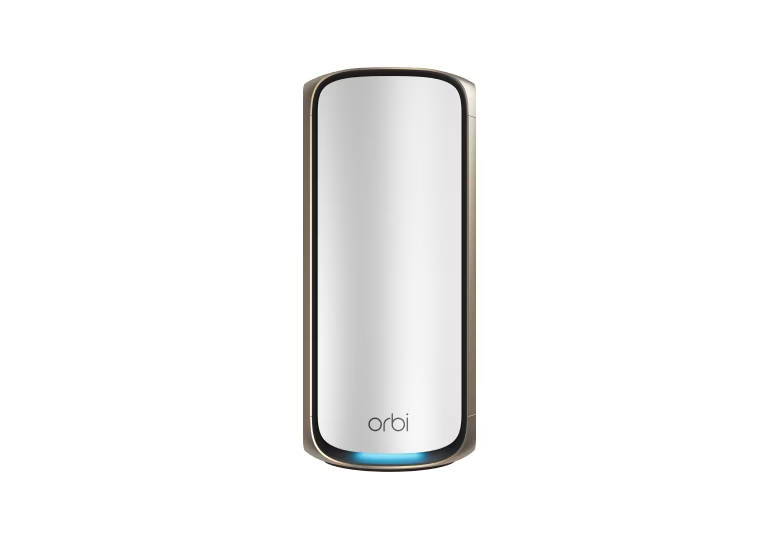
The Orbi 970 is the ceiling of the consumer Wi-Fi 7 mesh market. Quad-band Wi-Fi 7 (2.4 GHz + 5 GHz + 6 GHz + dedicated 6 GHz backhaul), 10 GbE WAN port, BroadbandNow testing showed 2.1 Gbps at range — genuinely capable of delivering the full throughput of multi-gig internet plans to devices at the far end of a large home.
The dedicated backhaul band is the key differentiator over the Deco BE65. Standard tri-band mesh systems use one of the three bands as wireless backhaul — which means that band’s capacity is split between node-to-node traffic and client devices. The Orbi 970 uses a fourth dedicated 6 GHz band exclusively for backhaul, leaving all three other bands exclusively for client devices. In a 6,000 sq ft home with 60 connected devices split across two nodes, this architectural choice produces meaningfully better per-device performance.
What the marketing doesn’t mention: At approximately $900 for a two-pack, this router takes 5 years to break even against a $15/month rental fee. The financial case for the Orbi 970 is weak for anyone who doesn’t have a multi-gig plan and a home large enough to need full quad-band mesh. For those specific users — 3 Gbps internet, 4,000+ sq ft home, 50+ devices — it’s the correct hardware. For everyone else, it’s significant overspend.
Who should skip it: Anyone in a home under 3,000 sq ft. Anyone on a plan under 1 Gbps. Budget buyers — the Deco BE65 2-pack at one-third the price delivers similar coverage for typical streaming loads.
Wired vs. wireless for streaming — the answer most guides avoid
If a streaming device is within 30 feet of your router and you can run a cable, run the cable. A Cat6 Ethernet cable to a smart TV, Apple TV, Chromecast with Google TV, or gaming console costs $8–$15 and permanently eliminates Wi-Fi as a variable in your streaming quality. It doesn’t buffer when a family member starts downloading a large file. It doesn’t degrade when 12 neighbors run Wi-Fi 6E networks on the same channels. It doesn’t care how thick the wall between the router and the TV is.
The case for Wi-Fi 7 for streaming is real — MLO, the 6 GHz band, and better multi-device scheduling all improve the wireless streaming experience in busy households. But the honest order of operations is: Ethernet first where practical, Wi-Fi 7 for everything that can’t be wired.
Frequently asked questions
What router speed do I need for 4K streaming?
Netflix 4K requires 25 Mbps. Disney+ 4K requires 25 Mbps. YouTube 4K requires 20 Mbps. Any Wi-Fi 5, Wi-Fi 6, or Wi-Fi 7 router sold in 2026 can deliver this to a single device without difficulty. The relevant question isn’t peak speed — it’s how many devices are streaming simultaneously and whether your ISP is delivering your subscribed bandwidth. Check your actual ISP speed at fast.com before assuming the router is the constraint.
Is Wi-Fi 7 worth it for streaming?
Yes at current prices — but not primarily for speed. Wi-Fi 7’s MLO (Multi-Link Operation) reduces jitter by routing streaming traffic across multiple bands simultaneously, which is what actually prevents buffering on congested networks. Wi-Fi 6 handles 4K streaming comfortably for most homes. Wi-Fi 7 matters when you have 25+ simultaneous devices, a multi-gig internet plan, or a household where gaming, video calling, and streaming compete at the same time every evening. The TP-Link Archer BE550 at $150 makes the upgrade accessible enough to recommend for any new router purchase in 2026.
Why does my router have fast internet but Netflix still buffers?
Three common reasons: (1) Your ISP is delivering less than the plan speed — test at fast.com and call your ISP if it’s below plan. (2) The streaming device is far from the router or separated by thick walls — signal degrades faster than speed tests show. (3) The buffering is on Netflix’s CDN, not your network — if one service buffers while others don’t at the same moment, the problem is the streaming service’s server, not your router.
Should I get a mesh system or a single router for streaming?
Single router for homes under 2,000 sq ft with no dead zones — a single Wi-Fi 7 router like the BE550 delivers full coverage at lower cost and with simpler management. Mesh system for homes over 2,500 sq ft or any home with consistent dead zones in specific rooms. The streaming device’s distance from the nearest Wi-Fi node matters more than the router’s maximum rated speed.
Do I need a gaming router for better streaming?
No. Gaming routers optimize for low latency and QoS features that prioritize game traffic. These features also benefit streaming — lower jitter and smarter traffic management improve video playback consistency. But a gaming router isn’t necessary if you’re primarily streaming. The TP-Link Archer BE550 and eero Pro 7 handle streaming as well as gaming routers at their price points without the gaming aesthetic or premium.
Does streaming quality depend on the router or the ISP?
Both, but the ISP is the more common constraint. If your plan delivers 200 Mbps and you’re getting 200 Mbps at the router (verify with fast.com), the router is handling the ISP connection correctly. From there, your router distributes that bandwidth across all connected devices — and this is where router quality matters. A better router distributes available bandwidth more efficiently under load, which prevents buffering during the household’s busiest periods.