
By BitsFromBytes Team · Reviewed by Maya Dalton (3D printing) · Last updated October 28, 2026 · Hero image: Bambu Lab
The checker below answers the two questions owners ask most: will this filament work on my A1, and what does a print cost in electricity. Every value comes from Bambu Lab’s own wiki and spec page or from the U.S. Energy Information Administration (EIA). It runs in your browser; nothing is sent anywhere.
Bambu Lab A1 Material and Power Checker
Bambu Lab wiki + spec page · EIA price, Aug 2026 · BitsFromBytes Research1. Will this filament work on the A1?
–
2. What does the print cost in electricity?
–
Sources: Bambu Lab Filament Guide material table and A1 tech-spec page (retrieved Oct 28, 2026); Bambu Lab wiki power-consumption page (average watts measured by Bambu, short test prints); EIA Electric Power Monthly, U.S. residential average for August 2026 (released Oct 23, 2026). Cost = watts × hours ÷ 1,000 × price. Change the price to your own tariff. Runs in your browser.
What Are the Bambu Lab A1's Specs?
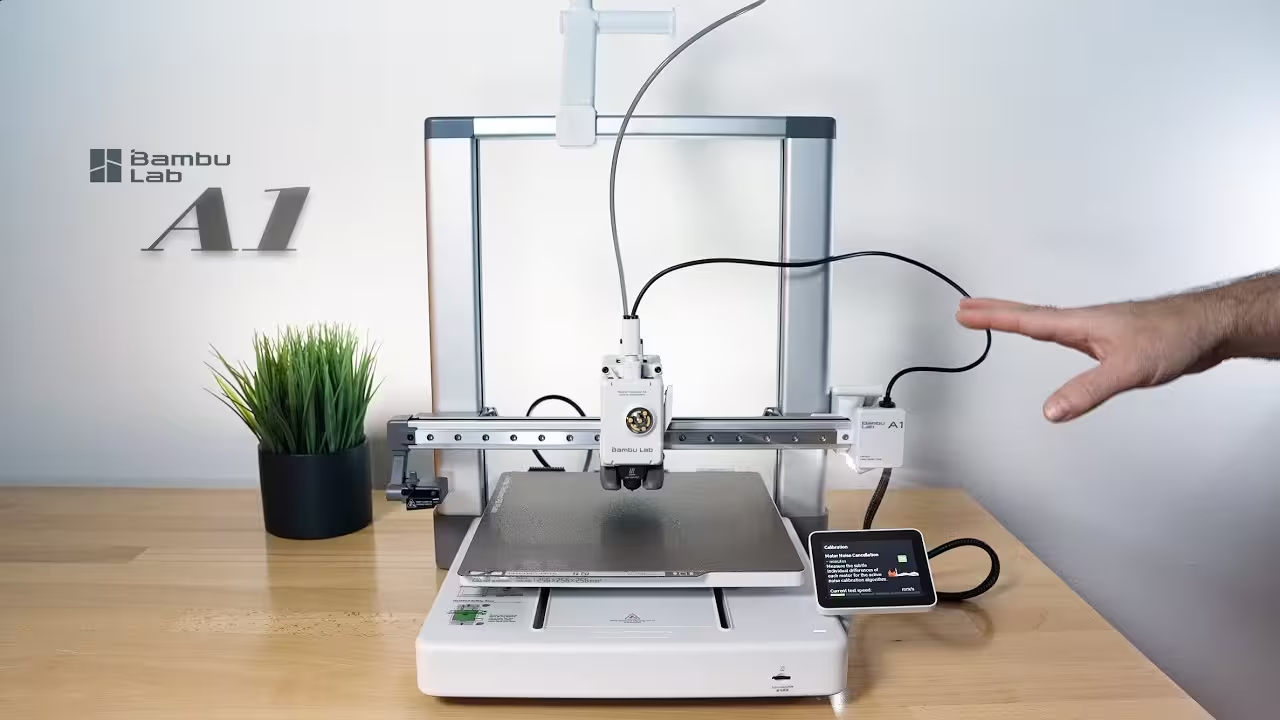
The A1 is a bed-slinger: the build plate moves on the Y axis while the toolhead travels on X and Z, inside an open steel-and-aluminum frame. That layout explains most of what follows, from the material list to the power figures. Bambu Lab lists the values below on its A1 tech-spec page, retrieved October 28, 2026.
| Spec | Bambu Lab A1 | Source |
|---|---|---|
| Build volume | 256 × 256 × 256 mm (10.08 in per side) | Bambu Lab spec page |
| Frame | Steel and extruded aluminum, open frame | Bambu Lab spec page |
| Hotend / extruder gears | All-metal hotend; hardened steel gears | Bambu Lab spec page |
| Nozzle | Stainless steel, 0.4 mm included; 0.2, 0.6, 0.8 mm optional | Bambu Lab spec page |
| Max hotend temperature | 300 °C (572 °F) | Bambu Lab spec page |
| Max bed temperature | 100 °C (212 °F) | Bambu Lab spec page |
| Max toolhead speed / acceleration | 500 mm/s · 10,000 mm/s² | Bambu Lab spec page |
| Max hotend flow | 28 mm³/s (ABS, 150 × 150 mm single wall, 280 °C) | Bambu Lab spec page |
| Recommended filaments | PLA, PETG, TPU, PVA | Bambu Lab spec page |
| Not recommended | ABS, ASA, PC, PA, PET, carbon- or glass-fiber-reinforced | Bambu Lab spec page |
| Sensors | Filament run-out, filament odometry, tangle sensor, power-loss recovery | Bambu Lab spec page |
| Camera / screen | Low-rate camera up to 1080p with timelapse · 3.5-inch 320 × 240 touchscreen | Bambu Lab spec page |
| Size / weight | 465 × 410 × 430 mm · 8.3 kg (18.3 lb) | Bambu Lab spec page |
| Power input / max power | 100–240 VAC, 50/60 Hz · 1,300 W at 220 V, 350 W at 110 V | Bambu Lab spec page |
| Connectivity / storage | Wi-Fi (802.11 b/g/n), Bambu-Bus · microSD | Bambu Lab spec page |
| Slicers | Bambu Studio; third-party slicers that export standard G-code (PrusaSlicer, SuperSlicer, Cura), some features unsupported | Bambu Lab spec page |
Two rows matter more than the headline speed. The 100 °C bed ceiling and the open frame are what push ABS, ASA, PC and nylon (polyamide, PA) off the recommended list, not the hotend: 300 °C covers the nozzle range of every filament in the checker. The 28 mm³/s flow figure is a better guide to real print times than 500 mm/s, because volumetric flow, not travel speed, caps how fast plastic can melt. Our explainer on high-speed 3D printing covers why.
What Temperatures Should You Use on the Bambu Lab A1?
Start in the middle of Bambu Lab's range and move 5 °C at a time. The ranges below come from the Bambu Lab Filament Guide material table (retrieved October 28, 2026), which gives nozzle temperatures with a ±10 °C tolerance. The last column is a BitsFromBytes Research calculation: the A1's 100 °C bed maximum minus the top of each material's bed range.
| Filament | A1 verdict (Bambu) | Nozzle °C | Bed °C | Drying | Hardened nozzle | Bed margin on A1 |
|---|---|---|---|---|---|---|
| PLA | Recommended | 190–240 | 35–45 Cool Plate · 45–65 PEI | 55 °C, 8 h | No | +35 °C |
| PLA-CF | Conflicting | 210–240 | 45–65 PEI | 55 °C, 8 h | Yes | +35 °C |
| PETG | Recommended (enclosure advised by wiki) | 240–270 | 60–80 | 70 °C, 8 h | No | +20 °C |
| TPU | Recommended | 200–250 | 30–35 Engineering · 35–45 PEI | 70 °C, 8 h | No | +55 °C |
| PVA | Recommended | 190–240 | 45–65 PEI | 55 °C, 8 h | No | +35 °C |
| ABS / ASA | Not recommended | 240–280 | 90–100 | 80 °C, 8 h | No | 0 °C |
| PC | Not recommended | 260–290 | 100–120 | 80 °C, 8 h | No | −20 °C |
| PA (nylon) | Not recommended | 260–290 | 100–120 | 80 °C, 8–12 h | No | −20 °C |
The margin column is the useful one. PLA, TPU and PVA leave 35–55 °C of headroom, so the bed is never the limiting factor. ABS and ASA need the bed at its maximum with zero reserve, and PC and nylon ask for 20 °C more than the A1 can deliver. On an open frame, a bed running at its ceiling also loses heat to the room, which is the warping problem Bambu's enclosure advice is about.
PLA-CF is the one case where Bambu's own documents disagree. The wiki marks it as printable on open-frame machines with a hardened nozzle; the A1 spec page lists all carbon- and glass-fiber-reinforced filaments as not recommended, and the stock A1 nozzle is stainless steel. Abrasive fibers wear a stainless nozzle, so the stock A1 setup is not the configuration the wiki describes.
Does the Bambu Lab A1 Need an Enclosure?
Not for the four materials Bambu recommends on the A1 spec page. The Filament Guide puts PLA, PLA-CF, TPU and PVA in its open-frame column and says open-frame printers are not recommended for ABS, ASA, PC, PA and their fiber-filled versions. PETG sits in between: listed as recommended for the A1, with the wiki advising an enclosed printer for it. If your plan centers on ABS, ASA or nylon, a model with an enclosure fits that plan better; our Bambu Lab H2D vs X1 Carbon comparison covers Bambu's enclosed machines.
How Much Electricity Does the Bambu Lab A1 Use?
About 95 W on average while printing PLA, according to Bambu Lab's power-consumption wiki page (retrieved October 28, 2026). The 350 W and 1,300 W figures on the spec page are maximum ratings at 110 V and 220 V, not what the printer draws during a typical PLA print.
| Bambu measurement | Average power | Bambu test energy | Cost per 100 h at 18.16 ¢/kWh* | Source |
|---|---|---|---|---|
| A1 printing PLA | 95 W | 0.025–0.028 kWh in 16 min 58 s | $1.73 | Bambu Lab wiki |
| A1 printing PC | 150 W | 0.043–0.053 kWh in 18 min 34 s | $2.72 | Bambu Lab wiki |
| A1 printing ABS | 200 W | 0.058–0.068 kWh in 18 min 35 s | $3.63 | Bambu Lab wiki |
| A1 mini printing PLA | 80 W | 0.024–0.025 kWh in 17 min 54 s | $1.45 | Bambu Lab wiki |
| A1 standby on Wi-Fi | 4.1–5.4 W | — | $0.07–$0.10 | Bambu Lab wiki |
*BitsFromBytes Research calculation: cost = average watts × 100 h ÷ 1,000 × $0.1816/kWh. The price is the U.S. residential average for August 2026 in the EIA Electric Power Monthly, released October 23, 2026. Your own tariff will differ; the checker above lets you enter it.
Bambu's own energy readings check out against its averages. A PLA test that used 0.025–0.028 kWh over 16 min 58 s (0.283 h) implies 88–99 W, which brackets the 95 W headline. The tests are short, so treat the figures as typical rather than worst case: a long print with the bed at 65 °C in a cold room will draw more. Electricity is the small line in a print's cost; filament and failed prints usually dominate, which our 3D print cost calculator breaks down on your own numbers.
Leaving an A1 idle on Wi-Fi all month costs little: 4.1–5.4 W × 720 h is 2.95–3.89 kWh, or about $0.54–$0.71 at the August 2026 U.S. average.
Was the Bambu Lab A1 Recalled?
Yes. The U.S. Consumer Product Safety Commission (CPSC) published recall 24-264 on June 13, 2024, covering about 12,800 A1 printers. A bent or damaged heatbed cable could short-circuit, spark and burn through its insulation. Bambu Lab had received 19 reports of damaged cables, one with sparking, and no injuries.
| Question | Answer from the CPSC notice |
|---|---|
| Which units? | A1 printers sold at Micro Center and the Bambu Lab U.S. online store from December 2023 through January 2024, for $400 to $560 |
| How do I check mine? | Look at the 6th character of the serial number on the QR sticker at the back. If it is "A", the unit is affected |
| What should I do? | Stop using the printer. Choose a full refund (prepaid return label) or a free heatbed and cable replacement at a local electronics repair facility; do not repair it yourself |
| Contact | [email protected] |
The A1 mini was not part of this recall. A used A1 bought today deserves the serial check before its first print, because the defect sits in a cable at the back of the machine that a seller may never have inspected.
Who Should Buy the Bambu Lab A1, and Who Should Skip It?
The A1 fits someone who prints PLA, PETG and TPU and wants a 256 mm cube of build space without paying for an enclosure. Its sensor set (run-out, tangle, odometry, power-loss recovery) covers the failures that ruin long unattended prints. Skip it if ABS, ASA, polycarbonate or nylon is the reason you are buying a printer: the bed ceiling and open frame work against those materials, and Bambu says so on its own spec page. Prices change often, so we do not list one here; the historic launch range is the $400–$560 the CPSC notice gives for late-2023 sales. Budget shoppers can compare with our guide to 3D printers under $200, and the Bambu Lab X2D launch report shows where the brand's dual-extrusion line is going.
How This Guide Was Built
Bits From Bytes has no A1 on a test bench, so nothing here is a hands-on result. Every spec, temperature and wattage comes from Bambu Lab's tech-spec page and wiki, the recall facts come from the CPSC notice, and the electricity price comes from the EIA, all retrieved October 28, 2026. The margins and costs are BitsFromBytes Research calculations with the formula shown next to them. What is not here yet: a count of common A1 failures from owner reports, and a verified current price. If you spot an error, our corrections policy explains how we fix it. For slicer-level work, the G-code reference guide applies to the standard G-code the A1 accepts, and the BitsFromBytes tools hub lists every calculator on the site.
Cite or Embed This Checker
Writers and forum moderators may quote the tables and link to the checker with attribution. Use the "Copy citation" button above, or link with this snippet:
<a href="https://bitsfrombytes.com/bambu-lab-a1-3d-printer/">Bambu Lab A1 material and power checker – Bits From Bytes</a>Bambu Lab A1 FAQ
Can the Bambu Lab A1 print ABS?
Bambu Lab lists ABS as not recommended on the A1 spec page. ABS needs a 90–100 °C bed per Bambu's Filament Guide, which is the A1's maximum, and the wiki recommends an enclosed printer for it.
What is the Bambu Lab A1 build volume?
256 × 256 × 256 mm, according to Bambu Lab's A1 tech-spec page retrieved October 28, 2026.
How much power does the Bambu Lab A1 use?
Bambu Lab's wiki gives a 95 W average while printing PLA and 4.1–5.4 W on standby with Wi-Fi. At the August 2026 U.S. residential average of 18.16 ¢/kWh (EIA), 100 hours of PLA printing costs about $1.73.
Is my Bambu Lab A1 part of the recall?
Check the 6th character of the serial number on the QR sticker at the back. The CPSC notice (recall 24-264, June 13, 2024) says units with an "A" in that position are affected.
Can I use PrusaSlicer or Cura with the A1?
Yes. Bambu Lab's spec page lists third-party slicers that export standard G-code, naming SuperSlicer, PrusaSlicer and Cura, and notes that some advanced features may not be supported.
Last updated October 28, 2026. Review trigger: a new A1 firmware or spec-page change, a Bambu wiki update to the material or power tables, or the next EIA monthly release.