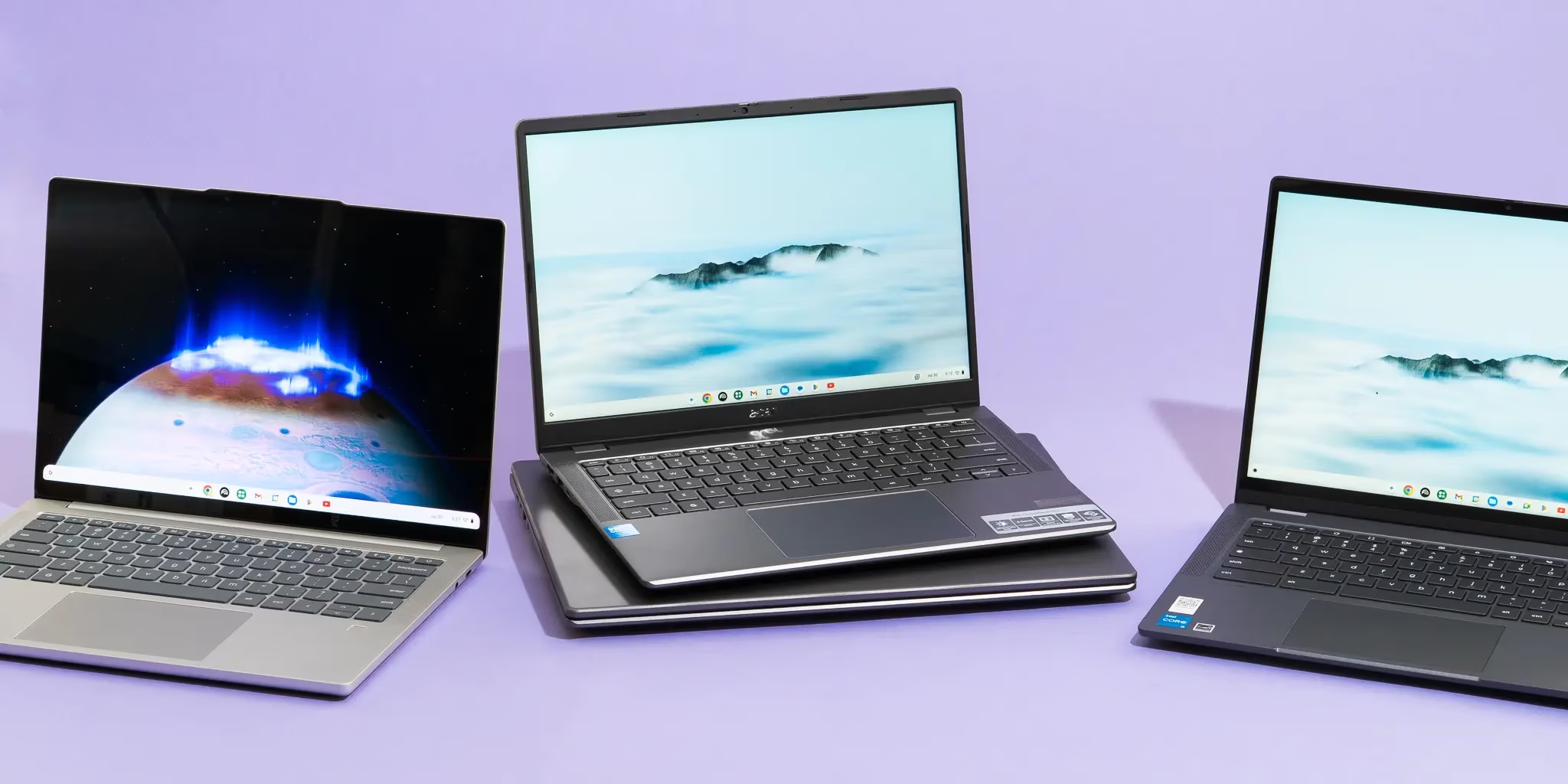
Best Chromebooks 2026
Quick verdict
| Chromebook | Best for | Price | AUE date | Support years remaining |
|---|---|---|---|---|
| Acer Chromebook Plus Spin 714 | Business / best overall | ~$699 | June 2034 | 8 years |
| Lenovo Chromebook Plus 14 | Students (OLED) | ~$649–749 | ~2034 | ~8 years |
| Acer Chromebook Plus 514 | Best value Plus | ~$249–350 | ~2033 | ~7 years |
| Lenovo Chromebook Plus i 15 | Large-screen users | ~$469 | ~2035 | ~9 years |
| ASUS Chromebook CM14 Flip | K-12 students | ~$299 | ~2032 | ~6 years |
| ASUS Chromebook CX15 | Bare-minimum budget | ~$159 | ~2031 | ~5 years |
| Acer Chromebook Plus 516 GE | Cloud gaming | ~$549–649 | ~2033 | ~7 years |
AUE dates sourced from Google’s Auto Update Policy and Consumer Reports testing data. Verify your specific model variant at Google’s official AUE list before purchasing — two versions of the same model can have different expiration dates.
Before ranking any Chromebook in 2026, one question needs answering that no other buying guide published before today addresses: should you buy a Chromebook at all right now?
On May 12, 2026, Google announced Googlebook — a new laptop category running Android-based Aluminium OS rather than ChromeOS, built in partnership with Acer, ASUS, Dell, HP, and Lenovo, and arriving on shelves in fall 2026. The framing from Google’s own blog post is that the industry is shifting “from an operating system to an intelligence system.” ChromeOS is not being retired — Google explicitly confirmed that the 10-year update commitment remains unchanged — but the category is being repositioned toward education and budget buyers while Googlebook targets consumer and premium-productivity users.
The practical answer for buyers in May 2026: Chromebooks are the right purchase for most people on this page. Students, budget buyers, and business users who live in a browser are not the target market for a premium AI-first Android laptop. The Googlebook situation does change the calculus for one group — anyone considering spending $700+ on a Chromebook should read the context section below before deciding.
With that established, here are the seven best Chromebooks in 2026.
Table of Contents
The one metric every Chromebook guide skips: price per year of support
Auto Update Expiration (AUE) is the date Google stops shipping ChromeOS updates and security patches to a device. After that date, the hardware still works — but it won’t receive security fixes, making it unsuitable for managed environments like schools and enterprises, and inadvisable for anyone storing sensitive data.
In September 2023, Google extended its AUE policy to 10 years for all Chromebooks released from 2021 onward, per Google’s Auto Update Policy page. As of 2026, 83% of active Chromebooks qualify for this 10-year policy, up from 68% in 2024. The average Chromebook lifespan reached 7.6 years in 2026, nearly double the pre-policy figure.
This makes AUE date the most important spec nobody compares. A Chromebook is a long-term software investment as much as a hardware one — and the price-per-year-of-support calculation below reveals which models are actually the best value:
| Chromebook | Price | AUE year | Years remaining (from 2026) | Price per year of support |
|---|---|---|---|---|
| ASUS CX15 | ~$159 | ~2031 | ~5 | ~$32/year |
| Acer Chromebook Plus 514 | ~$299 | ~2033 | ~7 | ~$43/year |
| ASUS Chromebook CM14 Flip | ~$299 | ~2032 | ~6 | ~$50/year |
| Lenovo Chromebook Plus i 15 | ~$469 | ~2035 | ~9 | ~$52/year |
| Acer Chromebook Plus 516 GE | ~$599 | ~2033 | ~7 | ~$86/year |
| Acer Chromebook Plus Spin 714 | ~$699 | ~2034 | ~8 | ~$87/year |
| Lenovo Chromebook Plus 14 | ~$699 | ~2034 | ~8 | ~$87/year |
What this table shows: The Acer Chromebook Plus 514 at ~$43/year is the strongest long-term value in the lineup. The Lenovo Chromebook Plus i 15 at ~$52/year delivers the best balance of large-screen features and cost per supported year. The ASUS CX15 is cheapest per year but delivers the least capable hardware — viable only if budget is the absolute constraint.
Note: The PIRG Education Fund estimated that doubling Chromebook lifespans in US schools could save taxpayers $1.8 billion. The extended AUE policy makes that math possible.
What Chromebook Plus means in 2026 — and what changed in January
Google’s Chromebook Plus badge sets a hardware floor: at minimum, a Full HD IPS display (minimum 250 nits), a 1080p webcam, 8GB of RAM, 128GB of storage, and a processor fast enough for smooth tab-switching and video calls. ChromeOS 144, released January 28, 2026, brought native Gemini 3 integration to every Plus-certified device — including AI-powered writing assistance, image editing, and the new Gemini panel accessible from anywhere in ChromeOS.
What changed in January 2026: The Google One AI Premium bundle that previously came with every Chromebook Plus purchase — 12 months of Gemini Advanced, a $240 value — expired on January 31, 2026. New Chromebook Plus purchases no longer include this perk. The built-in Gemini features remain available on all Plus devices, but the extended trial is gone. Any guide calling Chromebook Plus “a $240 value included” as of 2026 has not been updated.
Standard Chromebooks still exist below the Plus threshold — they remain a viable choice for very light use or very tight budgets, but they lack the RAM, webcam quality, and AI integration that most buyers now expect.
The Googlebook question: who should wait and who should buy now
Google announced Googlebook on May 12, 2026, with hardware partners (Acer, ASUS, Dell, HP, Lenovo) but no prices, no specifications, and no launch date beyond “fall 2026.” Google I/O 2026, opening today, is expected to provide hardware specifications and pricing for the first time.
Googlebook runs on Android — not ChromeOS — with native access to the full Google Play catalog and deep Gemini AI integration at the system level. The Engadget coverage of The Android Show: I/O Edition confirmed Googlebook will be “seamlessly compatible with Android phones,” with file browser access across devices.
Who should wait for Googlebook:
- Buyers planning to spend $700–1,000 or more on a laptop, willing to wait until fall 2026
- Power users frustrated by Android app compatibility on ChromeOS — Googlebook’s native Android layer addresses this directly
- Anyone who considers the Chromebook’s Android app translation layer a deal-breaker
Who should buy a Chromebook now:
- Students who need a device for the upcoming academic year — Googlebook will not ship in time for fall enrollment
- Budget buyers under $500 — Googlebook is being positioned as a premium category; budget Chromebook options will remain unchanged
- Business and IT buyers deploying managed fleets — enterprise ChromeOS management tools are mature; Googlebook’s enterprise management story is undefined
- Anyone who values a known, proven platform over a first-generation product
The honest answer: Most people reading this guide should buy a Chromebook now. The Googlebook announcement does not make existing Chromebooks obsolete — Google confirmed the 10-year update commitment stands, and ChromeOS continues to receive full development attention. First-generation hardware from a new platform at an unknown price point is a risk that most buyers should not take on.
1. Acer Chromebook Plus Spin 714 — Best overall Chromebook for business
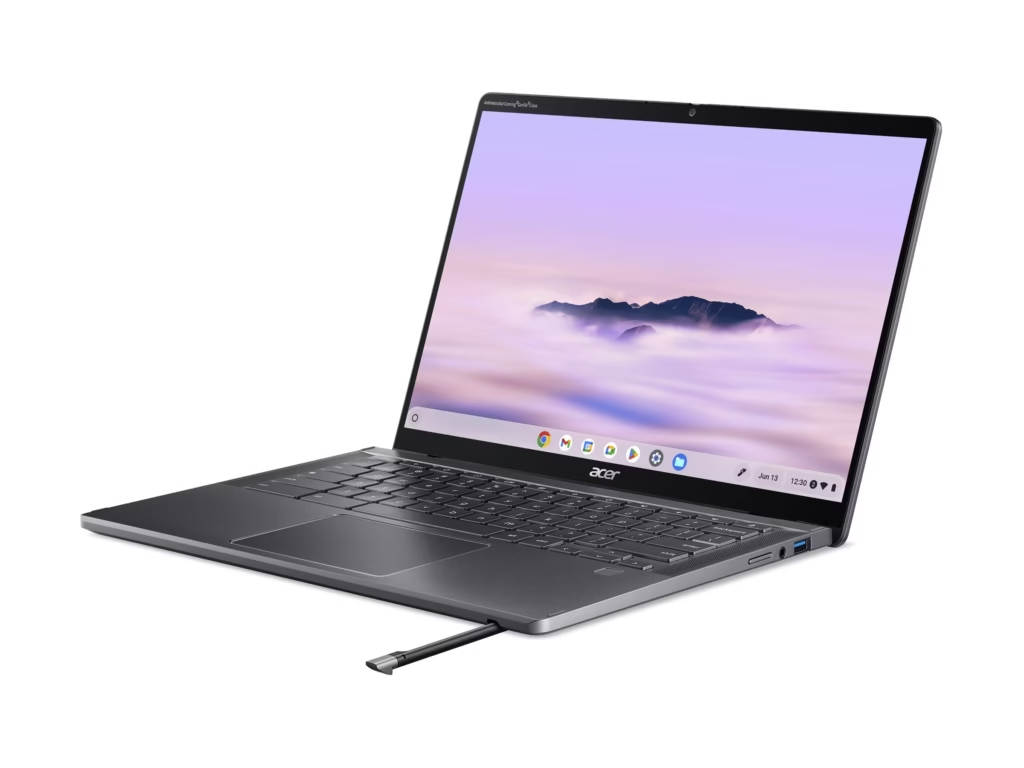
The Acer Chromebook Plus Spin 714 is the clearest recommendation for business users and anyone who wants the best overall Chromebook in 2026. It pairs an Intel Core Ultra 5 115U processor with 8GB of RAM, a 256GB SSD, and a 14-inch WUXGA (1920×1200) IPS touchscreen that rotates 360 degrees into tent, stand, and tablet modes.
Specs:
- CPU: Intel Core Ultra 5 115U (Meteor Lake, 8-core)
- RAM: 8GB LPDDR5
- Storage: 256GB NVMe SSD
- Display: 14″ WUXGA 1920×1200 IPS Touch, 100% sRGB, Gorilla Glass
- Ports: 2× Thunderbolt 4, 1× USB-A 3.2, HDMI 2.0
- Webcam: 1440p QHD
- Weight: 3.21 lbs
- Battery: ~10 hours (tested)
- Price: ~$699
- AUE: June 2034 (confirmed by Consumer Reports)
What makes it the business pick: Thunderbolt 4 connectivity allows dual 4K monitor output and fast docking — rare in the Chromebook category. The 1440p webcam is the sharpest available in any mainstream Chromebook as of May 2026, which matters for video calls. The garaged stylus charges wirelessly in its slot, eliminating the “where’s the stylus” problem that undermines most 2-in-1 designs. Gorilla Glass protects the display from scratches in bag carries.
The trade-off the spec sheet won’t tell you: 8GB of RAM is the minimum for comfortable multitasking with 20+ Chrome tabs, Linux apps, and Android apps running simultaneously. If your workflow regularly involves all three, consider whether 8GB is sufficient before committing. Acer does not currently offer a 16GB configuration of the Spin 714 — that ceiling exists.
Who should NOT buy the Acer Chromebook Plus Spin 714: Users who need a large screen — the 14-inch display is capable but compact. Anyone whose budget is closer to $500 will get 80% of the functionality from the Acer Chromebook Plus 514 at roughly half the price. Users who will wait for Googlebook to see if a premium Android laptop makes more sense should hold here.
2. Lenovo Chromebook Plus 14 — Best Chromebook for students (OLED pick)
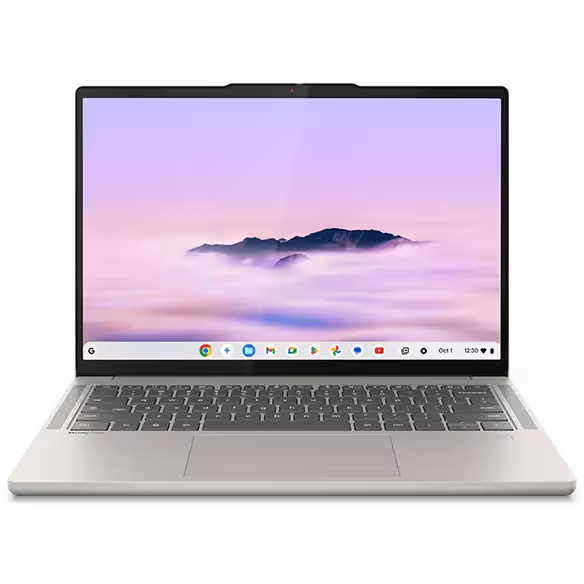
The Lenovo Chromebook Plus 14 is the only mainstream Chromebook with an OLED display, and OLED on a Chromebook is not a luxury — it changes the experience of reading, video calls, and working in variable lighting in ways that IPS panels cannot replicate.
Specs:
- CPU: MediaTek Kompanio Ultra 910 (with integrated NPU for on-device AI)
- RAM: 16GB LPDDR5
- Storage: 256GB–512GB UFS
- Display: 14″ OLED, 2880×1800, 100% DCI-P3 color
- Ports: 2× USB-C, 1× USB-A, 1× HDMI
- Webcam: 1080p
- Weight: ~3.1 lbs
- Battery: ~12 hours (rated)
- Price: ~$649–749 depending on configuration
- AUE: ~2034 (Chromebook Plus policy)
Why this matters for students specifically: The 100% DCI-P3 OLED display is better than the screen on most $1,000+ Windows laptops. Students who produce creative work — photo editing in Google Photos or Photoshop Web, video projects in Clipchamp, design work in Canva — will see a material quality difference vs the IPS panels in every other Chromebook at this price. The 16GB of RAM handles heavy multitasking — dozens of tabs, streaming, note-taking, and a Linux terminal simultaneously — without throttling.
The MediaTek Kompanio Ultra 910’s integrated NPU handles Gemini AI tasks locally, meaning AI writing assistance and image generation do not depend on cloud connectivity. For students in campus buildings with inconsistent Wi-Fi, on-device AI is a real practical advantage.
The trade-off: MediaTek’s Kompanio platform has a thinner support ecosystem than Intel for Linux app compatibility. If running Linux development tools is part of your workflow, the Acer Spin 714’s Intel platform has broader compatibility. The USB-C-only charging means carrying the right cable matters.
Who should NOT buy the Lenovo Chromebook Plus 14: Budget-conscious students — the OLED premium is real and worth it for creative users, but a student whose primary use is Google Docs, Sheets, and web research does not need an OLED display. The Acer Chromebook Plus 514 at ~$299 handles those workflows at roughly half the cost.
3. Acer Chromebook Plus 514 — Best value Chromebook in 2026
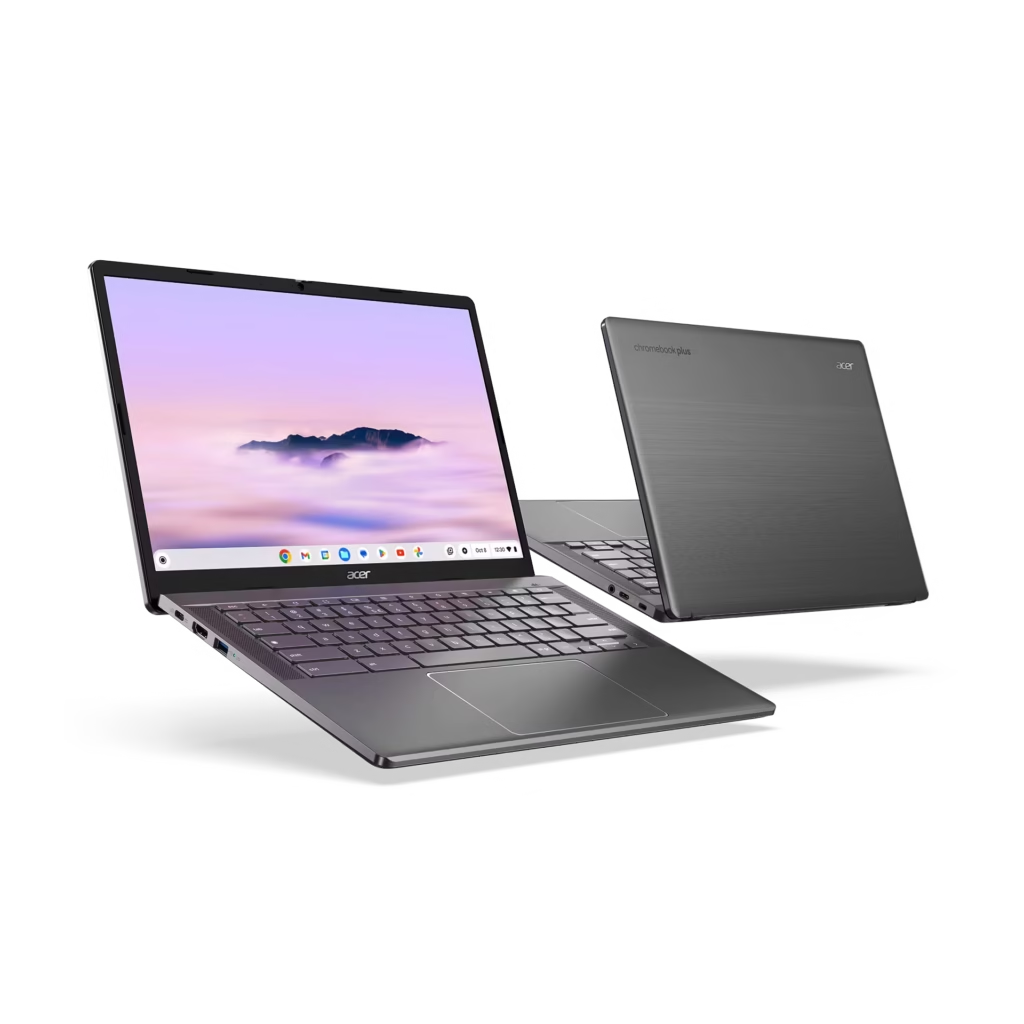
The Acer Chromebook Plus 514 is the most important Chromebook on this list for most buyers. At ~$249–350 depending on retailer and configuration, it delivers the full Chromebook Plus certification — 8GB of RAM, 1080p webcam, Full HD display, and native Gemini 3 integration — at a price that undercuts every other Plus-certified device by $100 or more.
Specs (base configuration):
- CPU: Intel Core 3 N355 (or Core 3 100U in some variants)
- RAM: 8GB LPDDR5
- Storage: 128GB–512GB (configuration-dependent; higher-storage variants available)
- Display: 14″ FHD 1920×1080 IPS
- Ports: 2× USB-C, 2× USB-A, HDMI, microSD
- Webcam: 1080p
- Battery: ~12.7 hours (tested by multiple reviewers)
- Price: ~$249–350
- AUE: ~2033
At approximately $43/year of support over its 7-year remaining update window, the Acer Chromebook Plus 514 delivers the best price-per-year-of-support of any Plus-certified Chromebook. The 512GB SSD configurations (typically ~$349) are the correct buy for anyone storing Google Drive offline sync, Android apps, and Linux packages locally.
What it doesn’t do well: The display is not the brightest option in the lineup — 250 nits is the Plus certification floor and the 514 hits it, but outdoor visibility suffers. The IPS panel has adequate color accuracy but cannot match the OLED in the Lenovo Chromebook Plus 14. For buyers who use their laptop primarily indoors, neither limitation is significant.
Who should NOT buy the Acer Chromebook Plus 514: Users who need a 2-in-1 form factor — the 514 is a clamshell. Anyone who primarily works outdoors in bright sunlight should step up to a display with 300+ nits.
4. Lenovo Chromebook Plus i 15 — Best large-screen Chromebook
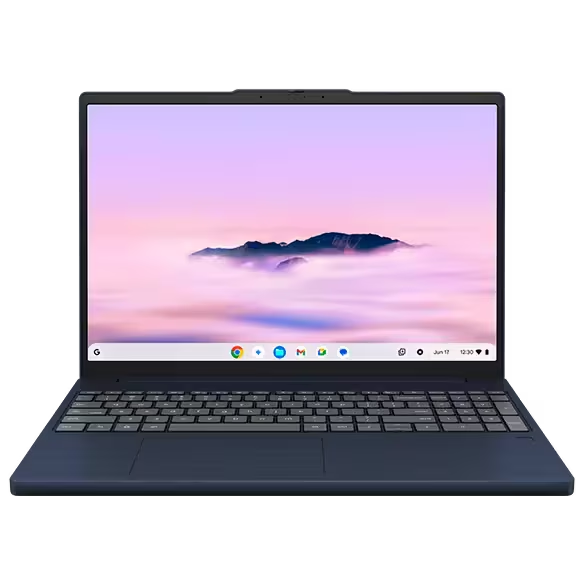
The Lenovo Chromebook Plus i 15 is the standout addition to the 2026 Chromebook lineup from CES 2026, shipping at approximately $469 with a 15.3-inch 2K (2560×1600) display at 400 nits — the brightest standard Chromebook display currently available — in an optional 120Hz touchscreen variant.
Specs:
- CPU: Intel Core 3 N355
- RAM: 8GB LPDDR5
- Storage: 256GB
- Display: 15.3″ 2K 2560×1600, 400 nits (120Hz touch optional)
- Ports: 2× USB-C, 2× USB-A, HDMI, SD card
- Wi-Fi: Wi-Fi 7 (a CES 2026 addition across the Lenovo lineup)
- Battery: ~10–11 hours
- Price: ~$469
- AUE: ~2035 (2026 platform)
Wi-Fi 7 support — included in the CES 2026 wave of Lenovo and Acer updates — is now a baseline differentiator for this price tier. The 6GHz band support matters in dense apartment buildings and university dorms where 2.4GHz and 5GHz channels are congested. For students in campus housing, the practical connectivity improvement is measurable.
The 400-nit display is the primary reason to choose the Lenovo i 15 over other large-screen options. Outdoor readability, video call backgrounds with windows behind you, and library work under bright overhead lighting all benefit from the additional brightness.
Who should NOT buy the Lenovo Chromebook Plus i 15: Users who need a 2-in-1 — the i 15 is a clamshell. Anyone who finds 15-inch laptops too heavy for commuting — at approximately 3.5 lbs, the i 15 is a desk-and-bag device, not a one-hand carry.
5. ASUS Chromebook CM14 Flip — Best Chromebook for K-12 students
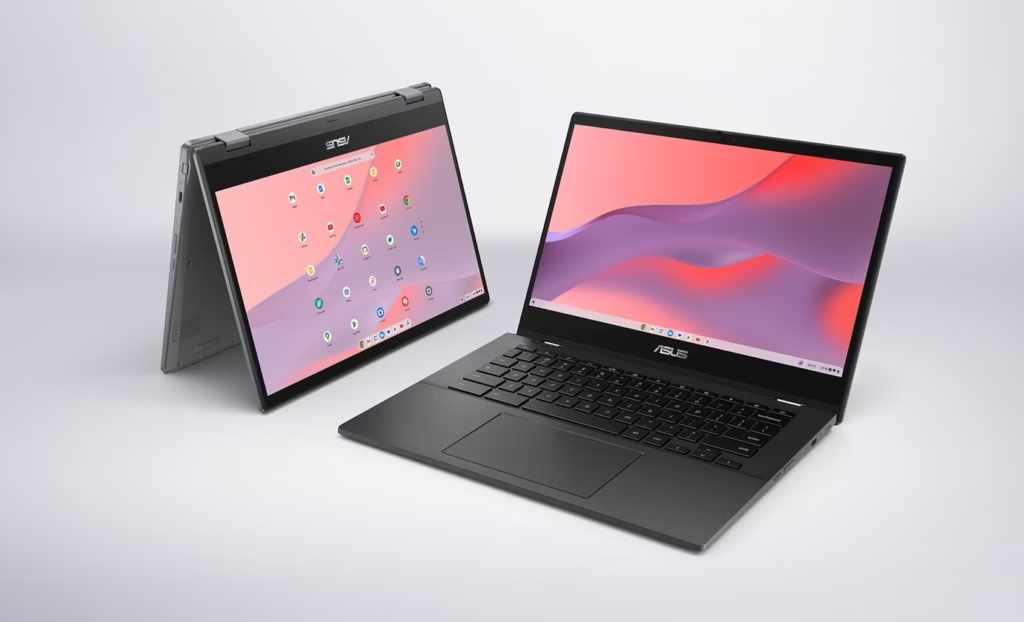
The ASUS Chromebook CM14 Flip (~$299) is built for the specific punishment of school environments: a spill-resistant keyboard, antimicrobial surface coating, MIL-STD-810H military-grade drop and vibration resistance, and a 14-hour rated battery that should survive a full school day without hunting for an outlet.
Specs:
- CPU: MediaTek Kompanio 520 (or Intel N-series depending on variant)
- RAM: 8GB
- Storage: 64–128GB
- Display: 14″ FHD 1920×1080 IPS Touch
- Hinge: 360-degree convertible
- Durability: MIL-STD-810H, spill-resistant keyboard, antimicrobial coating
- Battery: ~14 hours (rated)
- Price: ~$299
- AUE: ~2032
The 360-degree hinge enables handwritten notes in tablet mode — a genuinely useful feature for students who take structured notes in class by hand rather than typing. The touch display responds accurately in both orientations. The antimicrobial coating is not marketing theater — it’s the same surface treatment used on school equipment specifically because shared devices accumulate bacteria faster than personal devices.
The honest limitation: The CM14 Flip’s display is adequate but not bright. In classrooms with windows, students near the window side of the room may find the screen hard to read in direct sunlight. The storage ceiling at 128GB requires relying on Google Drive for document storage — acceptable on reliable school Wi-Fi, a friction point at home with slower connections.
Who should NOT buy the ASUS CM14 Flip: Adults who don’t need the ruggedness premium — the durability features add to the price without benefiting users who won’t drop it. Anyone who needs a 15-inch screen.
6. ASUS Chromebook CX15 — Best bare-budget Chromebook
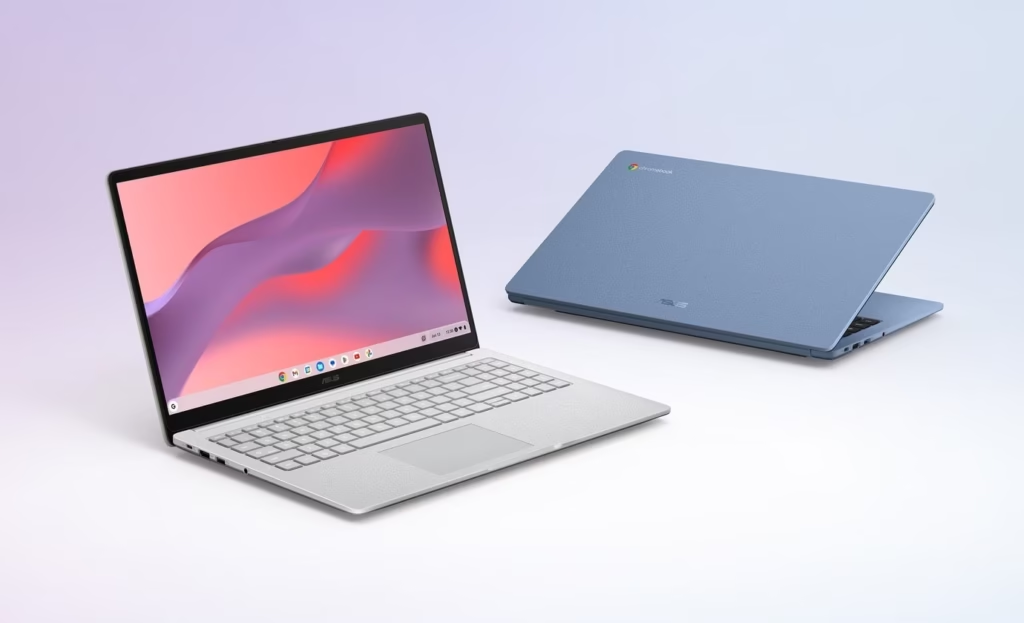
At approximately $159, the ASUS Chromebook CX15 is the entry point for anyone who genuinely cannot spend more. The 15.6-inch FHD display is the largest panel available at this price point anywhere in the Chromebook lineup. MIL-STD-810H durability is included even here.
The honest assessment: The CX15’s 4GB of RAM is the primary limitation. ChromeOS handles 4GB adequately for light workloads — web browsing, Google Workspace, YouTube — but multitasking with Android apps or keeping 15+ tabs open simultaneously will produce visible slowdowns. This is not a Chromebook Plus device; it lacks the Plus certification’s hardware floor.
For a student, grandparent, or secondary household device doing light web use and video calls, the CX15 is entirely functional. For anyone who will use it as a primary work machine, step up to the Acer Chromebook Plus 514.
Who should NOT buy the ASUS CX15: Anyone expecting to use Android apps heavily, run Linux packages, or keep more than 10 tabs open simultaneously. Business buyers — the 4GB ceiling is a hard limit for professional workflows.
7. Acer Chromebook Plus 516 GE — Best Chromebook for cloud gaming
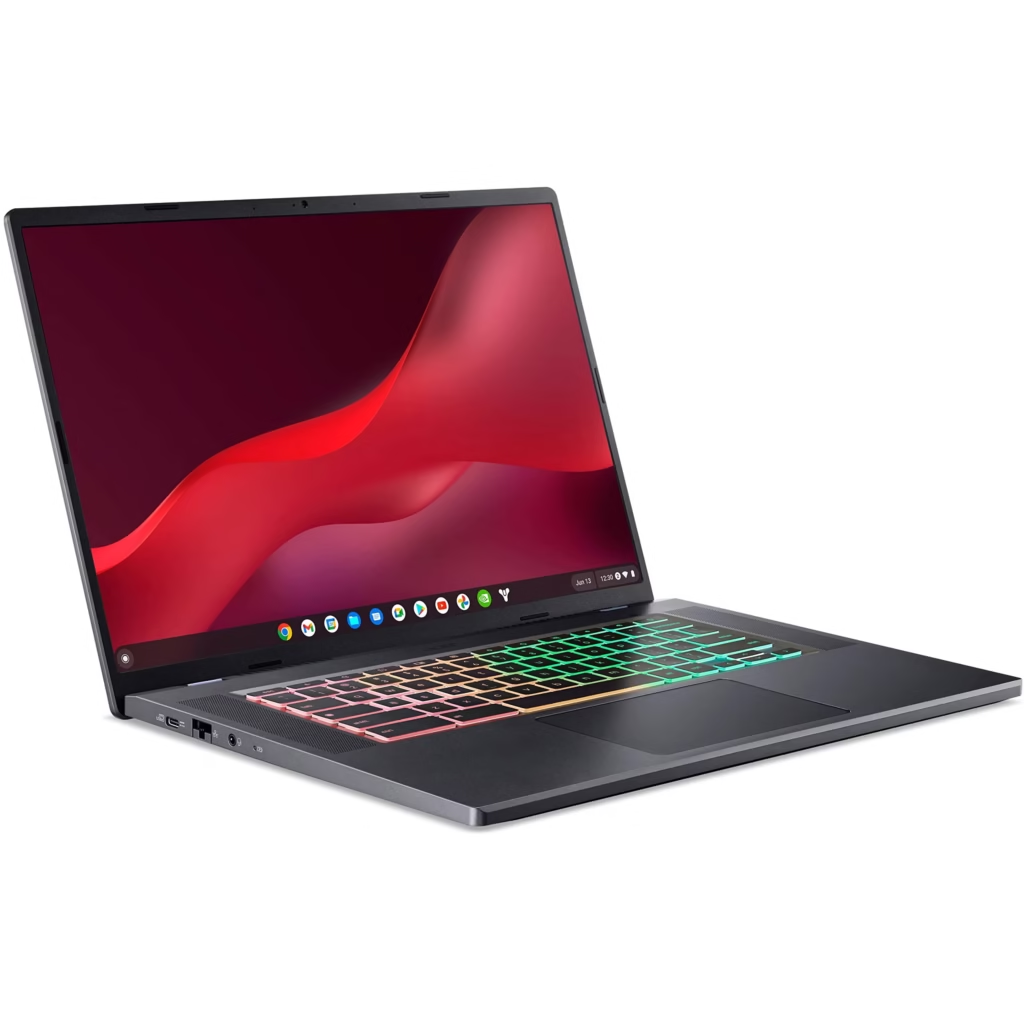
The Acer Chromebook Plus 516 GE is the only Chromebook in this roundup with a built-in Ethernet port — a deliberate design choice that targets cloud gaming on GeForce NOW, Xbox Cloud Gaming, and Luna. Wi-Fi latency, even on Wi-Fi 6, introduces frame timing inconsistencies that wired Ethernet eliminates entirely.
Specs:
- CPU: Intel Core i5-1235U (or Core Ultra 5 in higher configurations)
- RAM: 8GB LPDDR5
- Storage: 256GB SSD
- Display: 16″ 2.5K 2560×1600 IPS, 120Hz
- Ports: 2× Thunderbolt 4, 1× USB-A, HDMI, Ethernet, SD card
- Price: ~$549–649
- AUE: ~2033
The 120Hz, 2.5K display at 16 inches is the best gaming display in the Chromebook lineup — games streamed at 1440p from GeForce NOW are rendered at native resolution with smooth motion. The 2.5K resolution means less visible compression artifacting in fast-moving scenes than on 1080p panels.
The hard truth about Chromebook gaming: Cloud gaming on any Chromebook depends entirely on your internet connection. A 100 Mbps or faster wired connection — or 300 Mbps+ Wi-Fi with a modern router in an uncongested environment — is required for a consistent 1080p gaming experience. If your connection doesn’t meet that bar, the 516 GE’s display and Ethernet port are underutilized assets.
Who should NOT buy the Acer Chromebook Plus 516 GE: Anyone without a reliable high-speed internet connection. Students in shared housing with unpredictable bandwidth. Users who want local game installs — ChromeOS does not support native PC game installation.
Who should NOT buy a Chromebook at all in 2026
Chromebooks are the right answer for many buyers and the wrong answer for some. Be honest about which category you’re in:
Do not buy a Chromebook if:
- Your work requires Windows-only software — AutoCAD, Adobe Premiere (full desktop version), Microsoft Access, specialized medical or engineering applications, or any legacy enterprise software
- You need a local gaming library — Steam on ChromeOS via Linux exists but is limited; most titles are unsupported
- You edit video professionally — Chromebook-based video editing (CapCut, Clipchamp, Canva) works for simple projects; professional-grade local rendering is not viable
- You are a developer who needs a complete local development environment — Linux on Chromebooks works well for many workflows, but some professional setups (Docker, specific build systems, hardware virtualization) hit ChromeOS compatibility ceilings
- You plan to spend $800+ on a single laptop — at that price point, a Windows laptop from Dell, HP, or Lenovo gives you broader software compatibility, and the Googlebook’s fall 2026 arrival is worth evaluating
A Chromebook is the right choice if:
- Your work runs in a browser — Google Workspace, Microsoft 365 Web, Slack, Zoom, Salesforce, Linear, Figma Web
- You value long software support — 10 years of ChromeOS updates outlasts most Windows laptop support windows
- Battery life and boot time matter — Chromebooks consistently outperform equivalently priced Windows laptops on both
- Security and low maintenance are priorities — ChromeOS runs updates in the background, boots from a read-only partition, and does not accumulate Windows-style registry bloat
Frequently asked questions
What is the best Chromebook in 2026?
For business users and anyone wanting the best overall device, the Acer Chromebook Plus Spin 714 (~$699) leads with Thunderbolt 4 ports, a 1440p webcam, a 360-degree hinge, and an AUE of June 2034. For best value, the Acer Chromebook Plus 514 (~$249–350) delivers full Chromebook Plus certification at roughly half the price.
Should I buy a Chromebook or wait for Googlebook?
Buy a Chromebook now if you need a device this year, are spending under $600, or are deploying managed devices for education or business. Wait for Googlebook if you plan to spend $700+ on a laptop, are comfortable with first-generation hardware, and want native Android app support without ChromeOS compatibility compromises. Googlebook pricing and specifications were not disclosed as of this writing.
What is Chromebook Plus and is it worth it?
Chromebook Plus devices meet Google’s certified hardware floor: 8GB RAM, 1080p webcam, Full HD display, and qualified processor. All Plus devices receive native Gemini 3 AI integration via ChromeOS 144 (released January 28, 2026). The previous 12-month Gemini Advanced trial ($240 value) that came with Plus purchases expired on January 31, 2026 and is no longer included. For most buyers, Chromebook Plus is worth it — the RAM and webcam floors matter for real workloads. The cheapest Plus model (Acer Chromebook Plus 514) starts at approximately $249.
How long does a Chromebook last?
The average Chromebook lifespan reached 7.6 years in 2026. Google’s 10-year Auto Update policy applies to Chromebooks released from 2021 onward. The AUE date is tied to the device’s platform release year, not your purchase date — two devices bought on the same day can have different AUE dates. Check the specific model at Google’s official Auto Update Policy page before purchasing.
What is the best budget Chromebook under $300?
The Acer Chromebook Plus 514 (from ~$249) is the best budget Chromebook that still meets the Chromebook Plus standard, including 8GB of RAM and a 1080p webcam. Below the Plus floor, the ASUS Chromebook CX15 (~$159) is the cheapest functional option but comes with 4GB of RAM — adequate for very light use, limiting for multitasking.
Can Chromebooks run Microsoft Office?
Microsoft 365 runs in full on Chromebooks via the web browser (office.com) and via Android apps from Google Play. The web version handles all standard document editing tasks. The Android apps have minor feature gaps compared to the full Windows desktop apps but work for the vast majority of users. If your work requires advanced Excel macros or complex Access databases, a Windows laptop is the better tool.
What is ChromeOS 144 and what does it add?
ChromeOS 144, released January 28, 2026, brought native Gemini 3 integration to all Chromebook Plus devices, including an in-OS Gemini panel accessible from any context, AI-powered writing assistance in Google Docs, AI-powered image editing in Google Photos, and on-device processing for privacy-sensitive tasks on devices with an NPU (such as the Lenovo Chromebook Plus 14).
How do I check my Chromebook’s Auto Update Expiration date?
Navigate to Settings → About ChromeOS → Additional details. The “Updates” section shows your device’s AUE date. Alternatively, search Google’s official Auto Update Policy list by model name. For used purchases, calculate how many years of updates remain before committing — a 2022 device bought used in 2026 typically has six or more years remaining, per Starry Hope’s AUE guidance.
Methodology
Pricing in this article was verified at Google Shopping, Best Buy, Amazon, and manufacturer pages in May 2026. AUE dates draw from Google’s official Auto Update Policy, Consumer Reports testing data (confirmed June 2034 date for Acer Chromebook Plus Spin 714), and platform-launch-date extrapolation under the 10-year policy for 2021-and-later devices. The price-per-year-of-support calculation divides each model’s current retail price by the number of full years of ChromeOS updates remaining from May 2026.
Googlebook information reflects Google’s May 12, 2026 announcement at The Android Show: I/O Edition and coverage from Engadget, The Verge, and Tech-ish. Specifications, pricing, and launch timing for Googlebook were not disclosed as of publication. All Googlebook-related claims in this article are marked with confirmation status: ✅ confirmed by Google / ⚠️ reported / ❓ unknown.