
By BitsFromBytes Team · Reviewed by Maya Dalton (3D printing) · Last updated October 29, 2026 · Basis: manufacturer documentation and standards retrieved October 28–29, 2026; no hands-on testing
This page is built for people setting up or choosing an FDM machine. It puts two manufacturers’ filament tables side by side, computes the temperature window where they agree, maps the common print failures to the fix the manufacturer documents, and compares a 2026 printer with the RapMan kit that Bits From Bytes sold. Every table is in a free CSV below.
Free download: FDM settings dataset (CSV, 116 rows)
Bambu Lab and Prusa nozzle and bed ranges for 7 materials, the BitsFromBytes agreement windows, Bambu drying times, and the RapMan 3.2 vs Bambu Lab A1 figures. Each row carries its source URL and retrieval date. License: CC BY 4.0, credit “BitsFromBytes Research” with a link to this page.
What Is an FDM 3D Printer?
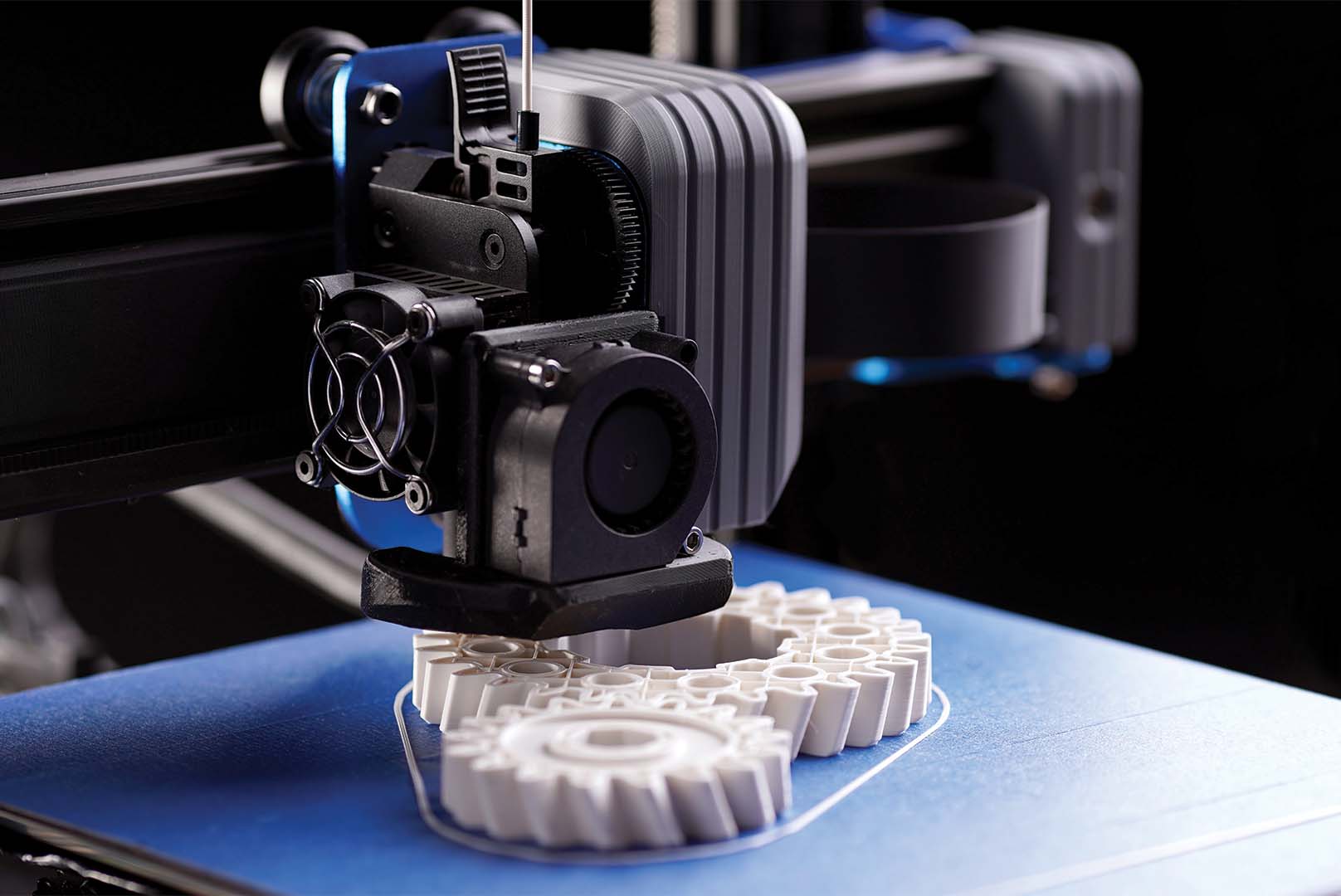
An FDM 3D printer is a machine that pushes a thermoplastic filament through a heated nozzle and draws each layer of a part, one on top of the next. FDM stands for fused deposition modeling. The same process is often called fused filament fabrication (FFF), the term the U.S. National Institute for Occupational Safety and Health (NIOSH) uses.
The standards vocabulary uses neither name. ISO/ASTM 52900:2021, the additive manufacturing vocabulary maintained by ISO and ASTM International, files the process under material extrusion: material selectively dispensed through a nozzle or orifice. ISO’s page states the 2021 edition was last reviewed and confirmed in 2025. When a spec sheet, a school purchasing form or a safety document says material extrusion, FDM or FFF, it means the same family of machines.
Which specs decide what an FDM printer can print?
Four numbers on a spec sheet decide which filaments a machine can run: maximum nozzle temperature, maximum bed temperature, whether it is enclosed, and what the nozzle is made of. The table checks those limits against the manufacturer data, using the Bambu Lab A1 figures from our Bambu Lab A1 specs and settings guide as the worked example.
| Spec | What it limits | Example: Bambu Lab A1 | What the filament data says | Source |
|---|---|---|---|---|
| Max nozzle temperature | Which plastics melt properly | 300 °C (572 °F) | Every agreement window in the settings table tops out at or below 285 °C, so 300 °C covers PLA through nylon. Bambu lists PPS-CF/GF at 310–350 °C, beyond it. | Bambu Lab A1 spec page (retrieved Oct 28, 2026); Bambu Lab material table |
| Max bed temperature | Adhesion and warping on hot plastics | 100 °C (212 °F) | ABS (95–100 °C) and ASA (90–100 °C) fit. PC and nylon only reach the bottom edge of their 100–115 °C window. | Bambu Lab A1 spec page; BitsFromBytes agreement windows |
| Enclosure | Warping and layer bonding on ABS, ASA, PC, nylon | Open frame | Bambu does not recommend ABS, ASA, PC or PA on open-frame printers; Prusa marks an enclosure as recommended for the same four. | Bambu Lab material table; Prusa Filament Material Guide |
| Nozzle material | Carbon- or glass-fiber filaments | Stainless steel, 0.4 mm included | Bambu says fiber-filled and particle-filled filaments wear soft nozzles quickly and clog 0.2 mm nozzles; it recommends a hardened nozzle, 0.6 mm first in most cases. | Bambu Lab material table |
The bed limit is the one buyers overlook. A 300 °C hotend reads like it opens every engineering filament, but on a 100 °C bed, polycarbonate and nylon sit at the very floor of the range both manufacturers list, with no headroom for a cold room.
How Has the FDM 3D Printer Changed Since the Bits From Bytes RapMan?
Bits From Bytes, the company this site is named after, sold the RapMan 3.2 as a self-assembly FDM kit. Its store listing gave a 270 × 205 × 210 mm print area for the single-head version and a maximum extrusion rate of 15 mm³/s, print and polymer dependent. Set against the Bambu Lab A1, the gap is wider in speed than in size.
| Spec | RapMan 3.2 (Bits From Bytes kit) | Bambu Lab A1 | Difference (BitsFromBytes Research) |
|---|---|---|---|
| Build area | 270 × 205 × 210 mm (single head) | 256 × 256 × 256 mm | 11.62 L vs 16.78 L: the A1 holds 1.44× the volume |
| Build area with a second head | X shrinks to 190 mm (single-head print) or 120 mm (two-head print) | Not applicable in the cited spec | Dual extrusion cost the RapMan up to 150 mm of width |
| Max material throughput | 15 mm³/s maximum | 28 mm³/s (ABS, single-wall test at 280 °C) | 1.87× higher, but the test conditions differ |
| Weight | 18 kg (Extreme kit listing) | 8.3 kg | Less than half |
| Interface and files | Touchscreen, files read from a USB drive | 3.5-inch screen, Wi-Fi, microSD | Network printing replaces the carried drive |
| Assembly | Listing allows 2–3 days from box to first parts | Not stated in the cited spec | — |
| Price | From £795 (listing date not shown) | Not shown: no verified current price | Not compared |
The throughput row is the one to read with care. Bambu measured 28 mm³/s on ABS at 280 °C with a single-wall test part, while the RapMan figure is a stated ceiling with no test described, so 1.87× is an upper-bound comparison, not a like-for-like benchmark. The size row is cleaner: 44 % more volume in a machine that weighs less than half as much.
If you still run one of these machines, the archived RapMan 3.2 kit documentation, the Skeinforge slicer reference and the BfB 3000 page cover the original hardware and software.
What Settings Should an FDM 3D Printer Use for Each Filament?
Start each material inside the agreement window: the range where Bambu Lab’s and Prusa’s published ranges overlap. BitsFromBytes Research computes it as the higher of the two minimums to the lower of the two maximums. A value inside it is endorsed by both manufacturers’ documentation; a value outside it is endorsed by one at most. Prusa’s ranges come from the Prusa Filament Material Guide.
| Material | Nozzle: Bambu Lab | Nozzle: Prusa | Nozzle: agreement window | Bed: Bambu Lab (textured PEI) | Bed: Prusa | Bed: agreement window | Open frame OK (Bambu) / Enclosure (Prusa) | Drying (Bambu) |
|---|---|---|---|---|---|---|---|---|
| PLA | 190–240 °C | 185–235 °C | 190–235 °C | 45–65 °C | 50–60 °C | 50–60 °C | Yes / No | 55 °C, 8 h |
| PETG | 240–270 °C | 215–270 °C | 240–270 °C | 60–80 °C | 70–90 °C | 70–80 °C | Yes (enclosed recommended) / No | 70 °C, 8 h |
| TPU | 200–250 °C | 220–260 °C | 220–250 °C | 35–45 °C | 40–85 °C | 40–45 °C | Yes / No | 70 °C, 8 h |
| ASA | 240–280 °C | 220–275 °C | 240–275 °C | 90–100 °C | 90–110 °C | 90–100 °C | Not recommended / Recommended | 80 °C, 8 h |
| ABS | 240–280 °C | 230–255 °C | 240–255 °C | 90–100 °C | 95–110 °C | 95–100 °C | Not recommended / Recommended | 80 °C, 8 h |
| PC | 260–290 °C | 270–275 °C | 270–275 °C | 100–120 °C | 100–115 °C | 100–115 °C | Not recommended / Recommended | 80 °C, 8 h |
| PA (nylon) | 260–290 °C | 240–285 °C | 260–285 °C | 100–120 °C | 70–115 °C | 100–115 °C | Not recommended / Recommended | 80 °C, 8–12 h |
ABS shows the widest disagreement: Bambu’s nozzle range runs to 280 °C, Prusa’s stops at 255 °C, a 25 °C gap at the top. Polycarbonate has the narrowest shared window, only 5 °C (270–275 °C), because Prusa lists PC so tightly. PLA has the widest at 45 °C, which is why it forgives a poorly tuned first profile.
One plausible reason for disagreement at the top of a range is hardware rather than chemistry: a high-flow hotend at speed needs more heat to melt the same plastic in less time. On a slower printer, start in the middle of the agreement window and move 5 °C at a time, printing a temperature tower rather than a full part between changes.
Moisture is the setting nobody sets. The Bambu table marks drying as required before PC, nylon and TPU, and as recommended for every other material listed here; damp filament shows up as stringing, gaps, rough walls and weaker parts.
Bambu also flags heat: it does not recommend PLA for parts that will sit around 50 °C or above, since it softens slowly at that point, and points to PETG, ABS, ASA or PC instead.
What Are the Most Common FDM Printing Problems and How Do You Fix Them?
Find the symptom, then change the setting in the fix column before anything else. The last column names the change that looks related but does not address the cause.
| Symptom | Cause the manufacturer names | Fix first | Change that does not fix it | Source |
|---|---|---|---|---|
| Stringing: thin hairs between parts or across gaps | Nozzle too hot; damp filament; plastic residue on the nozzle | Lower the nozzle 5–10 °C; try another spool or dry this one; clean the nozzle; tune retraction | Raising retraction on a wet spool: the strings come from steam in the melt | Prusa stringing and oozing article; Bambu material table (moisture) |
| Warping: corners lift off the bed on large parts | Uneven cooling and shrinkage, mostly with ASA, ABS and PC | Thin layer of glue stick on a cold sheet; bed inside the agreement window; enclosure for ABS, ASA, PC, nylon; slower print speed | A hotter nozzle: the shrink happens as the part cools | Prusa warping article; Bambu material table |
| Layer shift: the part steps sideways mid-print | Wrong belt tension or a loose pulley | Tighten belts until they sound a low note when plucked; check and secure the pulleys; on Prusa machines run normal rather than stealth power mode | Slicer changes: Prusa traces most shifts to belts and pulleys | Prusa layer shifting article |
| Under-extrusion: gaps, missing lines, fragile walls | Partial clog; first layer set too close; damp filament | Clean or clear the nozzle; re-run first-layer calibration; dry the filament | Raising flow rate: it hides a clog until the next print | Prusa under-extrusion article; Bambu material table |
| Clogs or a worn nozzle with CF, GF, glow or sparkle filament | Abrasive fillers in a soft nozzle, or a 0.2 mm nozzle | Hardened nozzle; 0.6 mm first choice, 0.4 mm second, layer height 0.15–0.3 mm; clean at 280 °C with a needle before use | A hotter print temperature | Bambu material table |
| PLA part bends in a hot car or near a heater | PLA softens slowly from about 50 °C | Reprint in PETG, ABS, ASA or PC | More infill or walls | Bambu material table |
The Prusa stringing and oozing article lists moisture beside temperature as a cause. If lowering the nozzle 10 °C changes nothing, swap the spool before touching retraction. This page does not count forum reports: no dated count was compiled in this research pass. For the Bits From Bytes machines, the older BfB printer troubleshooting reference covers Bits From Bytes printers.
Is It Safe to Run an FDM 3D Printer Indoors?
Run it with ventilation. The NIOSH additive manufacturing page (reviewed July 16, 2026) says laboratory studies found that fused filament fabrication desktop printers emit respiratory irritants, and that filament material and color significantly affect volatile organic compound (VOC) emission rates. NIOSH publishes a guide for makerspaces, schools, libraries and small businesses on reducing exposure.
An enclosure built to hold heat for ABS is not an air filter. Treat the material choice as part of the safety decision: the same NIOSH research found the filament itself changes how much is released.
How Much Does an FDM 3D Printer Cost to Run?
Electricity is the easiest running cost to price. On the Bambu Lab A1, 100 hours of PLA printing costs about $1.73 at the U.S. average residential price: 95 W measured average × 100 h ÷ 1,000 × $0.1816 per kWh (EIA, August 2026). The figure comes from Bambu’s power-consumption wiki and is worked through on our Bambu Lab A1 page.
To price a single part from its filament weight, power draw and machine wear, use the 3D print cost calculator. This page does not quote purchase prices, because none were verified on a dated store page during this research; for budget machines, see the best 3D printers under $200.
Who Should Buy an FDM 3D Printer, and Who Should Skip One?
Buy one if
- You will print mostly PLA, PETG or TPU: both manufacturers list all three as fine without an enclosure, and PLA has the widest agreement window (45 °C).
- You want functional parts (brackets, jigs, enclosures) more than display detail: FDM’s material range is its advantage.
- You can dry and store filament: drying is listed as required for PC, nylon and TPU.
Skip it, or plan for an enclosed model, if
- Your parts must be ABS, ASA, PC or nylon: both manufacturers point to an enclosure, and PC and nylon need a bed above 100 °C for headroom.
- You need fine surface detail on miniatures: compare the resin route in our FDM vs SLA vs SLS comparison.
- You cannot ventilate the room you print in (see the NIOSH findings above).
- Best 3D printers under $200: buying guide for entry-level FDM machines.
- Best open-source 3D printers: machines in the RepRap and RapMan tradition.
- Bambu Lab H2D vs X1 Carbon: enclosed printers for ABS, ASA and PC.
- High-speed 3D printing: CoreXY and servo extrusion: why flow rate replaced build size as the headline spec.
- G-code reference guide and the BitsFromBytes tools hub.
How Do I Cite or Embed This Data?
APA citation:
Link HTML for your page:
You may reuse the tables and the CSV under CC BY 4.0 with a credit and a link to this page.
FAQ
What does FDM stand for in 3D printing?
FDM stands for fused deposition modeling. The same process is also called fused filament fabrication (FFF), and the ISO/ASTM 52900 vocabulary classes it as material extrusion.
What is the difference between FDM and FFF?
None in practice: both describe melting a filament in a heated nozzle and depositing it layer by layer. NIOSH uses fused filament fabrication; the standards term is material extrusion.
What temperature should I print PLA at?
Start between 190 and 235 °C, the range where Bambu Lab’s and Prusa’s PLA guidance overlaps, with the bed at 50–60 °C. Adjust in 5 °C steps.
Does an FDM 3D printer need an enclosure?
Not for PLA, PETG or TPU. Bambu Lab does not recommend ABS, ASA, PC or nylon on open-frame printers, and Prusa recommends an enclosure for the same four materials.
Is an FDM 3D printer good for beginners?
Yes, if you start with PLA: both manufacturers list it without an enclosure or hardened nozzle, and its shared temperature window is the widest of the seven materials compared here, at 45 °C.
How much electricity does an FDM 3D printer use?
Bambu Lab measured an average of 95 W for the A1 printing PLA, which works out to about $1.73 per 100 hours at the August 2026 U.S. average residential price of 18.16 cents per kWh.
How This Page Was Built
BitsFromBytes Research owns no test bench, so nothing here was printed or measured by us. Settings come from the Bambu Lab Filament Guide material table and the Prusa Filament Material Guide (both retrieved Oct 29, 2026); fixes from Prusa Knowledge Base troubleshooting articles; the safety statement from NIOSH; the terminology from ISO/ASTM 52900:2021 and its definition as reproduced in a peer-reviewed paper on the U.S. National Library of Medicine site.
RapMan figures come from an archived copy of the Bits From Bytes store listing; Bambu Lab A1 figures come from Bambu’s spec page and power wiki and the EIA, as recorded in our A1 guide on Oct 28, 2026. Agreement windows, volumes and the electricity cost are BitsFromBytes Research calculations with the formula shown beside each.
Last updated: October 29, 2026. Review trigger: a change to either manufacturer’s material table, a new EIA price release, or a new Bambu Lab A1 spec revision. Errors are corrected under our corrections policy.